How to Choose the Right USB C Interface for Your Devices?
Choosing the right USB C interface for your devices can greatly enhance your tech experience. With the rapid advancement of technology, many devices now rely on this versatile standard. USB C interfaces offer numerous features, but selecting the best one can be tricky. Different devices have unique requirements. Knowing these can make a difference in performance.
Many users encounter compatibility issues. This can arise from various USB C types available in the market. Each type has its specifications and uses. Some are designed for power delivery, while others focus on data transfer speeds. If you're not aware, you may end up with inadequate performance.
Researching the right USB C interface is crucial. You need to pay attention to the intended use of the interface. For example, gamers require different specifications compared to a simple charging device. Understanding these parameters will ensure you choose wisely. In an evolving tech landscape, making informed decisions can save time and frustration.
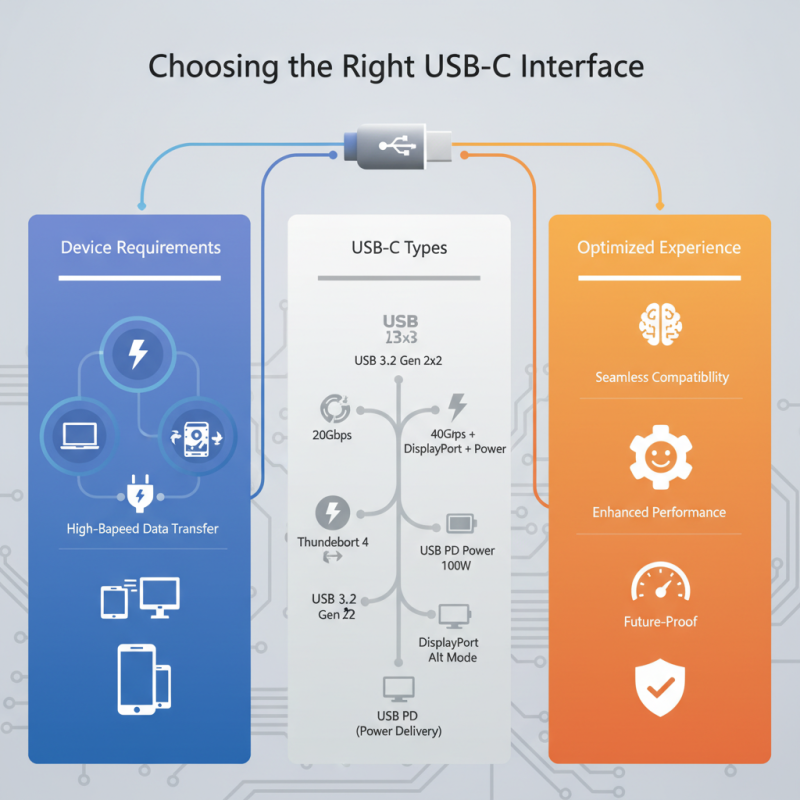
Understanding USB-C Interfaces: Types and Specifications
When selecting the right USB-C interface for your devices, understanding the types and specifications is crucial. USB-C is versatile, but not all USB-C ports are identical. Some support data transfer only, while others enable charging and video output. Knowing the capacities of each type can prevent frustration later.
There are several types of USB-C interfaces, including USB 3.1, 3.2, and Thunderbolt 3. USB 3.1 allows data transfer rates of up to 10 Gbps, ideal for most peripherals. USB 3.2 can double this speed, offering up to 20 Gbps for demanding tasks such as video editing. Thunderbolt 3 provides the highest performance, supporting up to 40 Gbps. Consider your needs carefully. Invest in a high-speed interface if you work with large files regularly.
Tips: Check whether your devices support the chosen USB-C standard. Opt for cables that match the specifications needed for your tasks. Always look for user reviews or technical specifications before making a purchase. While some may ignore these details, making informed choices usually pays off in functionality and longevity.
This chart illustrates the characteristics of various USB-C interface types, focusing on their data transfer speeds, power delivery capabilities, and the range of devices they support.
Evaluating Device Compatibility for USB-C Connectivity
When choosing the right USB-C interface, device compatibility is key. According to a report by the USB Implementers Forum, over 85% of new devices released in 2023 feature USB-C connectors. This rapid adoption underscores the necessity for consumers to ensure their devices are compatible with the latest interfaces.
One tip is to check the specifications of your devices. Not all USB-C ports offer the same features. Some may only support basic charging, while others enable data transfer speeds of up to 40 Gbps. This variability can lead to confusion, especially for those who need high-speed connectivity for tasks like video editing. Next, consider the power delivery capabilities of your devices. Devices requiring more power may not function well with lower-rated cables.
Another important aspect to reflect on is the varying standards of USB-C accessories. Some cheaper cables may not comply fully with USB-C standards, risking overheating or damage to your devices. A study from ResearchAndMarkets projected that the global USB-C accessory market will grow by 30% annually. This growth highlights the increasing importance of choosing reliable accessories, as compatibility issues can lead to frustrating user experiences.
Evaluating device compatibility shouldn't be overlooked to ensure seamless connectivity in an ever-evolving tech landscape.
Identifying Power Delivery Needs for Charging
When selecting a USB-C interface, understanding power delivery needs is crucial. Recent reports show that 90% of modern devices now support USB-C connections. This trend underscores the importance of identifying the power requirements for effective charging. For instance, laptops typically require 65W to 100W for optimal performance. However, smartphones often need only 18W or 20W.
The variability in power delivery can lead to confusion. Not all USB-C cables deliver the same wattage. Some cables may only support 15W, which is inadequate for larger devices. Choosing the wrong cable can result in slower charging times. In fact, research indicates that nearly 40% of users experience frustration due to inadequate charging speeds.
Additionally, it's essential to consider compatibility. Not every USB-C device interacts seamlessly with every cable. Depending on device specifications, users may confront issues like overheating or charging failure. Proper education on these aspects can mitigate risks and enhance overall user experience.
Exploring Data Transfer Speeds and Capabilities
When choosing a USB-C interface, understanding data transfer speeds is essential. USB-C supports various protocols, making it versatile. It can handle simple file transfers and high-definition video output. The key lies in the USB version. USB 3.2, for instance, can transfer data at 20 Gbps, while USB 4 doubles that speed with additional capabilities. Not all cables or devices will support these higher rates, so checking specifications is crucial.
Consider devices that utilize these interfaces. Some laptops may support Thunderbolt 3, offering faster data transfer rates and additional power delivery. If you use heavy applications, this feature might matter greatly. For standard use, USB 2.0 may suffice. It’s slower, maxing out at 480 Mbps. This option is often seen as an entry-level solution.
Users should reflect on their actual needs. Are you transferring large files regularly? In that case, a higher data speed will benefit you. For occasional use, a basic USB-C interface might be enough. Neglecting to assess personal requirements can lead to frustration. Finding the right balance between speed and necessity is vital for efficient usage.
Choosing the Right Cables and Adapters for USB-C Devices
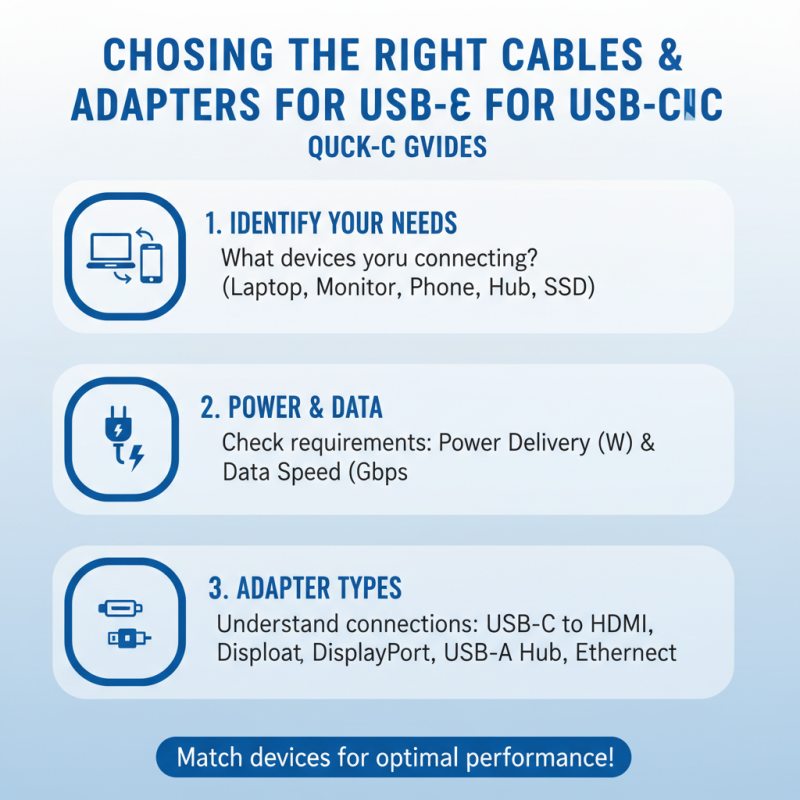
Choosing the right cables and adapters for USB-C devices can be tricky. With a wide range of options available, it is crucial to understand your specific needs. Start by examining what you will be connecting. Different devices often have different power and data transfer requirements.
When assessing cables, pay attention to their specifications. Look for details like power delivery ratings and data transfer speeds. A cable labeled as “USB 3.2” is capable of higher speeds than older versions, which is vital for tasks like 4K video streaming. Sometimes, manufacturers oversell their products, so checking third-party reviews can provide additional perspective.
Adapters are equally important. Not all USB-C ports support the same functionalities. Ensure the adapter you choose matches your device’s capabilities. Additionally, consider build quality. A sturdy adapter may last longer and provide reliable performance. However, some users find themselves switching adapters frequently due to compatibility issues. This can lead to frustration and wasted time. Always keep your primary needs in mind, and be open to adjusting your choice based on experience.