Why Do You Need a PC Speaker Cable for Your Audio Setup?
Audio setups often require careful selection of components. One critical part is the PC speaker cable. This unassuming cable plays a key role in sound quality. Many users overlook it, focusing on speakers and amplifiers instead. However, the right PC speaker cable can enhance audio clarity and detail.
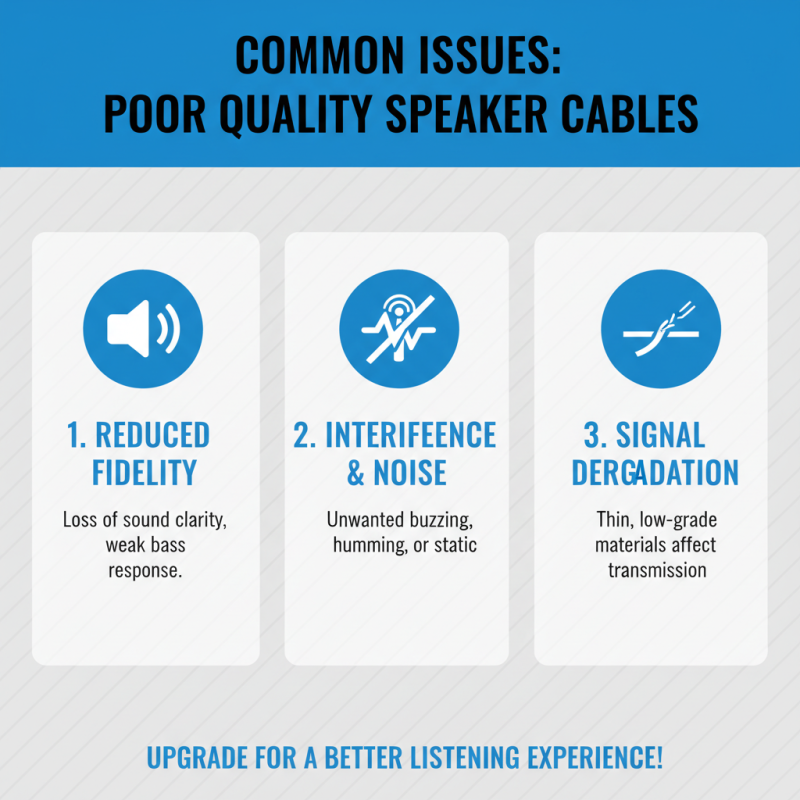
Poor-quality cables can introduce noise and distortion. This results in less enjoyable listening experiences. Users might notice a lack of depth in sound. They may find highs and lows aren’t as pronounced. Investing in a quality PC speaker cable can remedy these issues. It ensures that the audio signal travels cleanly from the source to the speakers.
In an era where sound quality matters more than ever, neglecting your cables is a mistake. High-quality PC speaker cables improve overall performance. They can be a game-changer for music enthusiasts and gamers alike. Paying attention to this detail transforms ordinary setups into extraordinary ones. Making informed choices about cables leads to better results and enjoyment.
Understanding the Basics of PC Speaker Cables and Their Importance
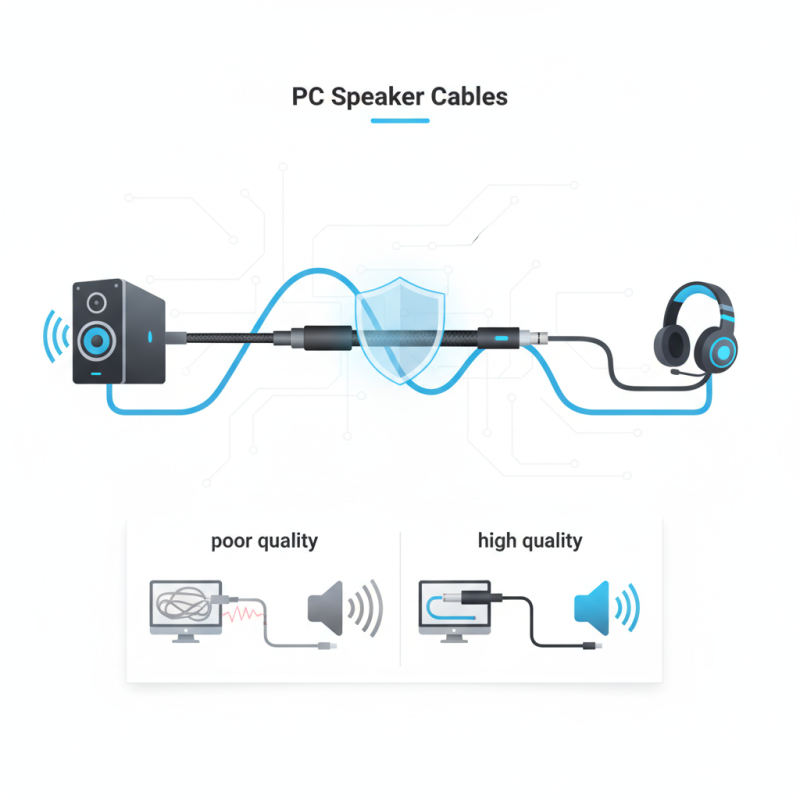
Understanding the basics of PC speaker cables is essential for any audio setup. These cables connect your computer to your speakers, delivering sound with clarity. Without the right cable, audio quality may suffer. Poor connections can lead to distortion or interference. It’s crucial to choose a suitable cable that fits your speakers and sound card.
Cables vary in quality, materials, and length. High-quality cables often use thicker wiring and better insulation. This can reduce signal loss and improve sound quality. Consider the distance from your PC to your speakers. Longer cables can result in weak signals. Shorter cables often preserve audio integrity. Yet, not all setups require top-tier cables. Sometimes, a basic cable meets your needs.
Many users overlook cable selection. This can lead to frustration. Relying on cheap cables may seem easy, but they can degrade your audio experience. Investing in a reliable PC speaker cable enhances sound performance. Learning about these cables empowers you. This knowledge can lead to a more satisfying listening experience.
The Role of Speaker Cables in Enhancing Audio Quality
Speaker cables play a crucial role in audio setups. They connect your audio source to speakers, facilitating the transfer of audio signals. The quality of these cables can significantly impact your overall listening experience. Poor cables may introduce noise and distortion, reducing clarity. An optimal cable ensures that the signal is transmitted accurately.
Choosing the right speaker cable can enhance audio quality. High-quality cables reduce resistance. This allows for better signal flow, resulting in clearer sound. Thicker cables typically perform better than thinner ones. They can carry more power without degradation. Some setups might benefit from specific lengths or materials, affecting sound characteristics. Experimenting with different cables can reveal significant differences in audio clarity and depth.
However, not all cables are created equal. Some might look good on paper but fail in real-world scenarios. Users may gravitate towards flashy options without understanding their true performance. It's essential to focus on the basics of conductivity and gauge. Consideration of personal listening preferences is also vital. Being aware of these factors can lead to a more rewarding audio experience.
Types of PC Speaker Cables and Their Specific Uses
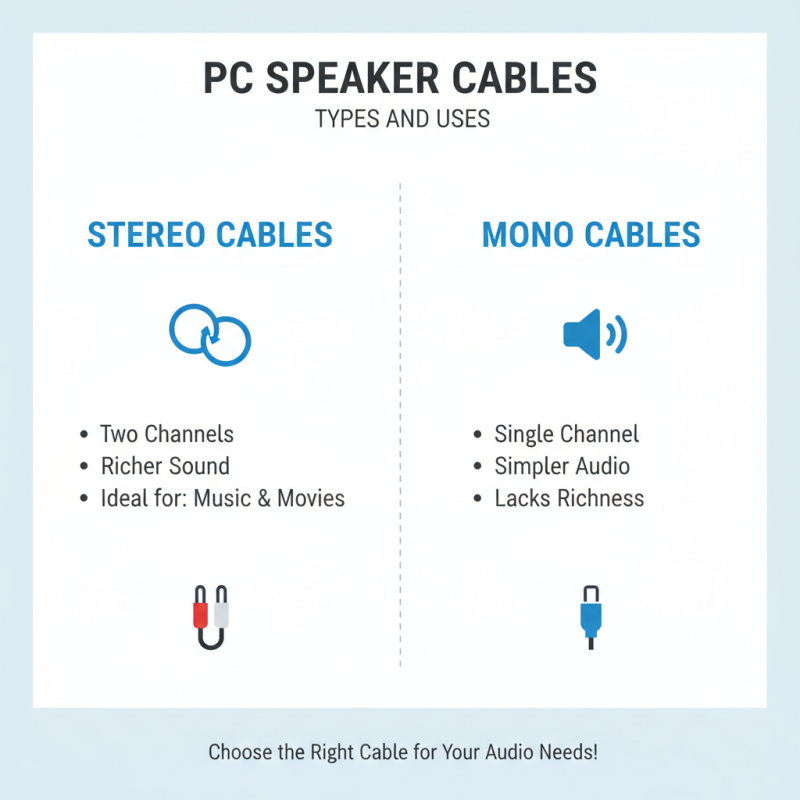
When setting up audio systems, selecting the right type of PC speaker cable is crucial. There are generally two types: stereo cables and mono cables. Stereo cables, often featuring two distinct channels, deliver richer sound. They are ideal for music and movies, offering depth and clarity. Mono cables focus on a single audio channel. While they are simpler, they lack the richness that stereo can provide.
Understanding the specific uses of these cables can improve your audio experience. Stereo cables are often used in home theaters or gaming setups. They can connect multiple speakers effectively, enhancing immersive sound experiences. Mono cables, on the other hand, are commonly used in microphones or single-channel setups. They are straightforward and often used for basic audio needs.
Choosing the right cable involves considering your audio setup and preferences. One must think about the space and equipment at hand. Yet, some may overlook the importance of this choice. The right cable can elevate sound quality significantly. Conversely, the wrong one can lead to distortion or loss of clarity. It’s worth taking the time to evaluate your options carefully.
How to Choose the Right Speaker Cable for Your Setup
When setting up your audio system, choosing the right speaker cable is crucial.
Gauge size is a key factor to consider. For longer runs, a lower gauge number is essential. It reduces resistance and improves sound quality.
Most common gauges are 14, 16, and 18; they each have specific uses.
Understanding the distance and speaker impedance will guide you to make the best choice.
Another aspect is insulation material. Good insulation prevents signal interference.
Look for cables that use durable and high-quality materials. They may cost more but tend to last longer and provide clearer sound.
Ensure that connectors are compatible with your devices to avoid unnecessary issues.
It’s important to reflect on your unique audio needs. What works for one setup may not suit another.
Don't just follow recommendations blindly. Take time to assess your space and listening preferences.
Ultimately, this awareness will lead to a more satisfying audio experience.
Listening to different setups can also help you identify what truly captures your desired sound.