










DMX Cable vs Microphone Cable: The Real Difference Every Audio Pro and OEM Should Know (2025 Update)
Key Takeaways
- DMX cable vs microphone cable may look the same, but they’re built for completely different jobs.
- DMX cables carry digital lighting control data that needs exact 120-ohm impedance. Microphone cables carry analog sound with much lower impedance.
- Using the wrong cable for DMX can cause flickering, random light behavior, or total communication failure.
- Mic cables can sometimes work for very short DMX runs under 25 feet—but it’s never reliable long-term.
- Real DMX cables can handle audio just fine, but not the other way around.
- OEM buyers should always ask for test reports showing 110–120Ω impedance and ANSI E1.11 compliance from trusted factories like Jingyi Audio.
Why U.S. OEM Buyers Should Care
In the U.S. lighting industry, reliability isn’t just a goal—it’s what separates a professional setup from a risky one. Whether you’re building lighting rigs for Las Vegas shows or installing LED systems in Los Angeles venues, one faulty cable can cost thousands in wasted labor and lost shows.
For OEM buyers and AV integrators, cable selection also affects safety and certification. Products shipped to the U.S. often need UL or ETL listing and must meet NEC Article 640 for audio and lighting installations. Working with a supplier that understands these regulations saves a lot of trouble down the road.
That’s why manufacturers like Jingyi Audio offer OEM DMX cables that already meet UL and RoHS standards—saving American partners time, testing costs, and paperwork.
DMX vs Microphone Cable Basics
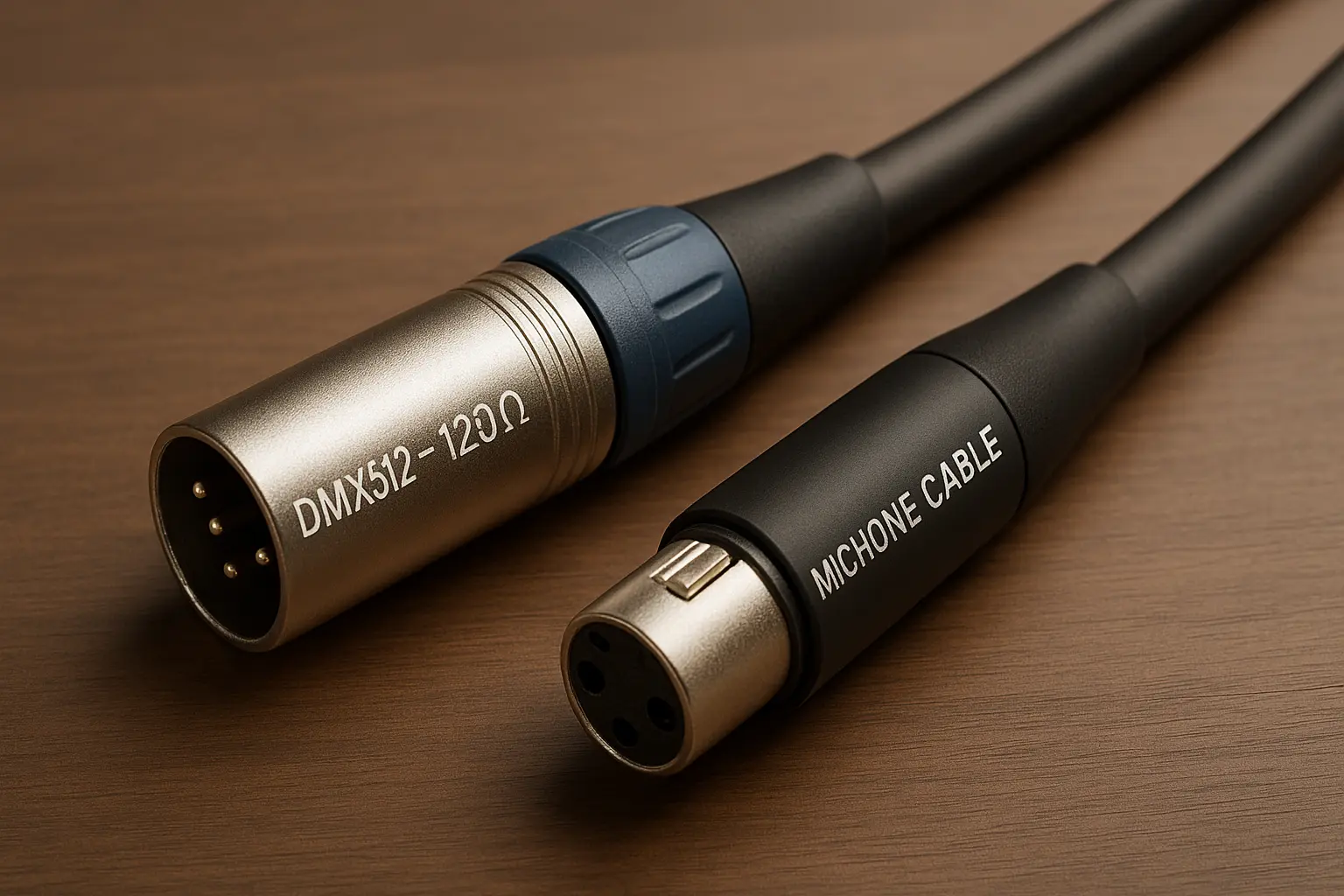
DMX512 and How It Works
DMX512 (short for Digital Multiplex 512) is the language that lighting systems use to control dimmers, moving heads, and effects. It sends fast bursts of digital data—about 250,000 bits per second—based on the RS-485 electrical standard.
For that signal to travel cleanly over long distances, the cable must keep a steady 120-ohm impedance. This prevents data reflections that cause those frustrating flickers or color jumps during a show.
DMX essentials:
- Type: Digital RS-485
- Impedance: 110–120 Ω
- Max length: ~1,300 ft (400 m)
- Termination: 120 Ω resistor at chain end
- Devices per line: Up to 32 (practical 12–15)
Microphone Cables: Designed for Sound, Not Data
Microphone cables carry smooth analog audio from 20 Hz to 20 kHz. These signals move slowly compared to digital data, so precise impedance isn’t needed.
Mic cables usually range from 45 to 75 ohms, built more for flexibility and strength than for exact electrical performance.
The catch? DMX data moves so quickly that low-impedance mic cables act like speed bumps, bouncing parts of the signal back toward the controller. That’s where trouble starts.
Key Design Differences
|
Property |
DMX Cable |
Mic Cable |
Real Effect |
|
Impedance |
110–120 Ω |
45–75 Ω |
Reflections and flicker |
|
Capacitance |
Low (<50 pF/m) |
Higher (~90 pF/m) |
Rounded edges, data loss |
|
Shielding |
Foil + dense braid |
Single braid |
DMX resists interference better |
|
Twisting |
18–22 twists/m |
10–15 twists/m |
Keeps impedance consistent |
|
Connectors |
5-pin (standard) / 3-pin (common) |
3-pin |
Easy to confuse physically |
DMX cables are basically data-grade wiring with tighter twisting, extra shielding, and controlled impedance.
Microphone cables are built to survive drops, coils, and stage wear—but not to carry square-wave data accurately.
The Hidden Problem: Impedance Mismatch
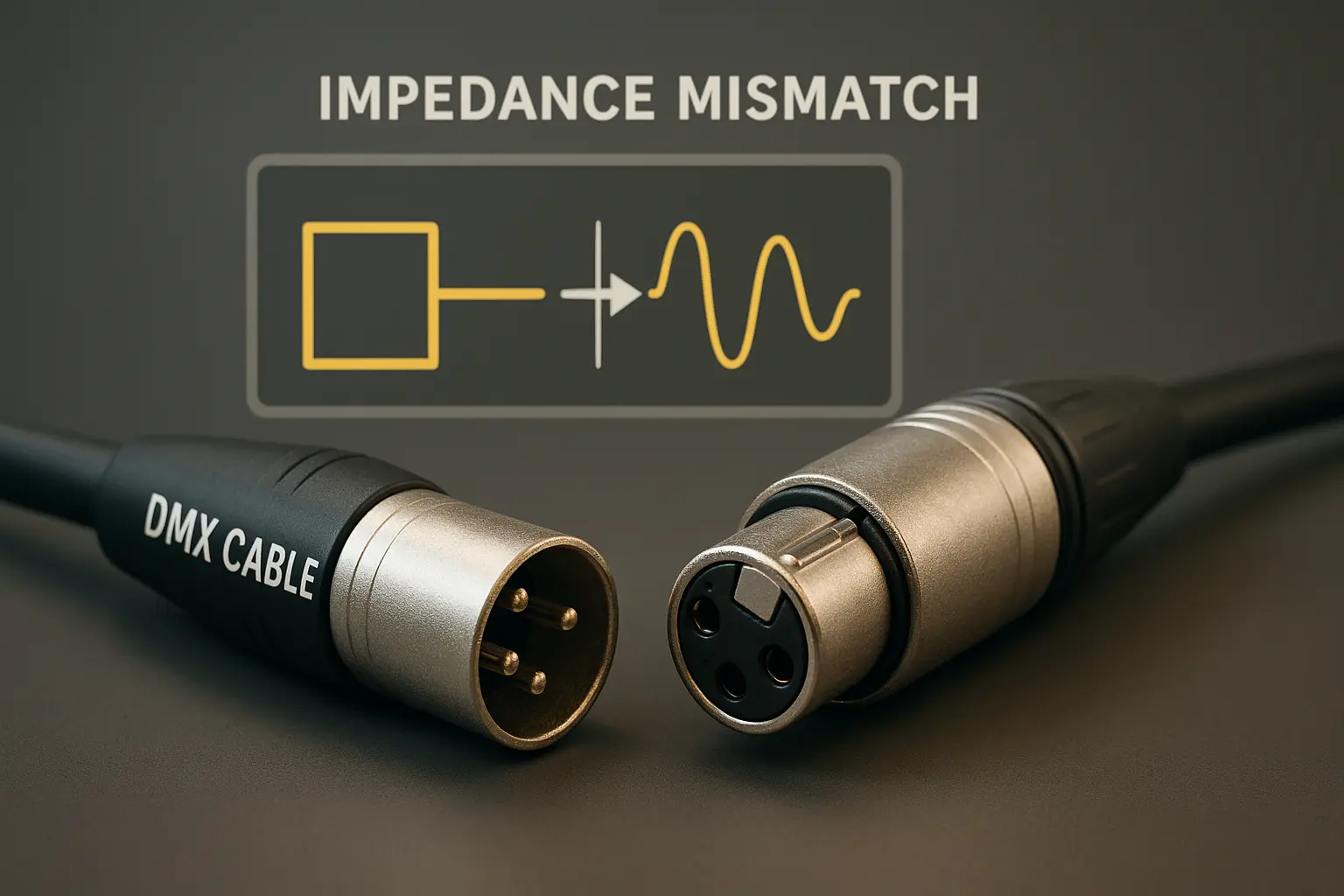
Here’s what happens when you plug a DMX controller into a microphone cable:
The signal travels down the line and suddenly hits a section of wire that doesn’t match its impedance. The mismatch acts like a mirror, bouncing part of the signal backward. Those reflections interfere with new signals, distorting the square wave shape.
At first, the system might “sort of” work. But as the chain gets longer or more fixtures are added, reflections pile up. The lights start to stutter, flash randomly, or stop responding.
On a popular stage tech forum, one user shared a story about a church wedding where the lights went crazy five minutes before the ceremony—all because two 50-foot mic cables were mixed into the DMX run. Replacing them with real DMX cables fixed everything instantly.
That’s not a coincidence. It’s basic physics.
Capacitance and Shielding: Silent Enemies
Another big difference is capacitance—the ability of the cable to hold an electric charge. High capacitance slows down the sharp edges of DMX signals, blurring the line between ones and zeros.
DMX cables keep capacitance below 50 pF per meter. Most microphone cables are almost double that.
And when it comes to shielding, DMX cables use both foil and braided shields, blocking electrical noise from stage equipment, LED power supplies, and Wi-Fi routers. Mic cables often use just one layer of braid, fine for sound but not for fast data.
3-Pin vs 5-Pin: Why It Causes Confusion
Officially, the DMX512 standard uses 5-pin connectors so people don’t mix them up with audio cables. Pins 4 and 5 are reserved for extra data lines.
But many low-cost lights only use 3-pin connectors to save money, so users often plug in standard mic cables by mistake.
They fit perfectly—but that’s the problem. The connector matches, not the cable inside.
To avoid this, many production teams label DMX cables “DATA ONLY” or use blue jackets so no one confuses them with black audio cables.
What Happens When You Use the Wrong Cable
At first, everything may look fine. The lights respond, the board talks to the fixtures. But as the distance or the number of devices grows, issues appear:
- Under 20 feet: usually works, but barely.
- 25–50 feet: flickering, random color changes.
- Over 50 feet: chaos—strobing lights, lost control, or complete signal dropout.
One Reddit user described it perfectly: “Mic cables for DMX are like running a marathon in flip-flops—you might make it halfway, but it’s going to hurt.”
Inside the Factory: Jingyi Audio’s Perspective
Jingyi Audio, a cable manufacturer since 1992, has seen this confusion for decades. Their engineers often test “DMX” cables from new vendors and find they’re just rebranded audio lines with no impedance control.
Jingyi’s approach is different:
- They use precision twist machines that keep impedance within ±5 Ω.
- Every production batch is tested using Time Domain Reflectometry (TDR) equipment.
- Test results are included with OEM shipments for U.S. partners.
A California lighting integrator summed it up:
“We compared five suppliers, and only Jingyi sent actual impedance charts. That kind of transparency saves us time and protects our reputation.”
How Transmission Works (Without the Math)
Think of a DMX signal like ripples moving through water. If the cable ends abruptly or doesn’t match impedance, those ripples bounce back. The new waves collide with old ones, creating messy interference patterns that distort the original signal.
That’s why the DMX terminator—a simple plug with a 120-ohm resistor—is so important. It absorbs leftover energy instead of letting it bounce around.
Jingyi’s tests show that a 100-meter DMX line without termination loses almost 40% signal integrity compared to one that’s terminated properly.
OEM and Compliance: What Buyers Need to Know
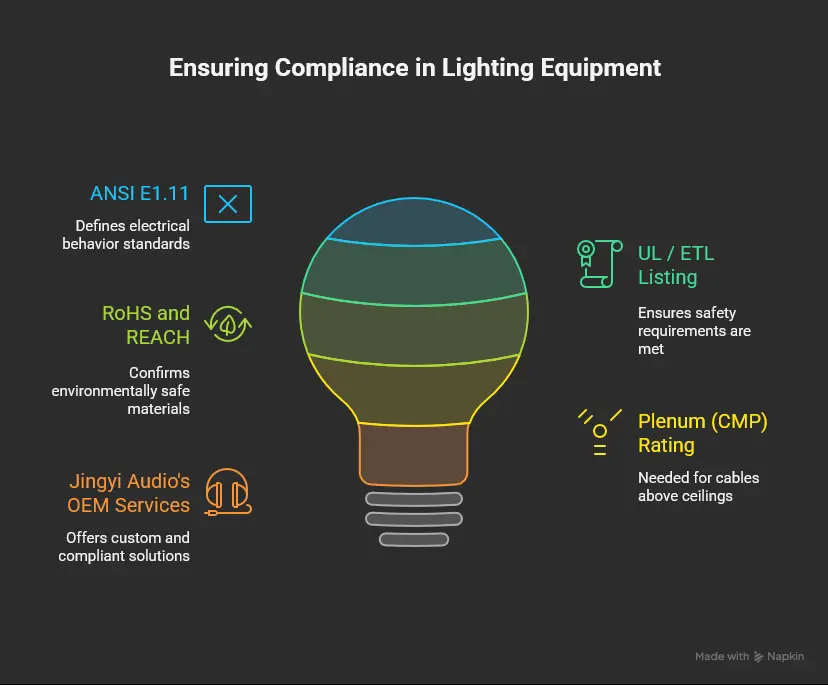
For companies building lighting equipment or wiring venues in the U.S., compliance is as important as performance.
Main standards to look for:
- ANSI E1.11 (DMX512-A): defines the electrical behavior.
- UL / ETL listing: ensures the cable meets safety requirements.
- RoHS and REACH: confirm environmentally safe materials.
- Plenum (CMP) rating: needed for cables running above ceilings.
Jingyi Audio’s OEM services include:
- UL-recognized materials.
- Custom lengths and jackets (15 ft, 35 ft, etc.).
- Color-coded jackets for DMX vs audio.
- Low-smoke, zero-halogen options for schools and theatres.
- Typical lead time: 45–60 days, shipped through Los Angeles or Houston ports.
Buying Checklist for OEMs and Installers
Before you place a bulk order, ask these simple questions:
- What is the cable’s tested impedance (not just the label)?
- Are there batch reports or third-party tests?
- Is the product UL/ETL certified for U.S. installation?
- Can I brand the jacket with my company name and specs?
- How is each reel tested before shipping?
Factories that can’t answer these questions clearly are probably selling repackaged mic cable.
Best Practices for Professionals
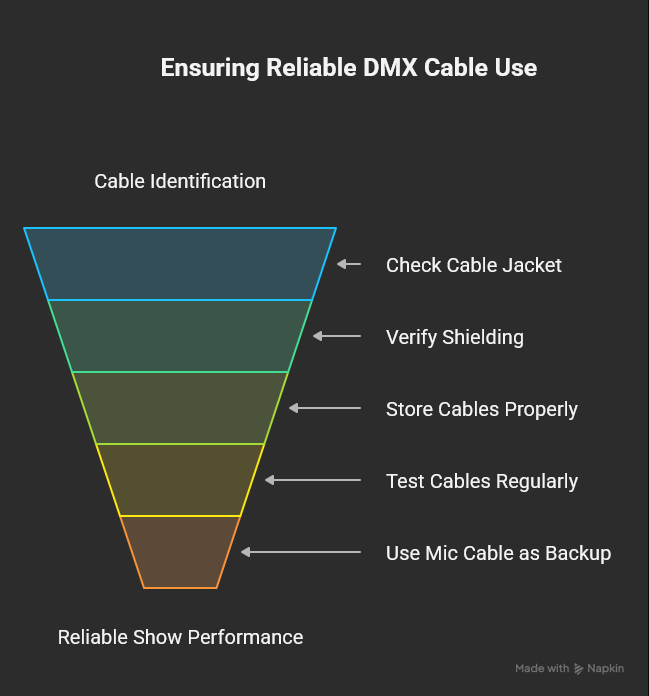
How to Identify Real DMX Cable
- Look for “DMX512 – 120Ω” printed on the jacket.
- Check for dual-layer shielding and tight twists.
- Store DMX and audio cables separately with color tags.
- Test cables regularly using DMX analyzers or TDR testers.
When You Have No Choice
If you must use microphone cable in a pinch:
- Keep the run short (under 20 ft).
- Limit to simple fixtures (no moving heads).
- Always use a terminator at the end.
- Replace with proper DMX cable as soon as possible.
Managing Cable Inventory
A U.S. touring company reported that switching from mic to DMX cable cut show failures by 90% and saved around $18,000 a year in technician overtime and refunds.
A few extra dollars per cable can make the difference between smooth shows and public headaches.
Quick Comparison Chart
|
Feature |
DMX Cable |
Microphone Cable |
What Happens If Used for DMX |
|
Type |
Digital data |
Analog audio |
Data errors, flicker |
|
Impedance |
120 Ω |
45–75 Ω |
Reflections, timing issues |
|
Shielding |
Foil + braid |
Single braid |
Noise and dropouts |
|
Max Length |
400 m |
< 50 m |
Failures past 25 m |
|
Termination Needed |
Yes |
No |
Without it, data loss |
|
Cost |
Slightly higher |
Lower |
Small savings, big risks |
Case Study: How One OEM Solved a Costly Problem
A lighting brand in California found that most of its customer complaints were due to flickering lights. After investigation, they discovered installers were using audio cables.
They partnered with Jingyi Audio to create a custom DMX cable:
- 118 Ω impedance
- ETL certified
- Blue jacket with printed branding
- Bundled 120 Ω terminator
Within a year, their support tickets dropped by 70%. Dealers started promoting their fixtures as “DMX-ready,” and the company even turned cable sales into an extra revenue stream.
Cost of Failure vs Cost of Quality
|
Situation |
Loss |
Proper Cable Cost |
|
Show failure or refund |
$10,000 |
$50 |
|
Emergency technician fix |
$300 |
$25 |
|
Customer complaint |
Brand damage |
Avoided |
Cutting corners on cables saves a few dollars up front but costs far more in reputation and downtime.
FAQs
- Can I use a mic cable for DMX lighting?
Only for short emergency runs. Anything longer risks data loss. Always replace it with 120 Ω DMX cable when possible. - Why does DMX need 120 Ω impedance?
That value matches the transmitters and receivers in RS-485 systems, keeping reflections minimal and signals clean. - What’s better: 3-pin or 5-pin DMX?
Both can work if the cable is truly 120 Ω. The 5-pin design prevents confusion with mic cables and supports future RDM upgrades. - Can AES/EBU digital audio cables work for DMX?
Yes. AES/EBU cables are 110 Ω and perform very close to DMX standards. - How can OEMs verify quality?
Ask for TDR test charts, capacitance readings, and certification documents. Jingyi Audio includes all of these in every batch.
Final Thoughts
The DMX cable vs microphone cable mix-up keeps happening because both use the same connectors. But inside, they’re built for completely different signals.
DMX cables handle fast digital data that needs precision. Mic cables handle slow analog audio that tolerates variation. One wrong cable can crash an entire lighting chain.
For OEM buyers and installers, the safest move is simple: use real DMX cable for DMX work. The extra few dollars per cable buy peace of mind, consistent performance, and professional results every time.
Working with an experienced manufacturer like Jingyi Audio ensures every shipment meets ANSI E1.11, UL, and ETL standards. That means fewer returns, happier clients, and shows that run flawlessly from start to finish.
References
- ESTA / ANSI E1.11 DMX512-A Standard – tsp.esta.org
- DataPro – “XLR vs DMX” – datapro.net
- Learn Stage Lighting – “Mic Cables for DMX?” – learnstagelighting.com
- Seismic Audio – “DMX vs XLR” – seismicaudiospeakers.com
- Jingyi Audio – site_5615465d-0395-48c6-b01f-dc3d38213fc5