










How to Connect an Optical Cable: The Complete 2025 Guide (Including PS5/Xbox Setup & Troubleshooting)
Key Takeaways
-
Remove Those Tiny Clear Caps First:The #1 mistake is trying to connect without removing the transparent plastic protective caps from both cable ends
• Match the D-Shape:Optical connectors only fit one way - align the flat edges correctly and push gently until you hear a "click"
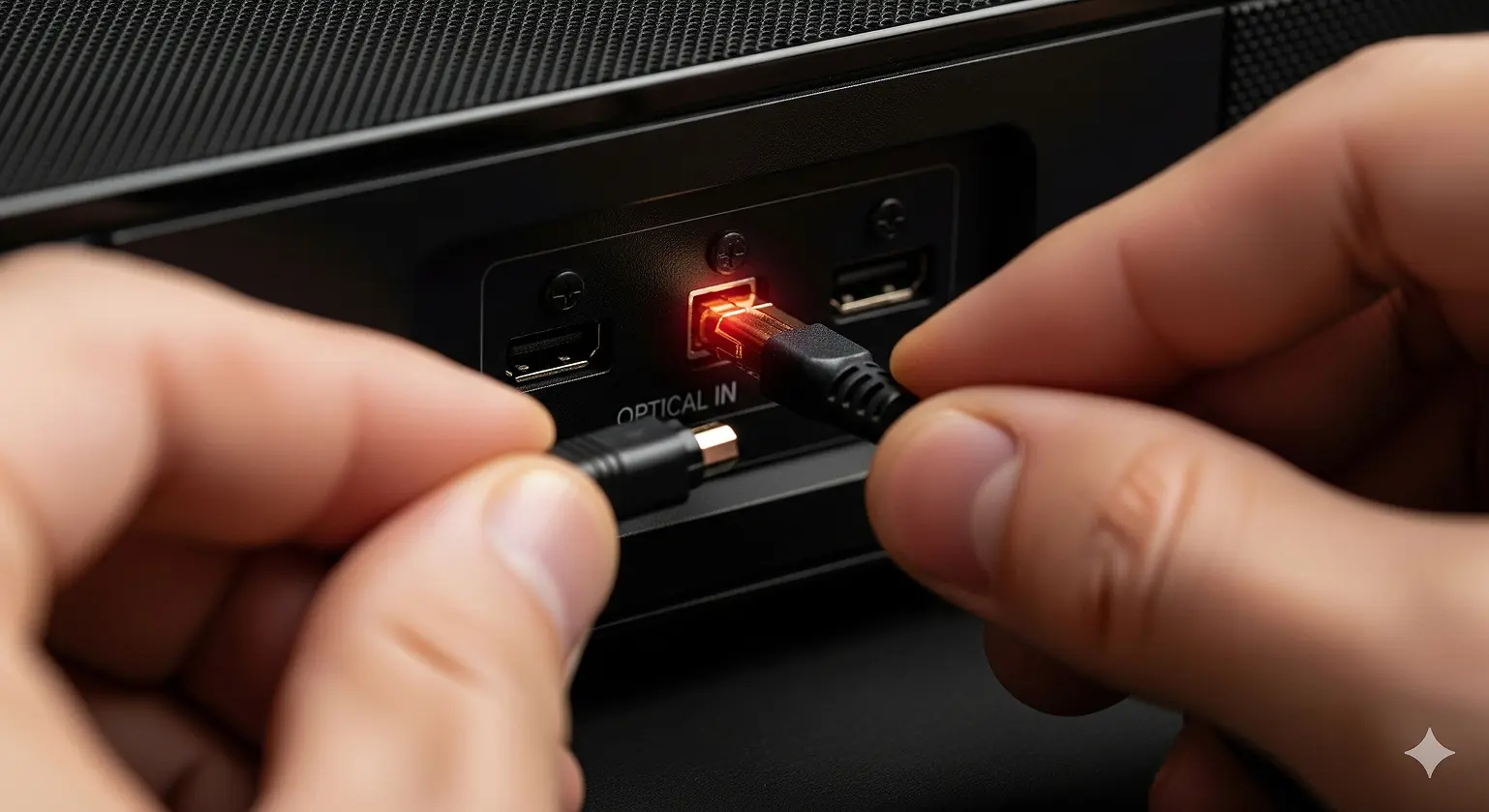
• Know Your Ports: Connect from OPTICAL OUT (TV/source) to OPTICAL IN (soundbar/receiver) - getting this backwards won't work
• Configure Both Devices: Change your TV's audio output to "Optical" AND set your soundbar input to "Optical" or "Digital In"
• Bitstream for Surround Sound: To get Dolby Digital or DTS 5.1, set your TV's digital audio format to "Bitstream" instead of "PCM"
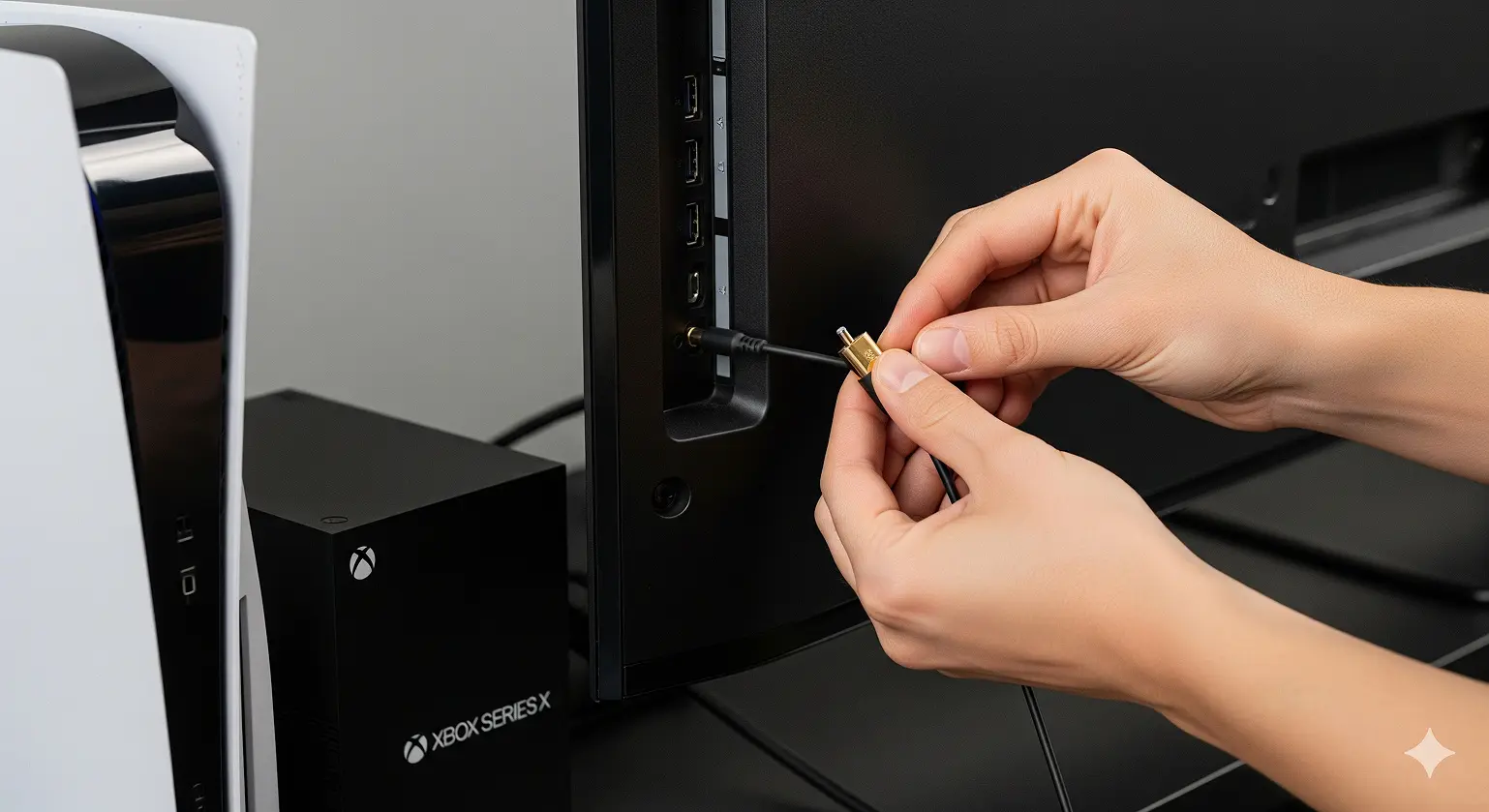
• Modern Gaming Workaround: PS5 and Xbox Series X/S don't have optical ports - you'll need an HDMI audio extractor or use your TV's optical output
What is an Optical Audio Cable and Why Use It?
An optical audio cable, also known as TOSLINK (TOShiba-LINK) or SPDIF optical, sends digital audio signals using pulses of light through a fiber optic core. Toshiba introduced it in 1983 for CD players, and it became a home theater staple because it blocks all electrical interference.
Unlike copper cables, optical cables prevent annoying hum or buzz from ground loops and electromagnetic noise. This makes them ideal for modern entertainment centers packed with electronics.
Before You Connect: What You Need to Know
Finding Optical Audio Ports on Your Devices
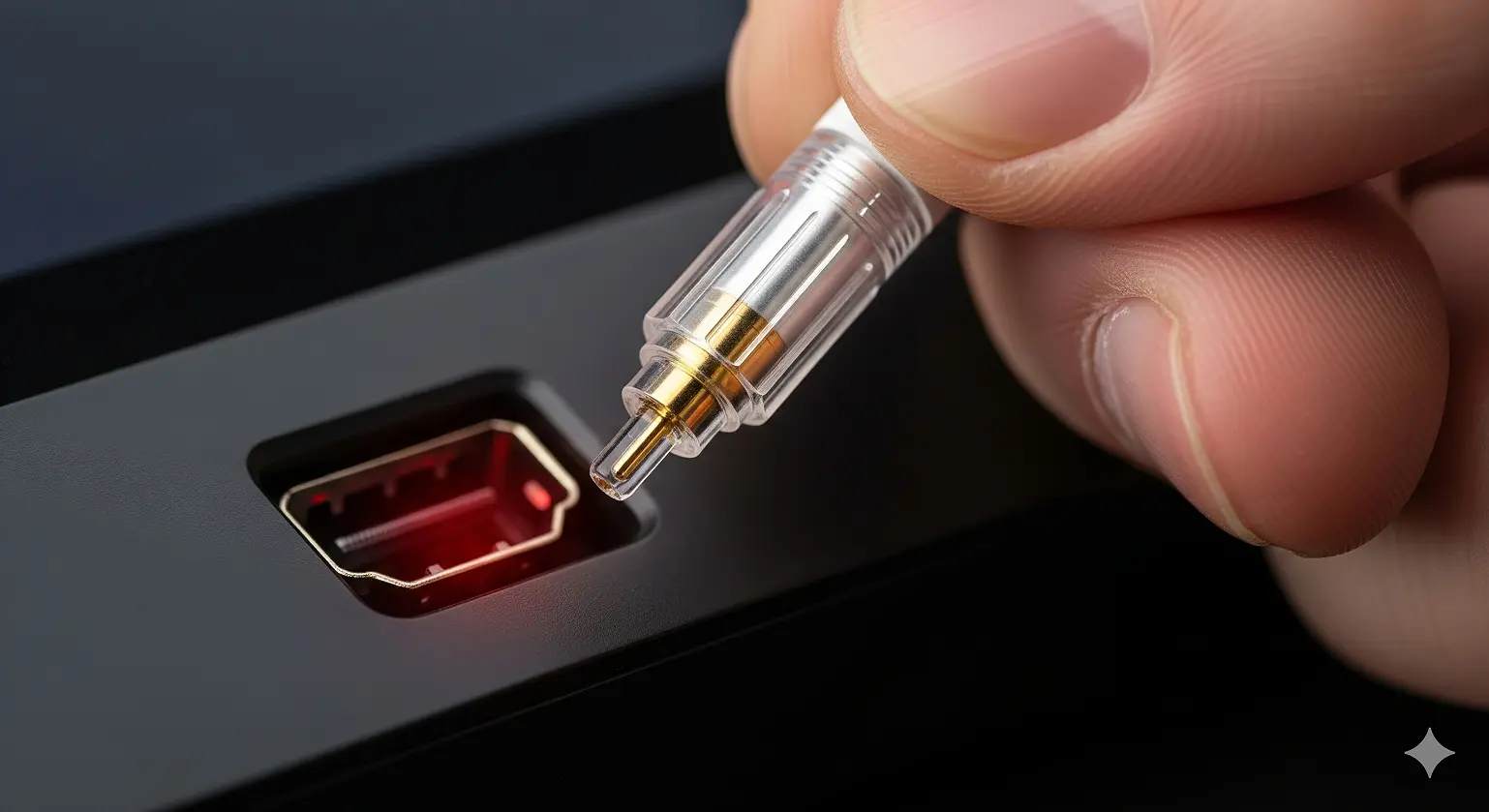
Look for a square-shaped port with two flattened corners. Typical labels include:
- "Optical" or "Digital Optical"
- "TOSLINK" or "SPDIF"
- "Digital Audio OUT" (TVs, consoles, players)
- "Digital Audio IN" (soundbars, AV receivers)
The port may have a hinged dust door or a removable plastic plug. If the device is on, you’ll see a faint red LED light inside the output port.
The #1 Mistake Everyone Makes: Invisible Protective Caps
Optical cables ship with tiny, crystal-clear plastic caps on both ends. They’re so clear they look like part of the connector itself.
Always remove these caps before connecting. If you try to force a cable with caps into a port, you risk damage.
Step-by-Step Optical Cable Connection Guide
Step 1: Power Down and Get Ready
Turn off your TV and audio system before connecting. While optical carries no electrical current, powering down is best practice.
Ensure your cable is long enough without sharp bends. Bending can fracture the fiber inside.
Step 2: Connect to Your Source Device's Optical OUT Port
Locate the OPTICAL OUT port on your TV, Blu-ray player, or media box. Remove any dust plug.
Take one end of your optical cable (cap removed), align its D-shape, and push gently until you hear or feel a click.
Tip: If it won’t go in smoothly, stop. Check orientation and caps.
Step 3: Connect to Your Audio Device's Optical IN Port
Find the OPTICAL IN port on your soundbar, AV receiver, or powered speakers. Insert the other end of the cable until it clicks into place.
Step 4: Secure and Manage Your Cable
Gently tug both ends to confirm connection. Avoid tight bends, kinks, or stepping on the cable — the fiber is delicate.
Setting Up Your Devices for Optical Audio
Configuring Your TV's Audio Output
- Go to Settings > Sound/Audio on your TV.
- Change Sound Outputfrom "TV Speakers" to "Optical" or "Digital Audio Out."
-
Select audio format:
- PCM:Sends uncompressed stereo. Works with any device.
- Bitstream:Passes Dolby Digital or DTS for surround sound (requires compatible receiver/soundbar).
Setting Up Your Soundbar or Receiver
- On your soundbar remote, press Source/Input.
- Select OPTICAL, OPT, TOSLINK, or Digital In.
- Adjust both TV and soundbar volumes.
Troubleshooting: No Sound After Connecting
Quick Checklist
- Are both ends firmly clicked in? Re-seat if unsure.
- Disconnect cable from soundbar — do you see a red lightat the end? If not, signal isn’t leaving the TV.
- Confirm TV set to Optical output and soundbar set to Optical input.
- Try PCMmode first — it always works.
- Power cycle: unplug devices for 30 seconds, then restart.
Understanding PCM vs Bitstream
PCM (Pulse Code Modulation): TV decodes audio internally, sends stereo. Reliable but only 2-channel.
Bitstream: TV passes encoded Dolby Digital/DTS for the receiver to decode. Required for 5.1 surround.
Rule: Start with PCM to confirm audio. Then switch to Bitstream for surround sound.
What if the Cable Itself is Damaged?
- Check for Cracks:Optical cables can break internally if bent too sharply.
- No Red Light Visible:If no light comes out of the unplugged cable end, fiber may be broken.
- Replace if Needed:Unlike copper cables, broken optical fiber cannot be repaired easily.
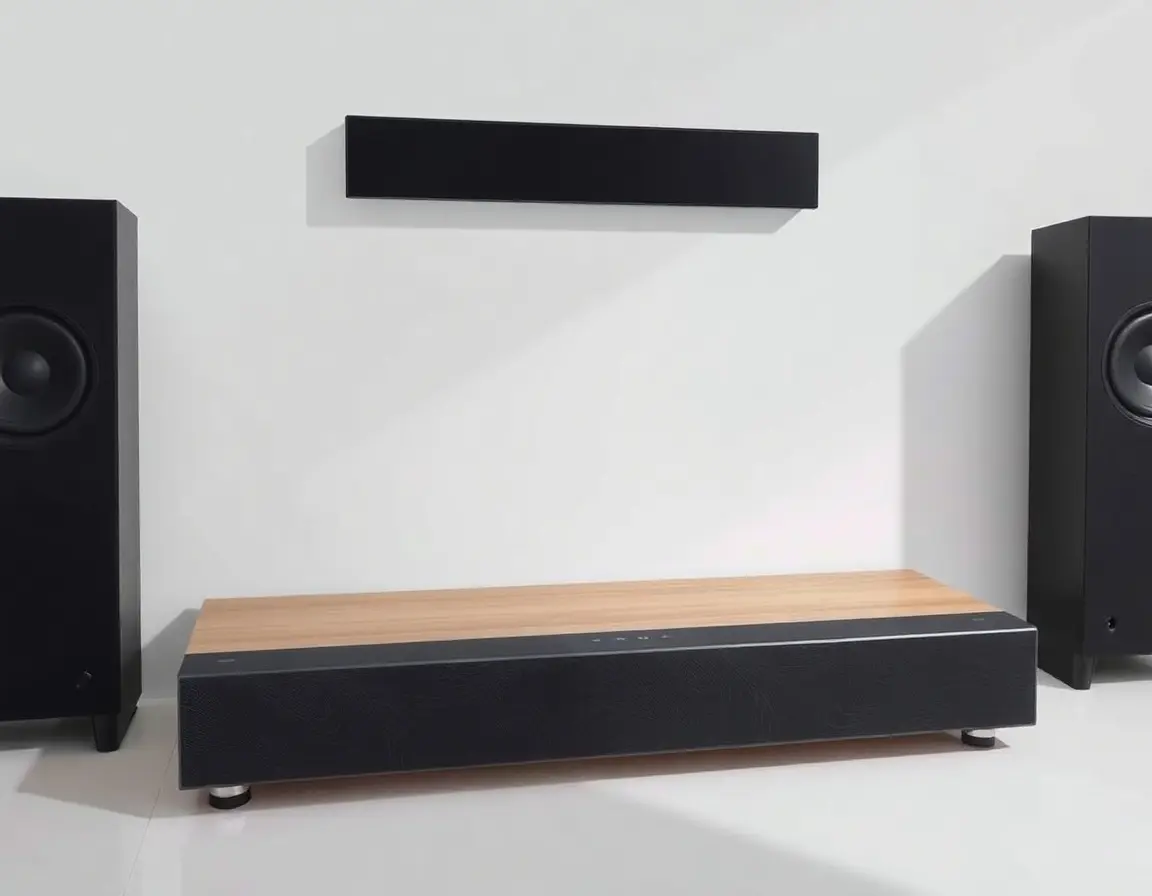
Optical Cable vs HDMI ARC: Which Connection Should You Use?
When Optical Cable is Best
- Fixing hum caused by ground loops
- Connecting older AV receivers or soundbars without HDMI ARC
- When HDMI ports are already in use
- Maximum compatibility (PCM works universally)
When HDMI ARC/eARC Wins
- Convenience:Single cable for audio + video
- Control:TV remote adjusts soundbar volume
- Bandwidth:HDMI ARC supports formats beyond optical
- eARC:Required for Dolby TrueHD, DTS-HD Master Audio, and full Dolby Atmos
Connecting Gaming Consoles Without Optical Ports (PS5 & Xbox Series X/S)
Modern consoles dropped optical ports. Two solutions:
Method 1: Use TV's Optical Output
- Connect PS5/Xbox to TV with HDMI.
- Run optical from TV to audio system.
-
Set console audio to Linear PCMor
Note: This can add slight audio lag.
Method 2: HDMI Audio Extractor
- Connect console HDMI → extractor input.
- Extractor HDMI output → TV.
- Optical cable from extractor → soundbar/receiver.
Choose extractors that support 4K, 120Hz, VRR for gaming performance.
Frequently Asked Questions About Optical Cable Connections
Why is my optical cable not working?
Check caps, confirm both devices are set to Optical, and look for the red light signal.
Can an optical cable stop speaker hum?
Yes. Optical uses light, not electricity, so it breaks ground loops and eliminates hum.
Do expensive optical cables sound better?
No. Under 10 feet, a standard well-made optical cable works exactly the same as pricey “audiophile” cables.
Why won’t my optical cable click into place?
Usually the clear protective caps are still on. Also check orientation — the D-shape only fits one way.
Can I use optical for Dolby Atmos?
Not fully. Optical handles Dolby Digital or DTS 5.1, but not lossless Atmos. For that, you need HDMI eARC.
How do I know if my optical cable is broken?
If no red light shines through when disconnected, or sound cuts in and out, the fiber may be cracked.
Wrapping Up: Optical Cables Still Matter in 2025
HDMI eARC may be the gold standard now, but optical remains a reliable backup. It delivers clean, interference-free audio, solves hum issues, and works with older gear.
For most TVs, streaming, and even modern console setups (with extractors), optical cables still offer years of dependable service — provided you connect and configure them properly.
Citations
- Samsung Support - How to connect external audio using an optical cable: https://www.samsung.com/sg/support/tv-audio-video/how-to-connect-external-audio-using-an-optical-cable/
- LG Support - How to Connect a Sound Bar with an Optical Cable: https://www.lg.com/us/support/help-library/lg-tv-how-to-connect-a-sound-bar-with-an-optical-cable--1389017612818
- The Home Cinema Guide - How to Connect an Optical Cable: https://www.the-home-cinema-guide.com/how-to-connect-optical-cable.html
- CNET - HDMI vs. optical: Which digital audio connection to use: https://www.cnet.com/tech/home-entertainment/hdmi-vs-optical-which-digital-audio-connection-to-use/
- Sony Support - No sound from the TV when using an optical connection: https://www.sony.com/electronics/support/articles/00027069
- AVForums - Optical audio cable how do these connect: https://www.avforums.com/threads/optical-audio-cable-how-do-these-connect.883690/
- Turtle Beach Support - PS5 No Digital Optical Out: https://support.turtlebeach.com/s/article/360057703234-PS5-No-Digital-Optical-Out
- Home Theater Explained - Bitstream vs. PCM: Which Is Better: https://hometheaterexplained.com/bitstream-vs-pcm/
- Arendal Sound - How to Remove Hum Using an Optical Cable: https://arendalsound.com/article/how-to-remove-hum-using-an-optical-cable/
- Dolby - Dolby Digital Technology Overview: https://www.dolby.com/technologies/dolby-digital/
- Wikipedia - TOSLINK: https://en.wikipedia.org/wiki/TOSLINK