










How to Connect RCA Cable to TV: Complete 2025 Guide for Smart TVs
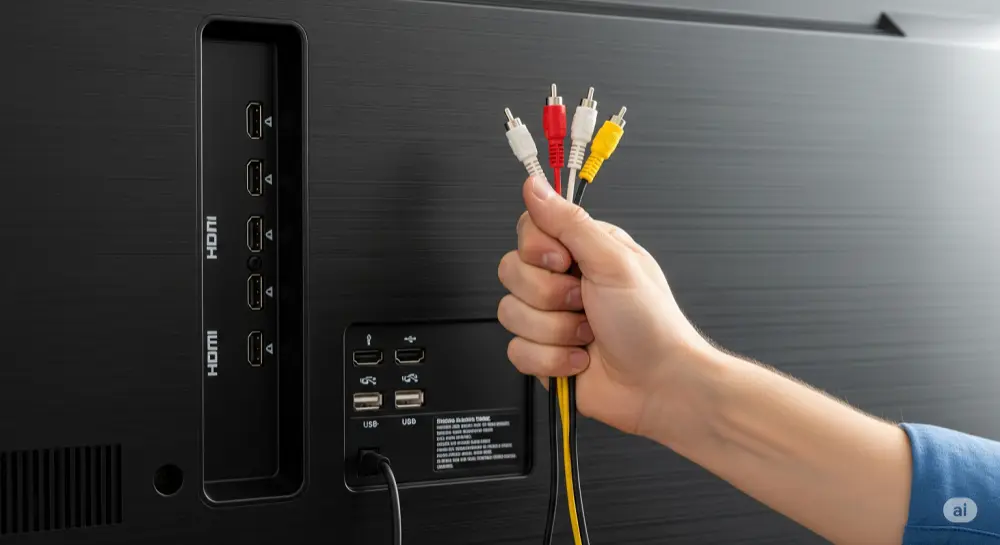
Key Takeaways
✓ Modern Challenge: New Smart TVs lack traditional red/white/yellow RCA ports
✓ Essential Solution: RCA to HDMI converter ($15-30 on Amazon) actively converts analog signals
✓ Simple Process: Old Device → RCA Cables → Converter → HDMI → Smart TV
✓ Power Required: Converter needs USB power (can use TV's USB port)
✓ Realistic Expectations: Enables connection but won't upgrade video quality to HD
✓ US Availability: Widely available at Best Buy, Target, Walmart, and Amazon
Introduction: Connecting Your Retro Devices to Modern Smart TVs
Picture this: you've just unboxed your brand-new 65-inch Samsung Smart TV, ready to relive childhood memories with your Nintendo 64, or digitize those precious family VHS tapes. But when you look at the back of your shiny new TV, those familiar red, white, and yellow RCA ports are nowhere to be found.
You're not alone in this frustration. Millions of Americans face this "nostalgia-tech gap" when trying to connect beloved retro devices to modern Smart TVs. The good news? There's a simple, affordable solution that doesn't require technical expertise or expensive upgrades.
This guide will walk you through everything you need to know about connecting RCA cables to today's Smart TVs. Your classic gaming consoles, VCRs, and DVD players will get a new lease on life on the big screen.
Understanding RCA Cables: The Analog Connection Basics
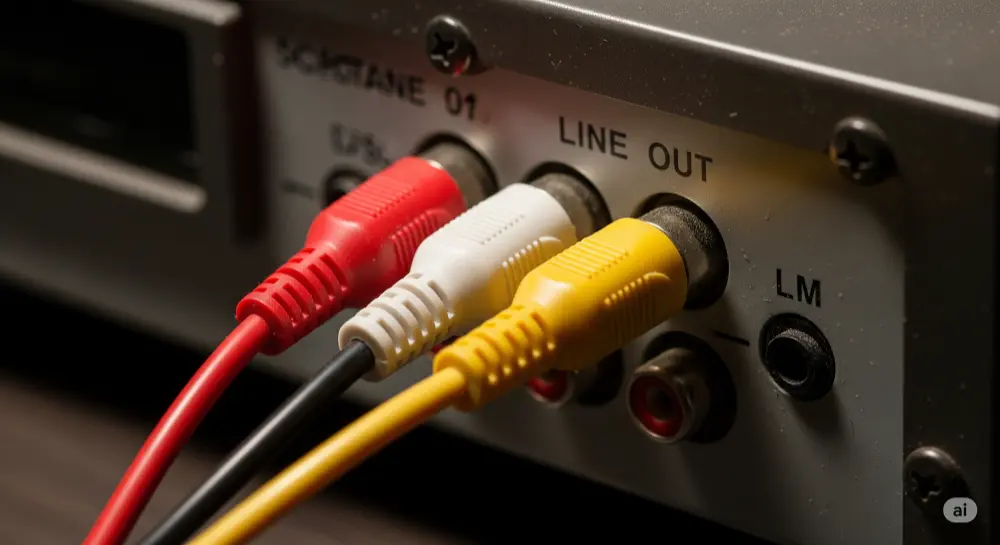
What Are RCA Cables and Why Do You Need Them?
RCA cables, named after the Radio Corporation of America that created them in the 1940s, have been the backbone of home entertainment connectivity for decades. If you own any device from the pre-HDMI era—which includes most equipment made before 2005—chances are it uses RCA connections.
RCA Cable Color Code Explained
The genius of RCA cables lies in their color-coding system:
• Yellow RCA cable: Carries the composite video signal containing all picture information (brightness, color, and timing data)
• Red RCA cable: Transmits the right audio channel for stereo sound
• White RCA cable: Handles the left audio channel (sometimes black on certain devices)
Some higher-end devices use component video cables with red, green, and blue connectors alongside separate audio cables. These offer superior picture quality and support for HD resolutions up to 1080i.
Analog vs Digital TV Signals: Why Simple Cables Don't Work
Here's the fundamental issue: RCA cables transmit analog signals—continuous electrical waves that represent audio and video information. Modern Smart TVs, however, are built for digital signals—discrete data packets that HDMI cables carry.
This isn't just about different plug shapes. The signals themselves are totally different, like trying to play a vinyl record on a CD player. You need active conversion technology, not just a passive adapter cable, to bridge this gap successfully.
The Modern TV Challenge: Missing RCA Ports on Popular US Brands
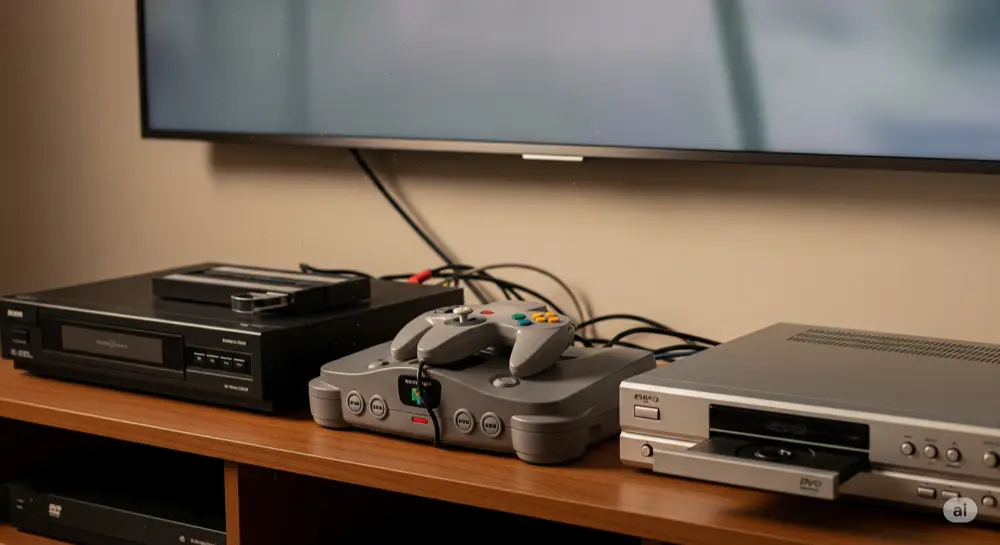
Why Samsung, LG, and Sony Smart TVs Dropped RCA Inputs
The elimination of RCA ports from modern TVs wasn't random—it reflects several market and technical realities:
HDMI Standardization: Since 2009, HDMI has become the universal standard for high-definition audio and video transmission in the US market. It offers superior quality, single-cable convenience, and advanced features like device control and audio return.
Manufacturing Efficiency: Removing bulky analog port arrays saves manufacturers significant space and cost. Those savings get passed on to consumers in the form of sleeker designs and competitive pricing.
Market Demand: As consumers embraced streaming services, Blu-ray players, and gaming consoles with HDMI outputs, demand for analog inputs dropped dramatically.
Common US Retro Device Connection Scenarios
Connect VCR to Smart TV for Home Movies
Many American families have boxes of precious VHS tapes containing irreplaceable memories—wedding videos, children's first steps, family vacations. Popular VCR brands like JVC, Panasonic, and RCA typically feature RCA outputs as their primary (often only) connection method.
Retro Gaming Console Setup (Nintendo, PlayStation, Xbox)
The retro gaming scene is booming, with classic consoles commanding premium prices:
•Nintendo systems: NES, SNES, and Nintendo 64 only use RCA outputs
•Sony PlayStation: Original PlayStation and PS2 rely on RCA connections
•Microsoft Xbox: The original Xbox features RCA outputs alongside component options
Old DVD Player Connection Without RCA Ports
Early DVD players, particularly budget models sold at retailers like Circuit City and Best Buy in the late 1990s and early 2000s, often featured only RCA outputs before HDMI became standard.
Step-by-Step Guide: RCA to HDMI Connection Process
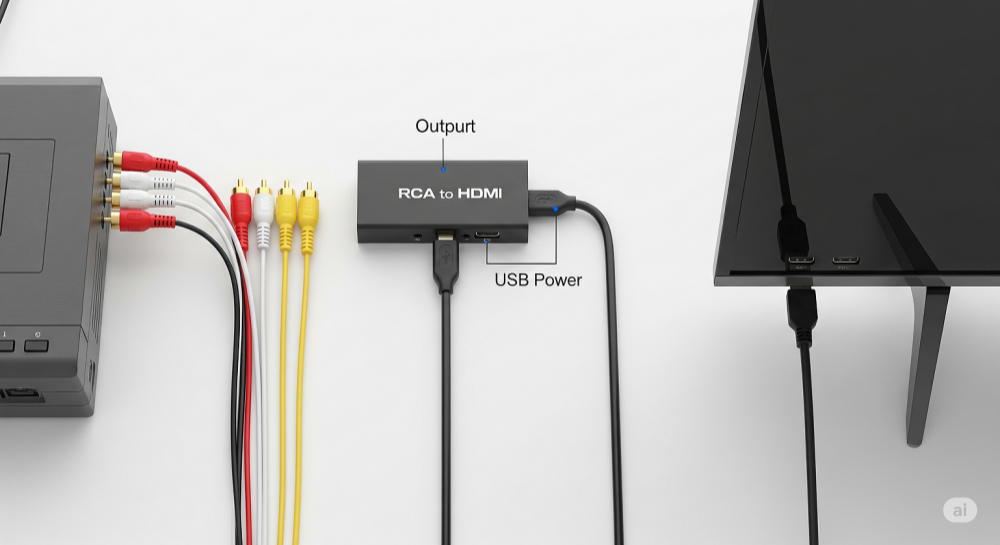
Choosing the Best RCA to HDMI Converter for US Markets
Before jumping into the connection process, you need the right converter. Not all RCA to HDMI converters are built the same.
Top Features to Look For
Resolution Output Switch: Quality converters offer both 720p and 1080p output options. Start with 720p for maximum compatibility, then switch to 1080p if your TV and source device handle it well.
Power Options: USB-powered converters are more convenient than those requiring separate AC adapters. Most modern Smart TVs provide enough power through their USB ports.
NTSC Compatibility: Make sure your converter supports NTSC, the video standard used throughout the United States. Most converters sold in the US market include this by default.
Build Quality: Look for converters with solid metal housings rather than cheap plastic. Better construction means more reliable connections and longer lifespan.
Where to Buy RCA Converters in the USA
Amazon: Offers the widest selection ($15-40 range) with verified customer reviews. Look for converters with 4+ star ratings and recent reviews mentioning your specific device type.
Best Buy: Provides in-store testing opportunities and Geek Squad technical support if you need installation help. Prices typically range $20-35.
Walmart/Target: Carry budget-friendly options under $20, perfect for basic setups. Selection may be limited, but availability is widespread across the US.
Recommended Brands: Based on user reviews and reliability, try Tendak, GANA, and RuiPro converters. These brands consistently receive positive feedback for build quality and compatibility.
Connection Instructions That Actually Work
Equipment Checklist
Before starting, gather these items:
•Your source device (VCR, gaming console, DVD player)
•RCA cables (red, white, yellow)
•RCA to HDMI converter box
•Standard HDMI cable
•USB power cable (usually included with converter)
Step 1: Connect RCA Cables to Input Device
Start with your source device powered off. Find the RCA output jacks—they're usually on the back or side, labeled "OUT" or "LINE OUT." Insert the cables firmly:
•Yellow cable to yellow jack (video)
•Red cable to red jack (right audio)
•White cable to white jack (left audio)
Make sure connections are snug to avoid signal loss or intermittent problems.
Step 2: Connect RCA Cables to Converter Input
On your RCA to HDMI converter, find the input side—typically marked "INPUT" or with arrow symbols pointing into the device. Connect your RCA cables using the same color-matching approach. The input and output sides are clearly labeled on quality converters.
Step 3: Connect HDMI Output to TV
Use a standard HDMI cable to connect the converter's output port to any available HDMI input on your Smart TV. Remember which HDMI port you're using (HDMI 1, HDMI 2, etc.) as you'll need this information for the next step.
Step 4: Power the Converter
This is the step most people forget. Your converter won't work without power. Connect the included USB cable to the converter's power input, then plug the other end into:
•Your TV's USB port (convenient and turns on/off with TV)
•A USB wall adapter (provides more consistent power)
•A computer's USB port (if nearby)
Look for a power LED on the converter—it should light up when properly powered.
Step 5: Select Correct TV Input Source
Power on both your TV and source device. Using your TV remote:
1.Press the "INPUT," "SOURCE," or "TV/VIDEO" button
2.Navigate through the input options using arrow keys
3.Select the HDMI port where you connected the converter
4.You should see your device's output on screen
If you don't see a picture immediately, don't panic—troubleshooting steps are covered below.
Getting Better Results from Your Setup
Picture Quality Settings and Expectations
Converter Resolution Settings
Most converters feature a physical switch to toggle between 720p and 1080p output:
Use 720p when:
•Your source device shows compatibility issues at 1080p
•You experience signal dropouts or instability
•Your TV is older and has limited HDMI bandwidth
Use 1080p when:
•Your setup is stable and displays properly
•You want the sharpest possible image from your converter
•Your TV fully supports 1080p input
Audio Configuration for US TV Models
After establishing a picture connection, optimize your audio settings:
Navigate to your TV's audio menu and make sure "TV Speakers" or "Internal Speakers" is selected rather than "External Audio System." Many users experience no sound because their TV is configured to output audio through speakers they don't have connected.
Troubleshooting Common RCA to HDMI Connection Issues
Fixing No Signal or Black Screen Problems
Power and Connection Checklist
When you're getting a "No Signal" message or black screen:
1.Verify converter power: The power LED should be lit. If not, try a different USB port or wall adapter.
2.Check cable connections: Make sure all RCA and HDMI cables are firmly seated.
3.Confirm input selection: Double-check that you've selected the correct HDMI input on your TV.
4.Test source device: Make sure your VCR, gaming console, or DVD player is actually outputting a signal by trying it on another TV if possible.
When You Get Picture But No Sound
Audio issues are common but usually easy to fix:
Check physical connections: Make sure red and white audio cables are properly connected on both ends. Try gently wiggling the connections to rule out loose contacts.
TV audio settings: Press your TV remote's "Menu" button, navigate to Audio settings, and verify:
•TV is not muted
•Volume is at audible level
•Speaker output is set to "TV Speakers" or "Internal"
•Any "Audio Output" setting is configured for internal speakers
Converter processing: Some converters have audio delay or processing issues. If problems persist, try a different converter model.
Picture Quality Issues and Solutions
Black and White Picture Only
A black and white image usually means a signal mismatch:
Most common cause: Your yellow composite video cable may be connected to a green component video input on your TV. Some TVs share these inputs, causing confusion.
Solution: Access your TV's input settings and specifically select "Composite" or "AV" mode rather than "Component" mode for that input.
Fuzzy or Distorted Picture
Remember that RCA converters cannot improve source material quality:
VHS tapes: Will always appear soft and may show analog artifacts like static or tracking lines. This is normal and reflects the original recording quality.
Converter upscaling: The process of converting 480i analog signals to 720p/1080p digital output can introduce slight blurriness. This is a limitation of the technology, not a defect.
Cable quality: Very old or damaged RCA cables can introduce interference. Try different cables if image quality seems unusually poor.
FAQ: RCA to TV Connection Questions
Q1: Can I connect RCA directly to HDMI without a converter?
A: No, you cannot use a simple RCA to HDMI cable without active conversion. Analog RCA signals and digital HDMI signals are fundamentally incompatible. Any cable claiming to convert RCA to HDMI without a powered converter box is either misrepresented or will not work. You must use an active converter that processes and translates the signal types.
Q2: Will a converter improve my old VHS tape quality?
A: No, RCA to HDMI converters do not improve or restore source material quality. They only make analog signals compatible with digital displays. Your VHS tapes will still look like standard definition content with the same artifacts, grain, and resolution limitations they always had. On large 4K TVs, this may actually make quality issues more apparent, but the converter allows you to view the content at all.
Q3: What's the difference between composite and component RCA cables?
A: Composite video (yellow/red/white cables) combines all video information into one signal, resulting in lower quality and standard definition resolution only. Component video uses separate red, green, and blue cables for video plus additional cables for audio, providing significantly better picture quality and supporting HD resolutions up to 1080i. If your device has component outputs, use those instead of composite for better results.
Q4: Where's the best place to buy converters in the US?
A: Amazon offers the best selection, competitive pricing ($15-30), and verified customer reviews to guide your purchase. Best Buy provides in-store support and installation services through Geek Squad. Walmart and Target carry budget options under $20 for basic needs. For immediate needs, check local electronics stores, though selection may be limited.
Q5: Do all Smart TV brands work with RCA converters?
A: Yes, since RCA to HDMI converters output standard HDMI signals, they're compatible with all Smart TV brands sold in the US market including Samsung, LG, Sony, TCL, Hisense, Roku TV, and others. The converter handles the signal conversion, so your TV just sees a normal HDMI input.
Q6: Can I connect multiple RCA devices to one TV?
A: You have several options: Use separate converters for each device (most reliable), purchase a converter with multiple RCA inputs and built-in switching, or use an HDMI switch to share one converter among multiple devices by swapping connections as needed. Each approach has cost and convenience trade-offs.
Wrapping Up: Bringing Your Retro Tech Back to Life
Connecting RCA cables to modern Smart TVs doesn't have to be complicated or expensive. With a quality RCA to HDMI converter and the step-by-step process outlined in this guide, you can bridge the gap between analog nostalgia and digital convenience in just a few minutes.
While the converted signal won't match the pristine quality of native HD content, it successfully preserves access to irreplaceable memories stored on VHS tapes, classic gaming experiences, and other analog media. The investment of $15-30 for a reliable converter is minimal compared to the value of reconnecting with content you thought was lost to technological progress.
Remember to set realistic expectations—you're solving a compatibility problem, not performing a quality miracle. But for many users, simply being able to see their childhood Nintendo games or family videos on a modern big screen is reward enough.
Ready to reconnect with your retro devices? Share your setup success stories in the comments below, and let us know which classic console or device you're bringing back to life!