










How to Wire RCA Cable: The Complete DIY Guide for Perfect Audio Connections

RCA cables are the backbone of most audio systems, yet many enthusiasts struggle with proper wiring techniques. Whether you're building custom interconnects for your home stereo or need reliable connections for car audio, mastering RCA cable wiring is an essential skill that can dramatically improve your sound quality while saving money on expensive commercial cables.
Key Takeaways
- Understand the basics: RCA cables use unbalanced signal transmission with a center conductor (positive) and an outer shield (ground). Knowing this structure is the foundation for proper wiring.
- Choose quality materials: High-grade coaxial cable (Mogami, Canare) and professional connectors (Neutrik, Amphenol) ensure better performance and durability.
- Follow the right order: Always slide connector housings and heat shrink onto cables before soldering — skipping this is the #1 beginner mistake.
- Master soldering: Pre-tinning wires and contacts ensures stronger, corrosion-resistant joints.
- Always test: Use a multimeter to confirm continuity and check for shorts before final assembly.
What Tools Do You Need for Wiring RCA Cables Successfully?
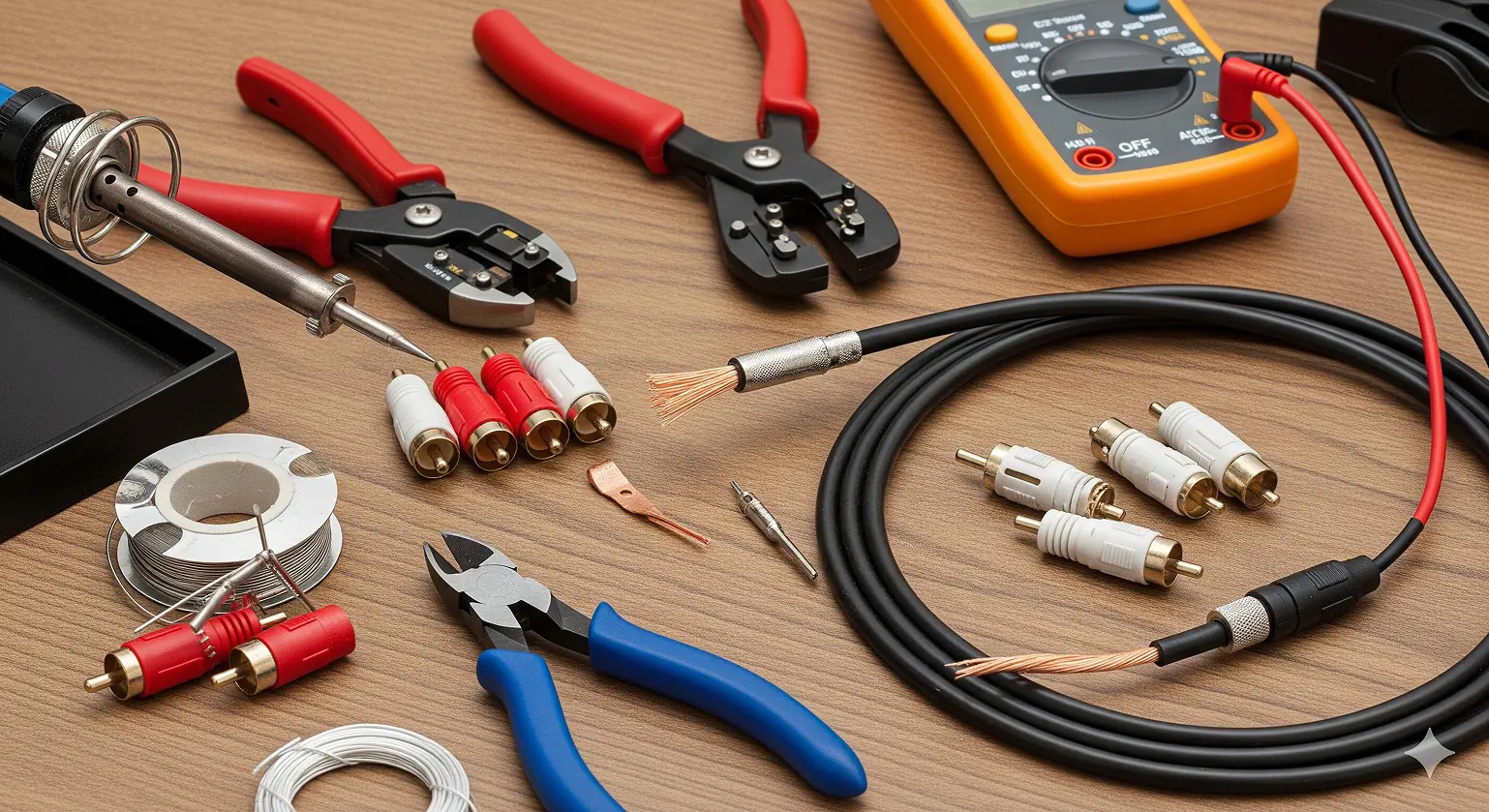
Before diving in, the right tools make the job easier and the results far more reliable.
Essential Soldering Tools
- Temperature-controlled soldering iron (25–40 watts)
- Wire strippers for multiple gauges
- Precision side cutters
- “Helping hands” or a small vise
- Digital multimeter (for testing)
- Heat gun for heat shrink tubing
Best RCA Cable Materials
Cable: Use shielded coaxial cable such as Mogami W2964 or Canare LV-61S. These reduce interference and maintain low capacitance for clean signal transfer. Avoid unshielded speaker wire or Cat5/6.
Connectors: Neutrik/Rean NYS373 or Amphenol ACPL series. They’re durable, precise, and easy to solder.
Other materials: 63/37 or 60/40 rosin-core solder, heat shrink tubing in multiple sizes.
How Does RCA Cable Signal Transmission Work?
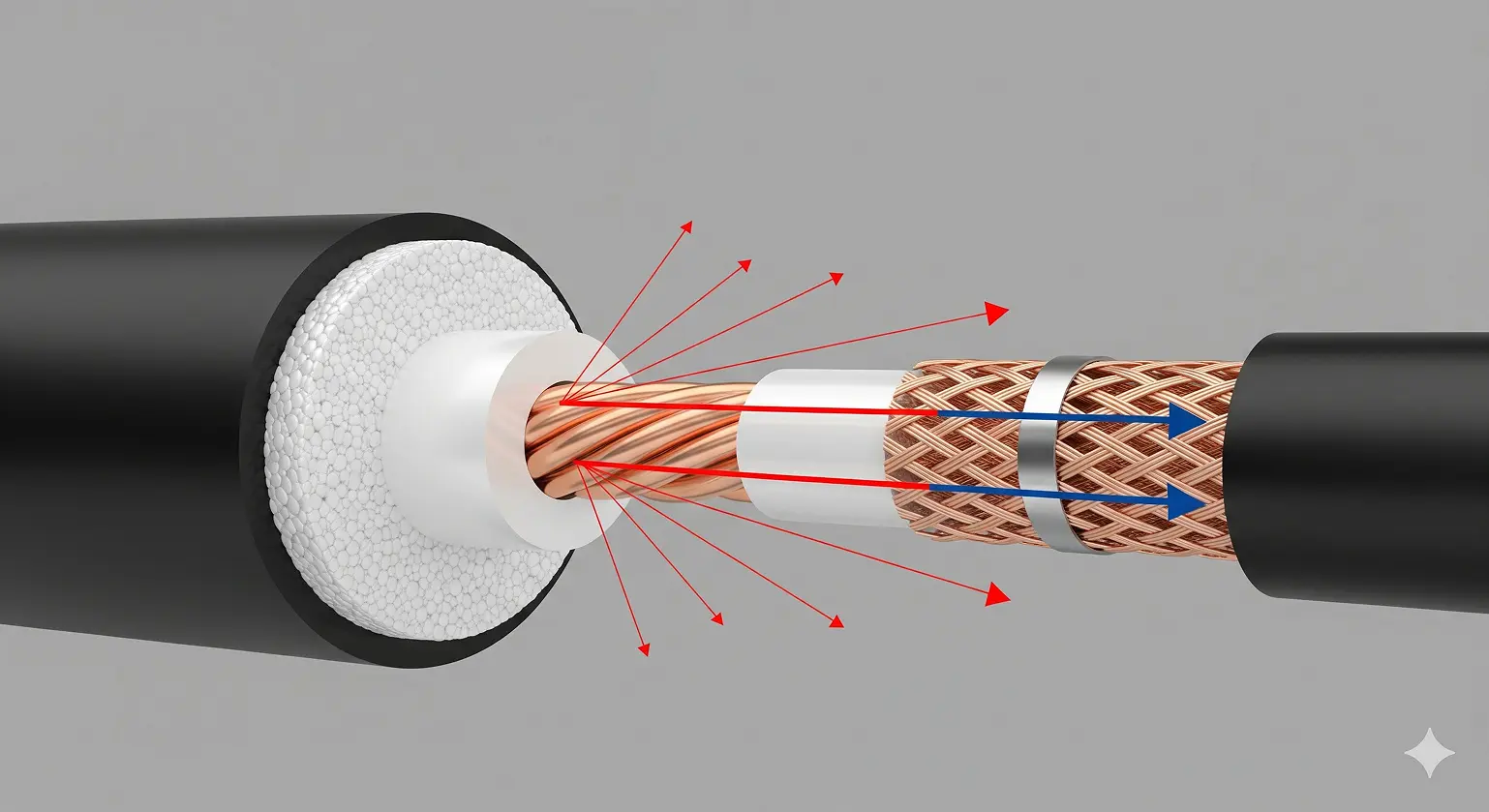
RCA uses unbalanced transmission:
- The center pin carries the hot signal.
- The outer shield acts as both ground return and protection against interference.
This makes RCA more prone to noise than balanced connections (like XLR), but with good shielding and proper wiring, it’s more than adequate for home audio and car audio setups.
Step-by-Step Process for Wiring RCA Cables
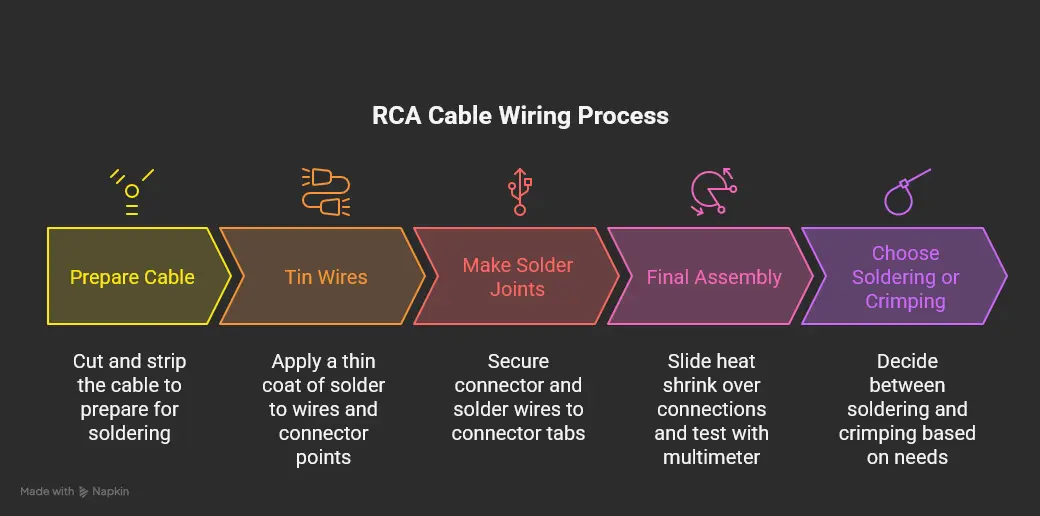
Preparing the Cable
- Cut cable to length (leave extra slack).
- Slide connector housing and heat shrink onto cable before soldering.
- Strip ~20mm of jacket, twist shield into a ground wire.
- Strip ~6mm of insulation from the center conductor.
Tinning the Wires
- Apply a thin coat of solder to wires and connector points.
- This prevents oxidation and makes final soldering easier.
Making the Solder Joints
- Secure connector in vise.
- Heat both the tinned wire and connector tab, then flow solder.
- Repeat for both center and ground connections.
- Joints should look smooth and shiny.
Final Assembly
- Slide heat shrink over connections, shrink with heat gun.
-
Test with multimeter:
- Center-to-center = continuity
- Shield-to-shield = continuity
- Center-to-shield = no continuity
- Assemble connector housing.
Should You Choose Soldering or Crimping?
- Soldering: Better for DIY, clean joints, affordable tools.
- Crimping: More durable in high-vibration environments (cars, aerospace). Requires expensive tools and matching terminals.
For most home or car DIY audio, soldering is the best balance of performance and practicality.
Common Mistakes and How to Fix Them
Even careful DIYers run into problems. Here are the most frequent mistakes with RCA wiring, plus solutions:
- Forgetting the Connector Housing
Problem: You solder perfectly, then realize the housing is still sitting on the bench.
Fix: Unfortunately, you’ll need to desolder and redo it. Always slide housings and heat shrink on first.
- Cold Solder Joints
Problem: Dull, grainy solder that causes weak connections.
Fix: Heat the joint properly — don’t just melt solder onto the wire. Both wire and connector must be hot enough for solder to flow smoothly.
- Shield Touching the Center Conductor
Problem: Stray strands from the shield touch the signal wire, causing shorts or noise.
Fix: Twist the shield tightly, trim carefully, and use heat shrink if necessary. Always test with a multimeter.
- Excessive Heat Damage
Problem: Melting insulation or damaging the dielectric inside the coax.
Fix: Use a temperature-controlled soldering iron (not too hot), and don’t keep the tip on the wire for too long.
- No Strain Relief
Problem: Cable works fine at first, but solder joints break under tension.
Fix: Use heat shrink and connectors with proper strain relief. This prevents movement at the solder joint.
- Using the Wrong Cable Type
Problem: Some DIYers use speaker wire or Cat5 cable. These lack shielding and introduce hum.
Fix: Always use proper shielded coaxial cable with 75-ohm impedance for audio.
- Ignoring Cable Length Limits
Problem: Long RCA runs pick up hum and signal loss.
Fix: Keep RCA cables under 5 meters for line-level signals. For turntables, stay under 2 meters.
By avoiding these mistakes, you’ll end up with cables that not only work but also last for years without issues.
Frequently Asked Questions
Q: What do RCA cable colors mean?
Red = right audio, white/black = left audio, yellow = video.
Q: Can I use speaker wire instead?
No. Speaker wire isn’t shielded and will cause noise.
Q: Do gold-plated connectors sound better?
Not really — gold resists corrosion, so they last longer, but they don’t change sound quality.
Q: How long can RCA cables be?
Up to 3–5 meters for line-level signals. For turntables, under 2 meters.
Q: Why do my RCA cables hum?
Usually a ground loop. Plug all gear into the same outlet or use a ground loop isolator.
Citations
- Wikipedia Contributors. "RCA connector." Wikipedia, The Free Encyclopedia.(2024). Available at: https://en.wikipedia.org/wiki/RCA_connector
- Rasante Audio. "How to Wire RCA Connectors: Complete DIY Guide." (2024). Available at: https://rasantekaudio.com/rca-wiring-guide
- DIY Audio Projects. "Building Professional RCA Interconnect Cables." (2024). Available at: https://diyaudioprojects.com/rca-cables
- WikiHow Contributors. "How to Make RCA Cables." (2024). Available at: https://www.wikihow.com/Make-RCA-Cables
- Reddit Car Audio Community. "Crimping vs Soldering Debate." (2024). Available at: https://www.reddit.com/r/CarAV/comments/rcacrimping_vs_soldering/