










Making Ethernet Cable: A Step-by-Step Guide for OEM Buyers, Installers, and DIY Users in the USA
Key Takeaways
- Making ethernet cable is simple once you understand cable categories, wiring standards, and basic tools.
- Most patch cables in the U.S. follow the T568B wiring pattern, and small wiring errors are the main reason cables fail speed tests.
- Many “my Cat8 won’t work” stories online come down to stiff cable, wrong connectors, and no proper tester.
- U.S. OEM and B2B customers need more than a nice tutorial—they need stable bulk supply, repeatable specs, and reliable partners.
- Jingyi Audio brings pro-audio cable experience into Ethernet cable design, which is great for audio networks, live sound, and broadcast links that run over RJ45.
The interest in making ethernet cable keeps growing. People want clean desk setups with exact cable lengths, installers want fewer cable messes in racks and ceilings, and OEM buyers want better control over quality and cost. Pre-made patch cords solve some of this, but not all. When cable runs need special shielding, jackets, or exact lengths, it helps a lot if you can build or specify your own.
This guide walks through the basics, adds lessons from real community posts, and then zooms out for anyone in the U.S. who buys Ethernet cable at scale or works with OEM hardware.
Understanding Ethernet Cable Types Before Making Your Own (Cat5e, Cat6, Cat6a, Shielded Options)
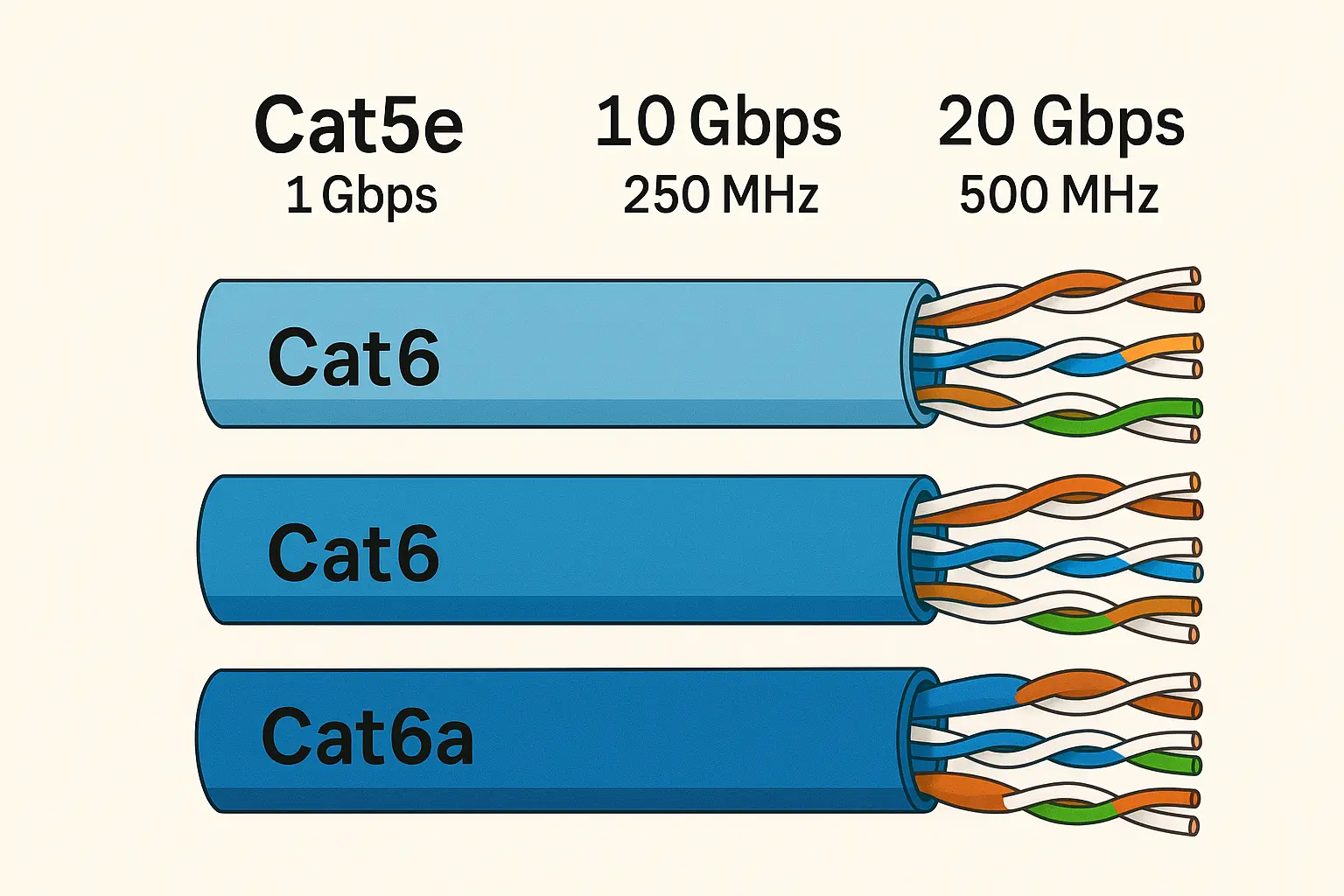
Before you cut and crimp anything, it’s worth picking the right type of cable. Otherwise you may end up doing the same job twice.
Cat5e vs Cat6 vs Cat6a — Which Works Best in the U.S. Market?
Here’s a simple way to look at the three most common types:
- Cat5e
- Handles up to 1 Gbps at 100 m
- Very common in older homes and offices
- Easy to run and terminate
- Good enough for light use, basic streaming, and normal office work
- Cat6
- Better noise control between pairs than Cat5e
- Can handle 10 Gbps over shorter distances (around 55 m in many real cases)
- Solid choice for most new home and small business installs in the U.S.
- Cat6a
- Designed for 10 Gbps all the way out to 100 m
- Often thicker and may be shielded
- Strong match for studios, AV networks, and new commercial builds where you expect high data rates and PoE++
For many jobs:
- New offices / AV installs / studio builds → Cat6 or Cat6a
- Home upgrades → Cat6 usually hits the sweet spot
- OEM products that need a long life and high bandwidth → Cat6a, especially when paired with good shielding
Solid vs Stranded Conductors and Why They Matter
Ethernet cables use either solid or stranded copper:
- Solid copper
- Better for in-wall runs and patch panels
- Less loss over long distances
- Not very flexible, can crack if bent again and again
- Stranded copper
- Flexible and good for patch cables
- Slightly higher resistance, but usually not an issue for short runs
- Better if the cable will be moved often
A manufacturer like Jingyi Audio typically offers both solid and stranded OFC (oxygen-free copper), so integrators can match the cable to the job: solid for structured wiring and stranded for patch cords and mobile rigs.
Shielded vs Unshielded for Noisy Environments
Not every link needs shielded Ethernet, but some absolutely do.
- UTP (unshielded twisted pair)
- Most common type in homes and offices
- Cheap, light, and easier to terminate
- Foil or braid shielded cable (F/UTP, U/FTP, S/FTP)
- Better for places with lots of interference: dimmers, amplifiers, motors, long cable trays packed with power cords
- Often used when transporting audio-over-IP, lighting control, or video signals in congested racks
Because Jingyi Audio comes from the world of microphone cables, stage snakes, and studio wiring, its Ethernet designs often borrow the same shielding patterns and flexible jackets. That’s very handy for Dante, AVB, AES50, and other protocols that ride on RJ45 but live in noisy, demanding environments.
Quick recap
- Pick Cat6 or Cat6a for most new U.S. jobs.
- Use solid for permanent runs, stranded for patch cords and movable cables.
- Use shielded cable in high-noise or pro-audio environments.
Tools and Materials You Need for Making Ethernet Cables
Top-ranking “how to make ethernet cable” guides all start in the same place: get your tools right. Cheap tools and mystery cable are the fastest way to get random failures.
Choosing Bulk Cable: Copper, Jackets, and Performance
For serious work, especially in business networks or AV systems:
- Use 100% copper, not CCA (copper-clad aluminum).
- For Cat6/Cat6a, 23–24 AWG is typical.
- Pick the right jacket:
- Standard PVC for everyday indoor runs
- Plenum or LSZH when local codes require it
- PU or TPE jackets when you expect heavy movement, stage use, or outdoor exposure
If you’re building Dante or AVB networks, or audio-over-IP in general, Jingyi Audio can supply bulk Cat5e/Cat6/Cat6a with shielding and jackets born from pro-audio cable experience. That means better handling, better noise control, and longer life.
RJ45 Connectors: Shielded, Pass-Through, or Field-Termination
There’s more than one kind of RJ45 plug:
- Standard RJ45 plugs
- Typical for Cat5e/Cat6 UTP
- Wires end at the front of the plug and must be cut very cleanly
- Pass-through RJ45 plugs
- Wires stick out the front before crimping
- Easier to see the color order and fix mistakes
- Very popular in Instructables and YouTube videos because they’re friendly for beginners
- Shielded RJ45 plugs
- Needed for any shielded cable
- Metal body must grip the braid or foil, not just the plastic jacket
- Field-termination / tool-free plugs
- Designed for thick and stiff cable like Cat6a and Cat8
- Cable is terminated by pushing wires into IDC slots, then closing the housing
- A lot of people on Reddit and DigiKey only start getting reliable results with Cat8 after they switch to these plugs
Basic Tools for U.S. Installers and DIY Users
You don’t need a whole workshop, but you do need a few things:
- Good ratcheting crimp tool
- Cable stripper you can adjust
- Flush cutters for trimming wires, especially with pass-through plugs
- A cable tester (even a simple one is better than nothing)
- Optional extras: strain-relief boots, labels, Velcro ties, tone generator
Quick recap
- Use copper bulk cable with the jacket type you actually need.
- Match shielded cable with shielded plugs.
- Pass-through plugs make life easier when you’re learning.
- A basic tester saves hours of guesswork later.
Step-by-Step: How to Make an Ethernet Cable (Cat5e/Cat6/Cat6a)
This process works for a straight-through patch cable, which is what you use to connect devices to switches, routers, or patch panels.
Step 1 – Measure and Cut the Cable
- Measure the route between the two endpoints.
- Add a bit of extra length, usually 6–12 inches per end, for routing slack and future changes.
- Cut the cable cleanly with your cutters.
Step 2 – Strip the Outer Jacket
- Use your stripper to lightly score the jacket around the cable about 2–3 cm from the end.
- Bend the cable so the jacket opens and slides off.
- Check the inner conductors; if any are nicked, cut the end off and try again.
- For shielded cable, fold the braid back over the jacket and trim the foil as needed while keeping enough to reach your connector’s shield tab.
Step 3 – Arrange the Wire Pairs (T568B or T568A)
In the U.S., most patch cables use T568B. The order from left to right (with the clip facing away from you) is:
- White/Orange
- Orange
- White/Green
- Blue
- White/Blue
- Green
- White/Brown
- Brown
Steps:
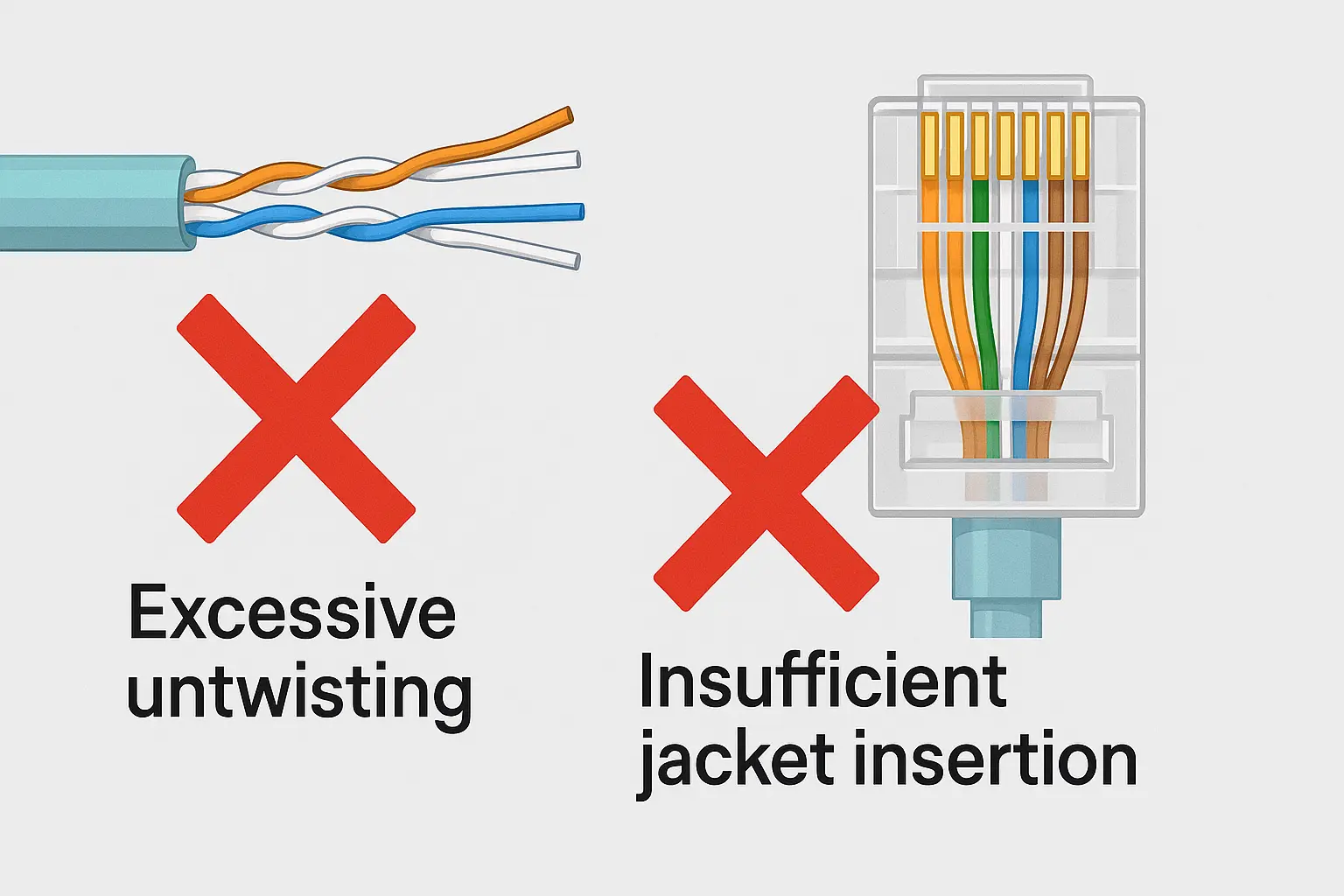
- Untwist each pair only as much as you need, ideally less than half an inch.
- Line the wires up in the order above.
- Straighten them between your fingers so they sit flat and tidy.
You can use T568A if you’re matching a specific standard or existing building wiring, but both ends must use the same pattern for a normal patch cable.
Step 4 – Insert Wires into the RJ45 Plug
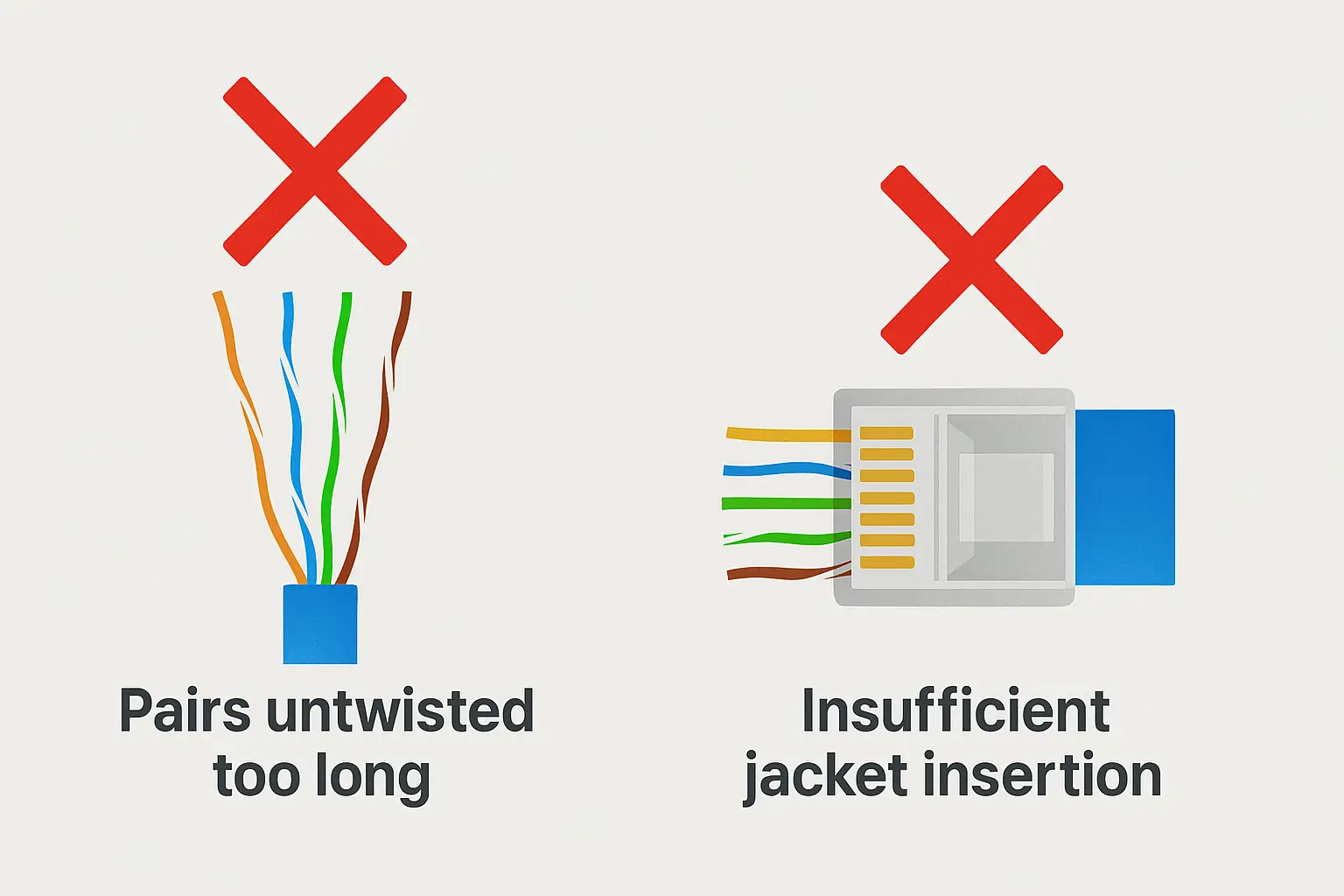
- Trim all eight wires to the same length.
- Slide them into the plug channels:
- For a standard plug, push until the wire ends reach the front.
- For a pass-through plug, push until the wires come out of the nose.
Many “it tests fine but breaks when I move it” stories come from cables where only the small conductors are inside the plug, and the jacket is left hanging outside.
Step 5 – Crimp the Connector
- Place the loaded plug into the crimp tool.
- Squeeze until the tool completes its cycle.
- With pass-through plugs, the extra wire is cut off during this step.
- Pull the connector out and inspect:
- All gold contacts are pressed down neatly
- Jacket is held under the strain-relief
- No cracks or damage in the plug body
Repeat these steps for the other end of the cable.
Step 6 – Test Your Cable
Use at least a basic tester to check:
- All eight pins are connected
- Wiring order is correct
- There are no shorts or open circuits
For professional work—especially if you’re supplying U.S. customers or doing structured cabling—the next level is a certifier that checks NEXT, return loss, and confirms that the link meets Cat5e, Cat6, or Cat6a specs. Saving those reports is useful for both you and your clients.
Quick recap
- Use T568B on both ends for a standard U.S. patch cord.
- Keep the twisted pairs intact as much as possible.
- Always test before you call a cable “done.”
What Social Media Can Teach You About Making Ethernet Cable
There are thousands of real stories from Reddit, DigiKey Forum, Instructables, and elsewhere. A few patterns keep coming up.
Reddit: The Cat8 Overkill Story
A typical post looks like this:
- User wants “future-proof” cabling and buys thick, shielded Cat8 bulk cable.
- They use cheap unshielded RJ45 plugs and a basic crimp tool.
- The cable is stiff, hard to bend, and doesn’t seat well in the plugs.
- Result: random link drops, speeds stuck at 100 Mbps, or no link at all.
- After a long thread, the solution is often to switch to Cat6a and use proper shielded or field-termination plugs.
Takeaway: for most houses and small offices in the U.S., a good Cat6a installation is far more practical than a “heroic” Cat8 project.
DigiKey Forum: Classic Beginner Mistakes
Common problems people mention on DigiKey’s forum include:
- Untwisting the pairs too far back
- Forgetting to get the jacket under the strain-relief
- Not adding slack, so ends are too short to re-terminate
- Skipping testing until after the cable is buried in a wall or ceiling
The advice is always similar: practice on scrap, use decent tools, and always test before closing up.
Instructables & YouTube: Clean Setups and Creator Rigs
On Instructables and YouTube you’ll find a lot of cables built for:
- Ultra-clean gaming desks
- Streaming setups with colorful patch cords
- Home labs and rack builds where everything is cut to exact length
Creators often:
- Use pass-through connectors to keep the steps simple
- Focus on color-coding and neat routing
- Show that once you get used to the process, making ethernet cable is just part of building a nicer setup
LinkedIn: When DIY Isn’t Enough
On LinkedIn, integrators and OEM vendors talk more about:
- Consistency across thousands of cables
- Delays when bulk cable supply changes or runs out
- Problems caused by low-grade CCA cable with poor documentation
For these teams, the answer isn’t “watch another tutorial video”; it’s partnering with a cable maker that listens to requirements and keeps specs stable across batches. That’s where Jingyi Audio fits well: long experience in B2B cabling and the ability to design Ethernet products around real use cases.
Quick recap
- Cat8 causes more headaches than benefits for most DIY users.
- Most issues are about technique, tools, and testing.
- DIY is great, but large projects need factory control and stable supply.
OEM & B2B View: Bulk Cables and Components for the U.S. Market
If you’re an OEM, network contractor, or AV integrator serving U.S. customers, your needs go beyond “how do I crimp this plug?”
What U.S. OEMs and Integrators Need from Cable
- Stable performance (Cat5e/Cat6/Cat6a) backed by real measurements
- Clear specs and documents so engineers can design around them
- Repeatable quality from batch to batch
- Reasonable lead time and predictable shipping to ports like Los Angeles, Long Beach, New York/New Jersey, Houston, and so on
How Jingyi Audio Helps with Custom Ethernet Cables
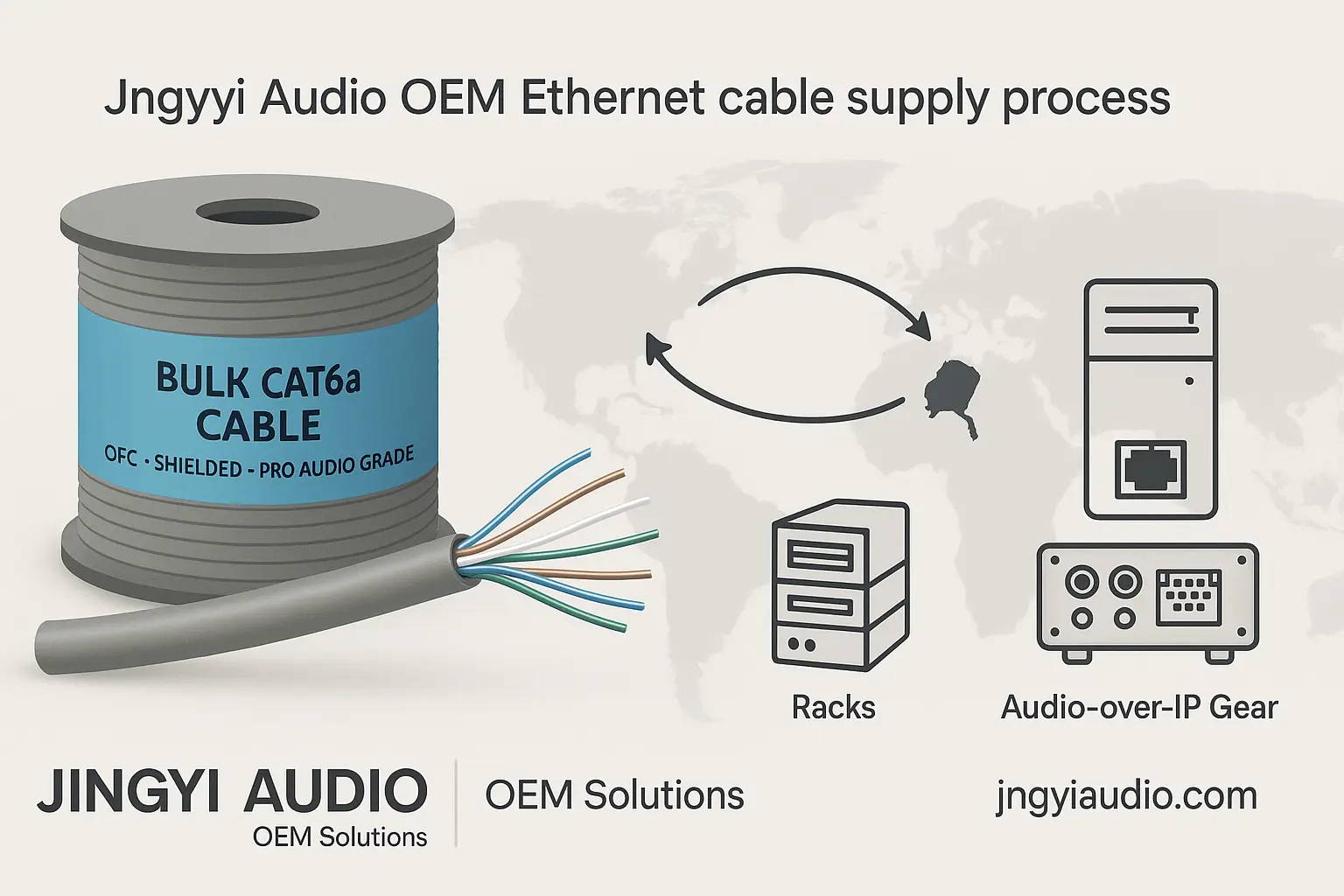
Built on decades of pro-audio cable work, Jingyi Audio can:
- Supply OFC-based Cat5e/Cat6/Cat6a bulk cable with options such as UTP, F/UTP, U/FTP, and S/FTP
- Offer flexible PU/TPE jackets suited for live sound, broadcast trucks, and touring rigs
- Customize jacket color, print (brand names, length marks, batch codes), and packaging (reels, pull-boxes, OEM boxes)
- Provide matched parts such as rugged RJ45 shells and XLR-style network connectors for stage and venue use
- Work with U.S. OEMs and integrators to create Ethernet cables tuned for Dante, AVB, AES50, and other audio-over-IP workflows
This mix of network knowledge and audio engineering is rare, and it directly serves people who need cables to carry both data and high-quality sound.
DIY vs Factory Assemblies: Which Makes Sense When?
- DIY / Field Termination
- Handy when you don’t know exact lengths ahead of time
- Perfect for last-meter adjustments, quick repairs, and one-off needs
- Factory Assemblies and OEM Cables
- Better when you need hundreds or thousands of identical lengths
- Useful inside finished products, racks, or turnkey systems
- Lower risk in the field because everything is already tested and labeled
Many teams use both: they order pre-made cables from partners like Jingyi Audio for the main infrastructure and use DIY cables for the exceptions and odd cases.
Troubleshooting: When Your Ethernet Cable Misbehaves
Even with care, mistakes happen. Here are quick checks.
Only Gets 100 Mbps Instead of 1G or 10G
- Check that all eight wires are present and in the correct order.
- Look for a split pair (two colors swapped).
- Try swapping ends on the tester to see if one side is the problem.
- Check that the network devices support higher speeds and that their ports are clean.
Random Drops or Poor Performance
- Make sure the cable isn’t kinked or sharply bent, especially near plugs.
- Confirm that shielded cable is properly grounded at the right point if you used it.
- Check that you didn’t mix cheap, unshielded connectors with heavy shielded cable.
Mechanical Problems at the Plug
- Replace any connector with a broken latch.
- Re-terminate if the jacket slipped out of the plug and only bare conductors remain inside.
- Avoid re-using connectors; they are designed for one crimp.
Building Cables That Last
If you want cables that keep working year after year:
- Respect the bend radius (no tight loops or sharp corners).
- Don’t crush bundles with zip ties; use Velcro and proper cable management.
- Use outdoor or direct-burial cable where weather or moisture is an issue.
When shielded cables are involved, treat grounding as part of the design, not something to guess at during installation.
Why Learning “Making Ethernet Cable” Still Matters
Even with strong Wi-Fi and cloud tools, Ethernet is still the backbone for real work—servers, mixing consoles, stage boxes, cameras, and control systems. When you’re comfortable making ethernet cable:
- You can cut exactly the lengths you need.
- You’re not stuck waiting on pre-made cords that don’t quite fit the job.
- You understand and control one of the most basic parts of your system.
Combine those hands-on skills with solid materials and OEM partners like Jingyi Audio and both small DIY projects and large U.S. installations become easier to plan, easier to build, and easier to keep running.
Frequently Asked Questions (FAQ)
Q1: What’s the difference between T568A and T568B when making ethernet cable?
T568A and T568B use the same four pairs of wires but with a different color order. In the U.S., T568B is more common for patch cables. Both ends of a straight-through cable should use the same pattern, or the link may not work as expected.
Q2: Can homemade Ethernet cables handle 10 Gbps?
Yes, they can, if you use Cat6a cable and connectors, keep the total length within 100 meters, and follow good termination practice. For critical links, use a certifier to verify that the cable meets the category requirements.
Q3: Is Cat8 worth it for my house or small office?
Most of the time, no. Cat8 is thick, stiff, and harder to terminate. In many real installs, Cat6a is enough and much easier to work with. A lot of online posts about Cat8 trouble end with people moving back to Cat6a and being happier with the result.
Q4: How long can an Ethernet cable be?
Standard twisted-pair Ethernet is rated for a 100-meter channel (328 feet), counting patch cables and permanent runs together. If you need to go further, consider adding switches or using fiber.
Q5: Should U.S. businesses buy bulk cable from OEM suppliers like Jingyi Audio?
If you need consistent quality, clear specs, and repeatable performance across many projects, working with an OEM supplier is a smart move. Jingyi Audio can provide OFC-based Ethernet cables with pro-grade shielding and jackets, along with long-term supply for U.S. customers.
Q6: Are pass-through RJ45 plugs easier for beginners?
Yes. They make it simpler to check the color order because the wires stick out the front before you crimp. This cuts down on wiring mistakes and is one reason they appear in many tutorials and videos.
Q7: When should I stop making cables myself and switch to factory assemblies?
If you only need a handful of cables, DIY is fine. Once you start building racks, shipping hardware, or doing large installations, factory-made cables from an OEM partner are usually more reliable, easier to document, and less work in the long run.
References
- GroundControl – “Making Ethernet Cables – Simple and Easy”
https://www.groundcontrol.com/knowledge/guides/making-ethernet-cables-simple-and-easy/ - CableWholesale – “How To Make an Ethernet Patch Cable”
https://www.cablewholesale.com/support/technical_articles/making_your_own_ethernet_patch_cable.php - Instructables – “How to Create an Ethernet Cable”
https://www.instructables.com/How-to-Create-an-Ethernet-Cable/ - FS.com – “8 Easy Steps to Make Ethernet Cable Successfully”
https://www.fs.com/blog/8-easy-steps-to-make-ethernet-cable-successfully-4047.html - DigiKey TechForum – “Assembling an Ethernet Cable”
https://forum.digikey.com/t/assembling-an-ethernet-cable/52882