










Patch Cable vs Ethernet Cable: A Practical Guide for Real Audio Networks (2025 Edition)
- Why People Still Mix These Two Up
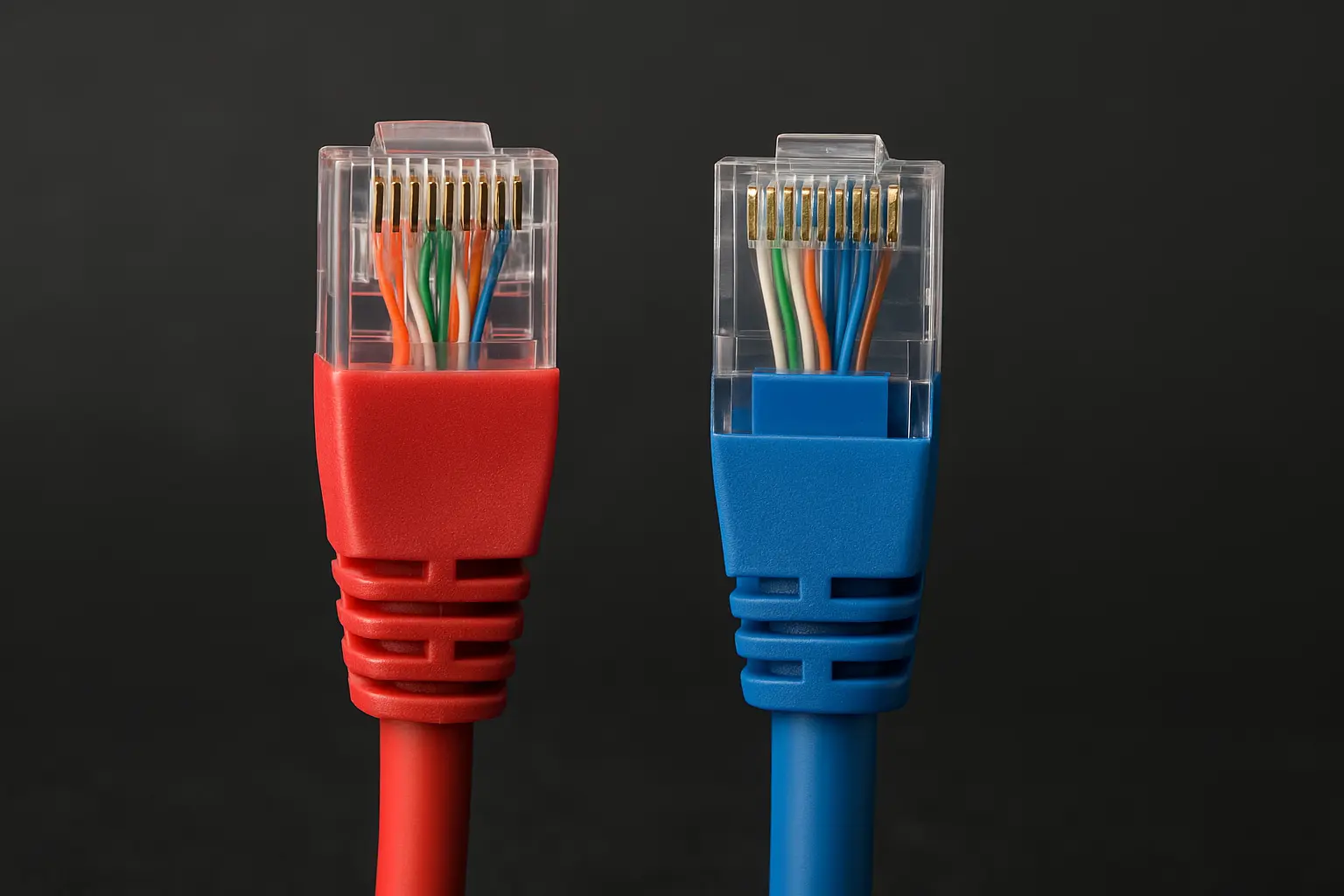
If you’ve ever set up a studio, connected a Dante device, or wired a venue, you’ve probably wondered:
“Is a patch cable the same as an Ethernet cable?”
You’re not alone. This question appears in forums, Reddit threads, and Facebook groups almost every week.
Many think both are identical because they use the same RJ45 plugs — but their purpose, build, and performance are actually quite different.
At JINGYI Audio, after years of building custom cables for studios and live systems, we’ve seen how a wrong cable choice can cause random dropouts, overheating PoE devices, or even audio glitches during live shows.
Let’s make this clear once and for all — using plain language, real examples, and lessons from installers around the world.
- The Source of the Confusion
Across regions, people use different names for the same thing:
- In the US, “patch cable” or “patch cord” usually means a short, flexible Ethernet cable.
- In Europe, people might say “network lead” or “patch lead.”
- In Asia, most users simply say “network cable,” whether it’s short or long.
This overlap in everyday speech makes things messy. But if we look closer, the difference lies in how the cables are built and where they’re used.
- What Ethernet Actually Means
“Ethernet” isn’t a cable. It’s a set of networking rules, officially known as the IEEE 802.3 standard.
These rules define how data moves across a network — not what type of wire carries it.
In practice, when we say “Ethernet cable,” we’re talking about the twisted-pair copper cables that support Ethernet data transfer — usually Cat5e, Cat6, or Cat6A types.
So yes, an Ethernet cable is the road, but “Ethernet” is the driving law.
- What a Patch Cable Really Is
A patch cable is just a short Ethernet cable made for linking two points — like connecting a mixer to a wall port or linking a switch to a patch panel.
It’s called “patch” because it’s meant for patching signals — quick connections that can be unplugged and rearranged easily.
To handle constant bending and re-plugging, patch cables are built with stranded copper wires.
They’re more flexible, softer to the touch, and usually less than 10 metres long.
You’ll see them:
- Inside racks and studio setups
- Between patch panels and switches
- On live stages, linking Dante boxes or amplifiers
- Solid vs Stranded — The Real Difference
Here’s a simple breakdown:
|
Feature |
Solid Core Cable |
Stranded Patch Cable |
|
Structure |
One solid copper wire per conductor |
Many thin wires twisted together |
|
Flexibility |
Stiff, not ideal for moving |
Soft and flexible |
|
Signal loss |
Lower — better for long distances |
Slightly higher |
|
Typical use |
In-wall or ceiling runs |
Short “last metre” connections |
|
PoE performance |
More stable, stays cooler |
Can get warmer on high current |
|
Connectors |
Punch-down keystone or patch panel |
RJ45 plug (crimped) |
If you’ve ever noticed your PoE-powered speaker or camera restarting randomly, it might be because the cable inside the wall was a stranded type meant for short use.
That’s something we’ve seen countless times on service calls.
- Lessons from Real Users
One Reddit user from r/homenetworking wrote:
“My PoE camera kept rebooting after a few hours. Turned out I’d used a 20-metre patch cord instead of solid Cat6.”
Another installer shared on LinkedIn:
“For touring setups, we only use stranded S/FTP Cat6A with etherCON plugs. Solid cables don’t survive more than a few load-ins.”
These experiences remind us that the cable’s structure isn’t just a technical detail — it’s the reason your network works (or fails) under stress.
- When to Use Each Type
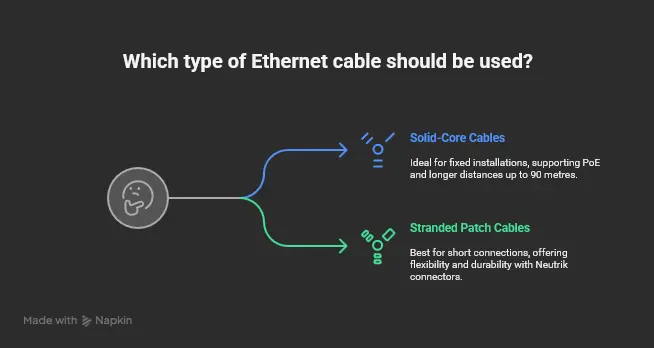
For Fixed Installation
Use solid-core Ethernet cables (Cat6A S/FTP recommended).
They’re stronger, support PoE better, and can handle up to 90 metres in a permanent setup.
They’re perfect for walls, ceilings, or conduits — basically, anywhere the cable won’t be moved once installed.
For Short Connections
Use stranded patch cables.
They’re meant for the last few metres: between the wall jack and your gear, or between racks.
In studios and live setups, these cables are often paired with Neutrik etherCON connectors for extra durability.
- Why Length Matters
Stranded cables lose more signal over distance than solid ones.
That’s why network standards set a 100-metre limit per channel — with 90 metres of solid cable and 10 metres total for patch leads.
If you go over that, your 1 Gbps connection could suddenly drop to 100 Mbps — and you won’t know why.
For audio networks, this can cause latency or clock sync errors, especially in Dante and AES67 systems.
- Power Over Ethernet (PoE) — A Hidden Heat Problem
PoE cables carry both data and power.
When power flows through higher-resistance stranded wires, the cable can get hot.
We once worked with a stage tech in Singapore who used 15-metre patch cords to power Dante stage boxes. During the show, all units rebooted. The cables were hot to the touch — they simply weren’t designed for that job.
So if your devices run on PoE, use solid-core cables for power runs, and keep patch leads short.
- Different Regions, Different Habits
|
Region |
Typical Setup |
Common Cable Type |
Reason |
|
USA |
Studios and venues |
Cat6A solid UTP |
Cost-efficient and easy to test |
|
Europe |
Broadcast and OB vans |
Cat6A or Cat7 S/FTP solid |
Strong EMI protection |
|
Asia |
Touring and live sound |
Stranded Cat6A S/FTP with etherCON |
Built for mobility and durability |
Each region’s habits come from the kind of environments they work in.
In Europe, EMI from lighting systems makes shielding a must.
In Asia, flexibility is key for moving gear.
In the US, standardisation and cost matter more.
- Audio-over-IP Networks — Stability Beats Speed
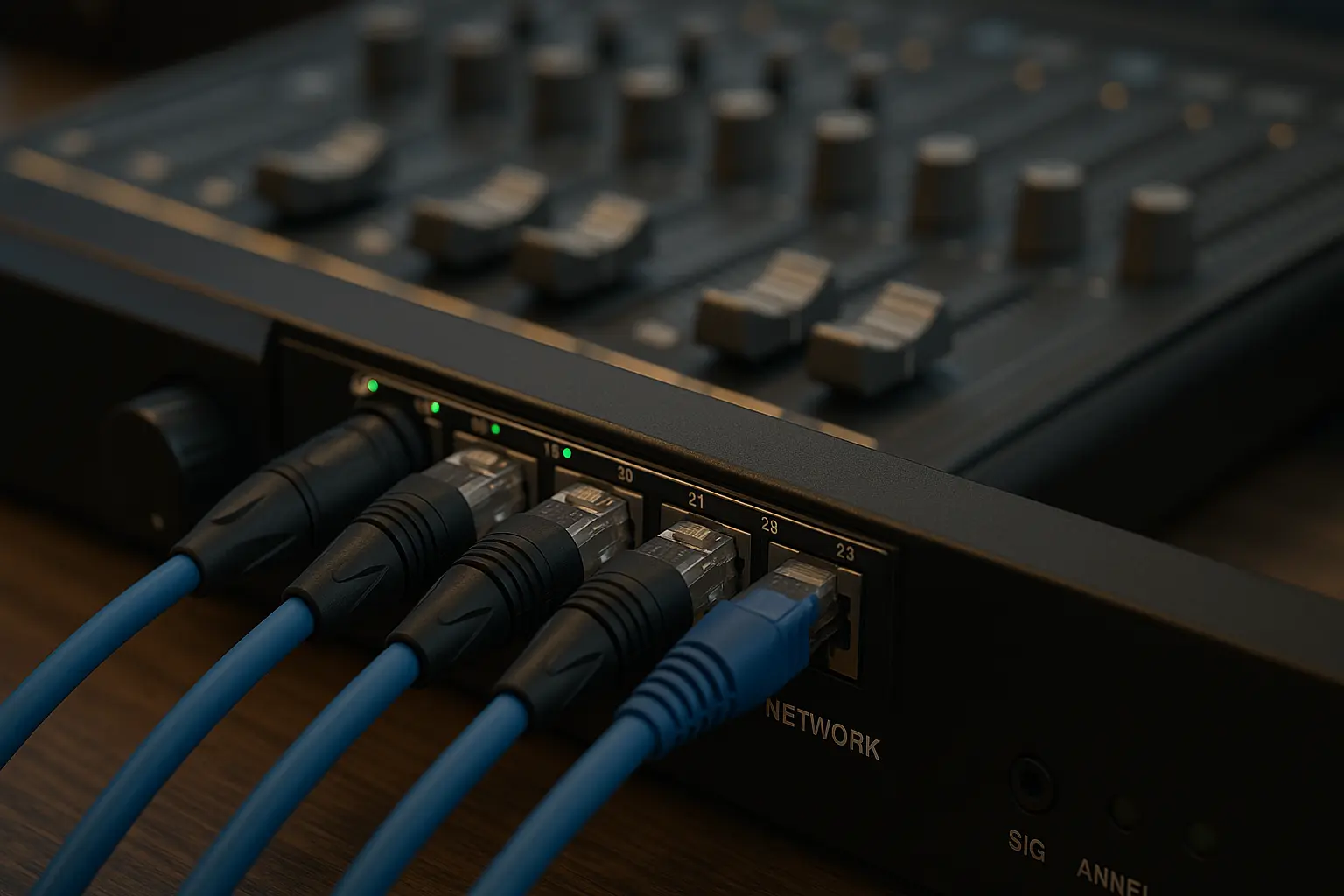
In pro audio, raw speed isn’t what matters most.
Even 1 Gbps is enough for hundreds of Dante channels.
What truly counts is stability — a clean, uninterrupted stream of packets.
That’s why JINGYI Audio follows a simple rule:
“Reliability over speed.”
Shielding, proper grounding, and good connectors do more for sound quality than chasing the highest Cat number.
- Real Example — The Shanghai Opera House Upgrade
When the Shanghai Opera House upgraded its network, engineers noticed random dropouts.
The issue? Standard Cat6 unshielded cables picking up interference from dimmer packs.
Replacing them with S/FTP Cat6A solid cables fixed the issue overnight.
The lesson: shielding and grounding can make or break an audio network.
- Quick Guide to Cable Categories
|
Category |
Bandwidth |
Speed |
Max Distance |
Shield Type |
|
Cat5e |
100 MHz |
1 Gbps |
100 m |
UTP/FTP |
|
Cat6 |
250 MHz |
1 Gbps (100 m) / 10 Gbps (55 m) |
100 m |
UTP/FTP |
|
Cat6A |
500 MHz |
10 Gbps |
100 m |
UTP/F/UTP/S/FTP |
|
Cat7 |
600 MHz |
10 Gbps |
100 m |
S/FTP |
|
Cat8 |
2000 MHz |
25–40 Gbps |
30 m |
S/FTP |
Many people think Cat7 is better because the number is higher, but in real terms, a Cat6A S/FTP cable gives the same performance for audio work — and works with standard RJ45 connectors.
- Getting the Ends Right — Matching Cable and Connector
This part is often ignored, but it’s vital:
- Solid cables must be terminated on IDC connectors (like keystone jacks or patch panels).
- Stranded cables must use RJ45 plugs.
If you mismatch them, the metal contacts won’t grip correctly, leading to random dropouts that are impossible to trace.
An installer in London once told us, “Half the faults we fix are just bad terminations.”
- Common Mistakes and Fixes
|
Problem |
Why It Happens |
Fix |
|
Using stranded cable in walls |
Not rated for fixed use |
Replace with solid-core |
|
Overstretching cables |
Breaks twisted pairs |
Use gentle bends |
|
Wrong connector type |
Poor contact |
Match connector to cable type |
|
Excessive un-twisting |
More noise and crosstalk |
Keep twists tight |
|
Bundling PoE cables too tightly |
Heat build-up |
Spread them out |
These are small details, but fixing them can turn a flaky system into a rock-solid one.
- Shielding: When to Use UTP, FTP, or S/FTP
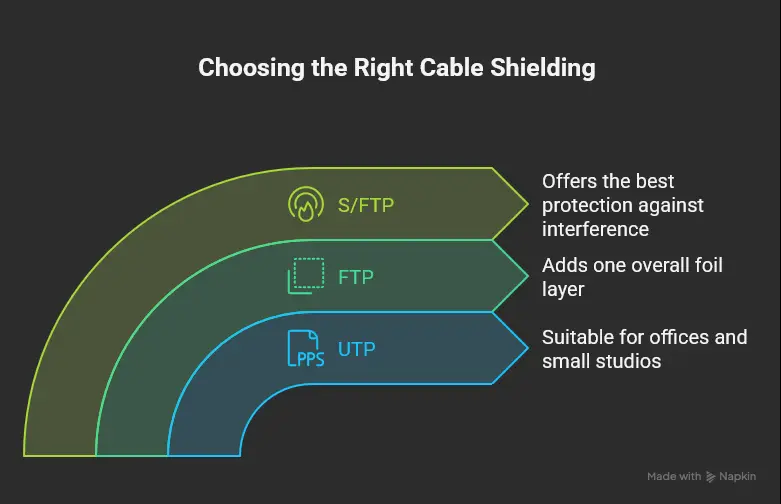
Not every cable needs to be shielded — but audio networks often benefit from it.
- UTP (Unshielded): Works fine in offices or small studios.
- FTP (Foil Shield): Adds one overall foil layer.
- S/FTP: Each pair has foil, plus a braided outer shield — the best option against interference.
In venues with lighting rigs or amplifiers, always use S/FTP cables and ensure the shield is properly grounded.
- Real Opinions from Installers
“After switching to JINGYI S/FTP Cat6A with etherCON, our touring rig hasn’t had a single issue in months.”
— Audio Engineer, Malaysia
“Solid JINGYI Cat6A always passes our Fluke tests. It’s become our default for broadcast installs.”
— System Integrator, Germany
These comments show a simple truth — good cables don’t just pass signals; they prevent headaches.
- JINGYI Audio — From Manufacturer to Partner
Founded in 1992, JINGYI Audio has grown into a trusted manufacturing partner for professional audio brands worldwide.
We produce:
- Custom Cat6A and Cat7 cables
- Neutrik etherCON assemblies
- PoE-certified lines for Dante systems
Our cables are built for the realities of the field — not just lab specs. Whether you’re wiring a studio or building a touring rig, reliability is what matters most.
- The JINGYI Principle — Reliability Over Speed
Many companies chase higher numbers — Cat7, Cat8, 40 Gbps.
But in real-world audio, what matters is that your network never drops a note.
A stable 1 Gbps Dante connection will always beat a 10 Gbps system that glitches once per show.
That’s why every JINGYI cable is built for consistency, not marketing numbers.
- Final Thoughts
So, to keep things simple:
- Use solid cables for fixed runs
- Use stranded patch cords for short, flexible links
- Keep patch sections under 10 metres
- Choose S/FTP shielding in noisy environments
- Always match connectors to cable type
These small choices separate reliable networks from those that fail at the worst time.
If you’re designing an AoIP setup or upgrading your cabling, talk to JINGYI Audio.
We help engineers, installers, and touring professionals build networks that don’t just work — they last.