










The 2025 Guide to DMX Pin Out: Wiring Standards, Real Mistakes, and OEM-Friendly Best Practices
Key Takeaways
- A correct DMX pin out keeps lighting systems steady across 5-pin XLR, 3-pin XLR, and RJ45 wiring.
- Many DMX issues seen in U.S. theatres, churches, clubs, touring setups, and architectural projects come from small wiring errors.
- Social media is full of people trying to fix last-minute problems caused by wrong pinouts, poor cables, or mixed standards.
- U.S. OEM buyers pay close attention to cable quality, UL ratings, and repeatable pin wiring.
- Jingyi Audio’s manufacturing experience helps explain how good production prevents failures before they happen.
What a DMX Pin Out Means Today
A DMX pin out tells you which wire goes to which pin on a connector.
DMX512 uses RS-485, which sends data through a balanced pair of wires. The system works well only when the wiring matches the standard.
Wrong wiring can cause:
- flickering
- random color or movement jumps
- fixtures freezing
- signal drops
- blown drivers (often seen in RJ45 setups)
Even though modern lighting systems now include Ethernet-based control, DMX still carries the “last step” of data to fixtures, so wiring accuracy matters.
Quick Reference: DMX Pin Out Charts
This part gives straight answers for anyone who needs fast info.
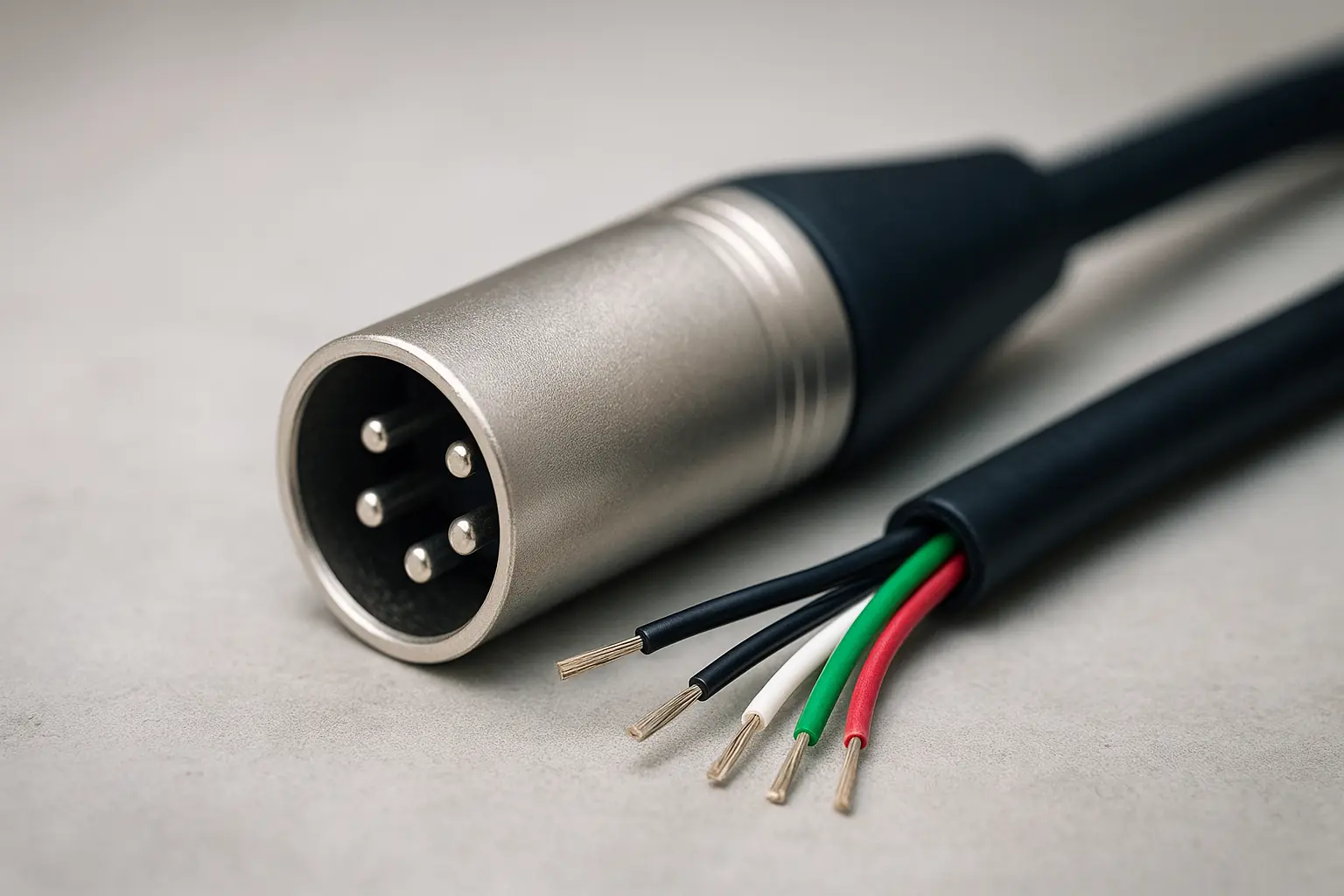
5-Pin XLR (Official Standard)
|
Pin |
Signal |
Meaning |
|
1 |
Shield |
Ground |
|
2 |
Data – |
Negative data line |
|
3 |
Data + |
Positive data line |
|
4 |
Spare |
Optional |
|
5 |
Spare |
Optional |
This is the required standard for DMX512.
Most U.S. theaters, rental companies, and large production houses stick to it.
3-Pin XLR (Common but Not Standard)
|
Pin |
Signal |
|
1 |
Shield |
|
2 |
Data – |
|
3 |
Data + |
3-pin is used mainly in entry-level or DJ equipment because it costs less to produce.
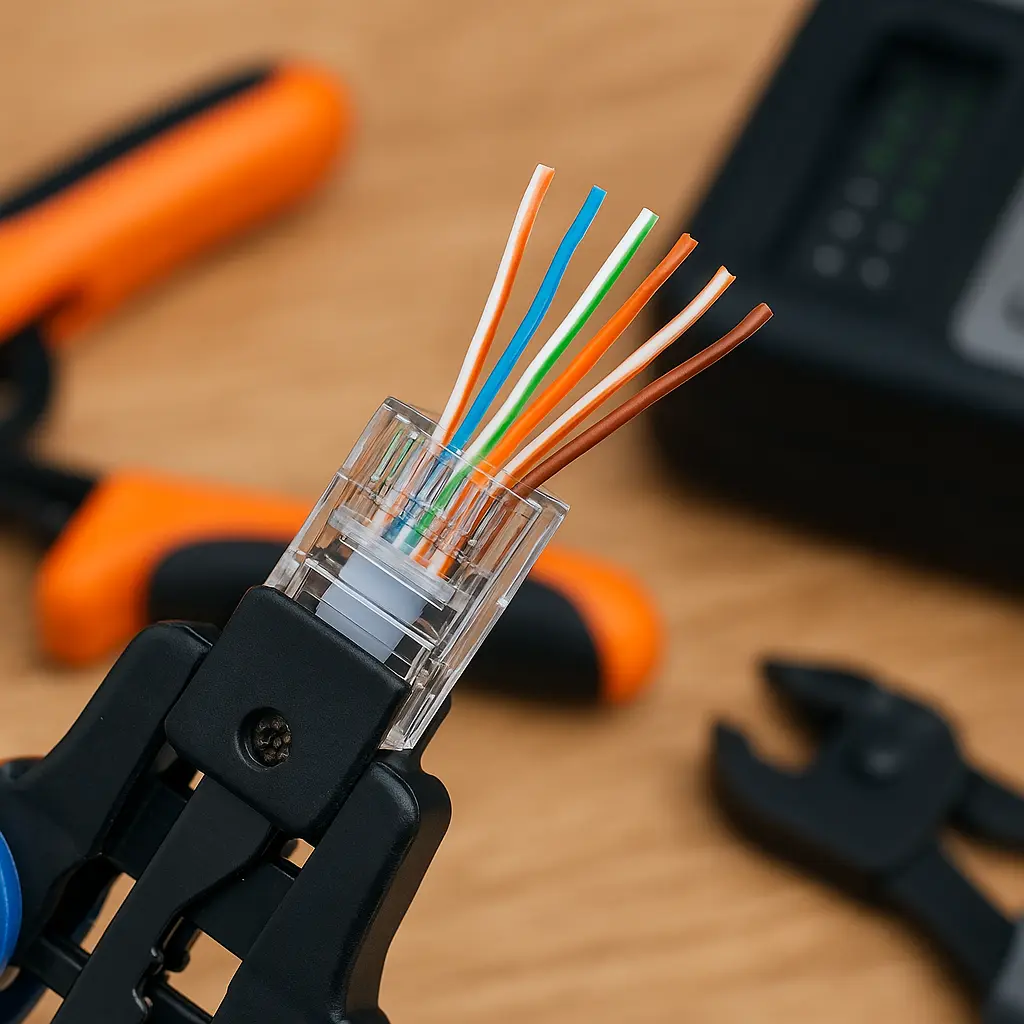
RJ45 DMX (Cat5e/Cat6 Using T-568B)
|
Pin |
Wire Color |
DMX Signal |
|
1 |
White/Orange |
Data + |
|
2 |
Orange |
Data – |
|
7 |
White/Brown |
Shield |
|
8 |
Brown |
Shield |
Used in U.S. architectural lighting, wall controllers, long building runs, and LED pixel mapping.
Note: Some LED drivers use different layouts and even send power through these pins. Always check the manual.
Common DMX Pin Out Mistakes Seen in Real Installations
Here are problems frequently shared on Reddit, Facebook AV groups, and ControlBooth discussions.
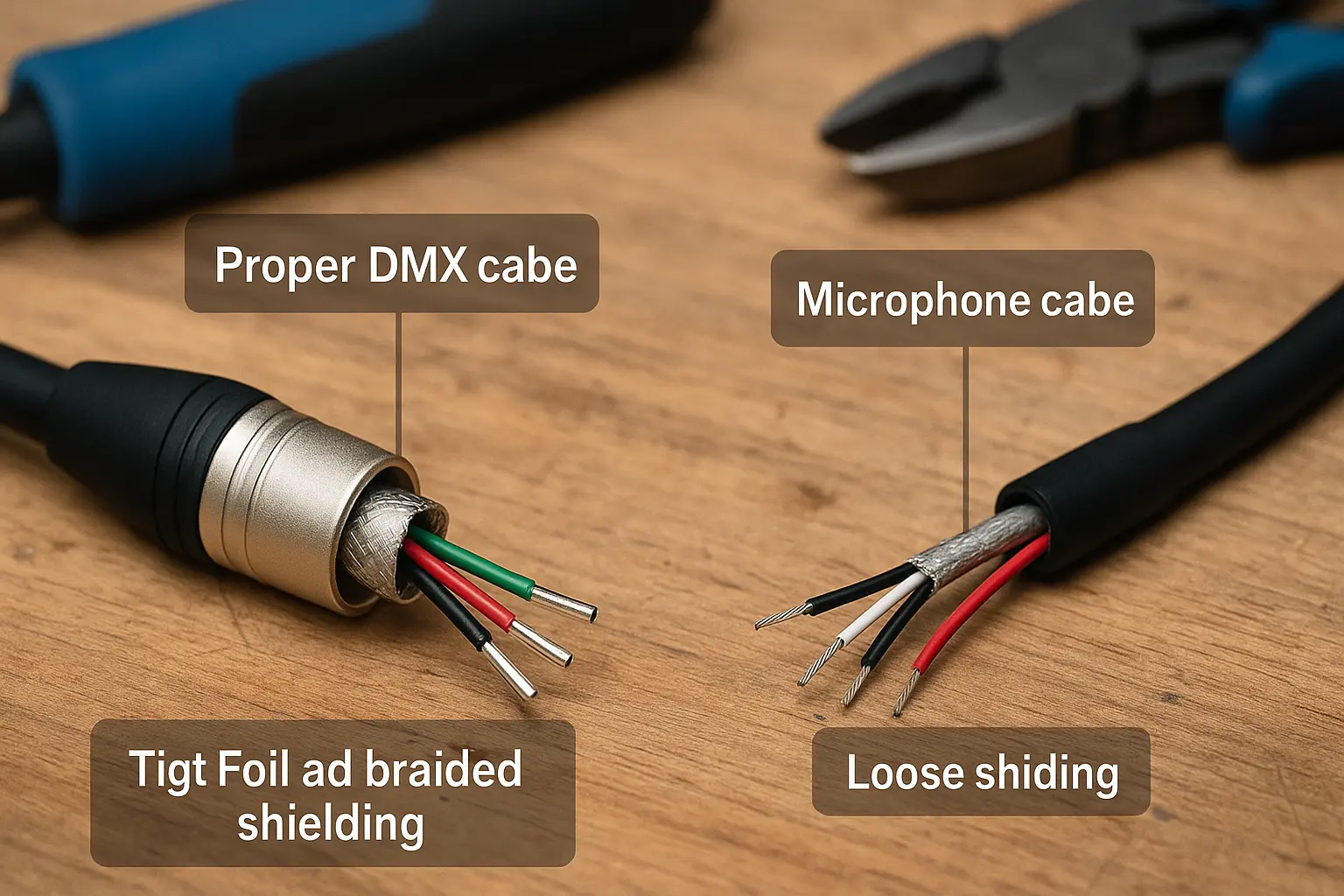
- Using Mic Cable Instead of DMX Cable
Mic cable has the wrong electrical design for DMX.
This leads to:
- flickering
- inconsistent movement
- fixtures dropping offline
- strange behavior when fog machines or strobes fire
People often fix entire rigs just by replacing the cable.
- Wrong RJ45 Mapping
Some LED systems use custom RJ45 pinouts.
If you plug standard DMX RJ45 into these systems:
🔥 you can short the driver
🔥 blow a port
🔥 kill a data injector
This is one of the top reasons installers post emergency help requests online.
- Polarity Reversed (Pins 2 and 3 Swapped)
This stops a chain of fixtures from responding.
Older Martin units are well known for needing reversed polarity.
- Shielding Wired Incorrectly
Loose shielding or shield tied to the metal connector housing creates noise and can introduce problems into nearby audio systems.
- Missing Termination
DMX needs a 120-ohm terminator at the end of the line.
Without it, reflected data bounces back through the cable, causing:
- random flicker
- sudden blackout
- unstable movement
A terminator costs almost nothing but saves hours of stress.
Why the Wiring Matters: The Electrical Side (Simple Explanation)
DMX sends digital pulses shaped like square waves.
If the wiring is wrong, the pulse edges become messy and the receiving chip can’t read them.
Why 120-Ohm Cable Works Better
DMX cable is built with:
- consistent 120-ohm impedance
- low-capacitance PE insulation
- foil + braided shielding
- stranded copper for flexibility
Mic cable isn’t designed for this kind of signal, which explains most flicker issues.
How Wrong Pinouts Damage Gear
- Shorting shield to wrong pins
- Sending voltage into data lines
- Wrong RJ45 mapping
- Poor internal soldering
Cheap cables often fail here.
For U.S. Readers: Rules and Standards That Affect DMX Wiring
Many blogs skip this part, but U.S. installers deal with real building codes.
UL and NEC Requirements
U.S. installations—especially in public buildings—may require:
- UL-listed jackets (CM, CMR, or CMP)
- Correct low-voltage routing per NEC
- Proper segregation from high-voltage conduits
- Shielding that meets FCC interference limits
OEM buyers supplying the U.S. often require documentation proving this.
What U.S. OEM Buyers Usually Want
From years of industry conversations, typical requests include:
- Consistent wiring
- Clean soldering
- Accurate connector plating
- UL-rated jackets
- RoHS/REACH certificates
- Long-term repeatability
- Reliable packaging and labeling
- Custom colors or custom jacket printing
This is where Jingyi Audio’s production strengths genuinely help.
What U.S. Installers Complain About Online
From social media discussions, the biggest headaches are:
- Cheap cables failing after a few shows
- RJ45 adapters wired incorrectly from the factory
- No documentation for proprietary pinouts
- 3-pin gear confusing audio techs
- Loose shielding causing noise issues
These all relate to wiring quality.
Conversions and Adaptations: How to Work in Mixed Environments
Correct 5-Pin ↔ 3-Pin Conversion
|
5-Pin |
3-Pin |
|
1 → |
1 |
|
2 → |
2 |
|
3 → |
3 |
Pins 4 and 5 have no match.
Wrong adapters are a common source of problems.
When DMX-Over-Cat5 Is Fine (and When It Isn’t)
Safe for:
- Wall stations
- Gateways
- Nodes
- Pixel drivers designed for Cat5
Not safe for:
- Systems that send power + data through RJ45
- Rigs where someone might plug DMX into an Ethernet switch
- Mixed patch panels
Cable Length Color Coding (Touring Tip)
Common U.S. color system:
- 5 ft → Red
- 10 ft → Green
- 15 ft → Blue
- 25 ft → Purple
- 50 ft → Orange
- 75 ft → White
- 100 ft → Yellow
Many OEM clients request colored boots or labels to match this.
Troubleshooting Guide: Simple Step-By-Step Workflow
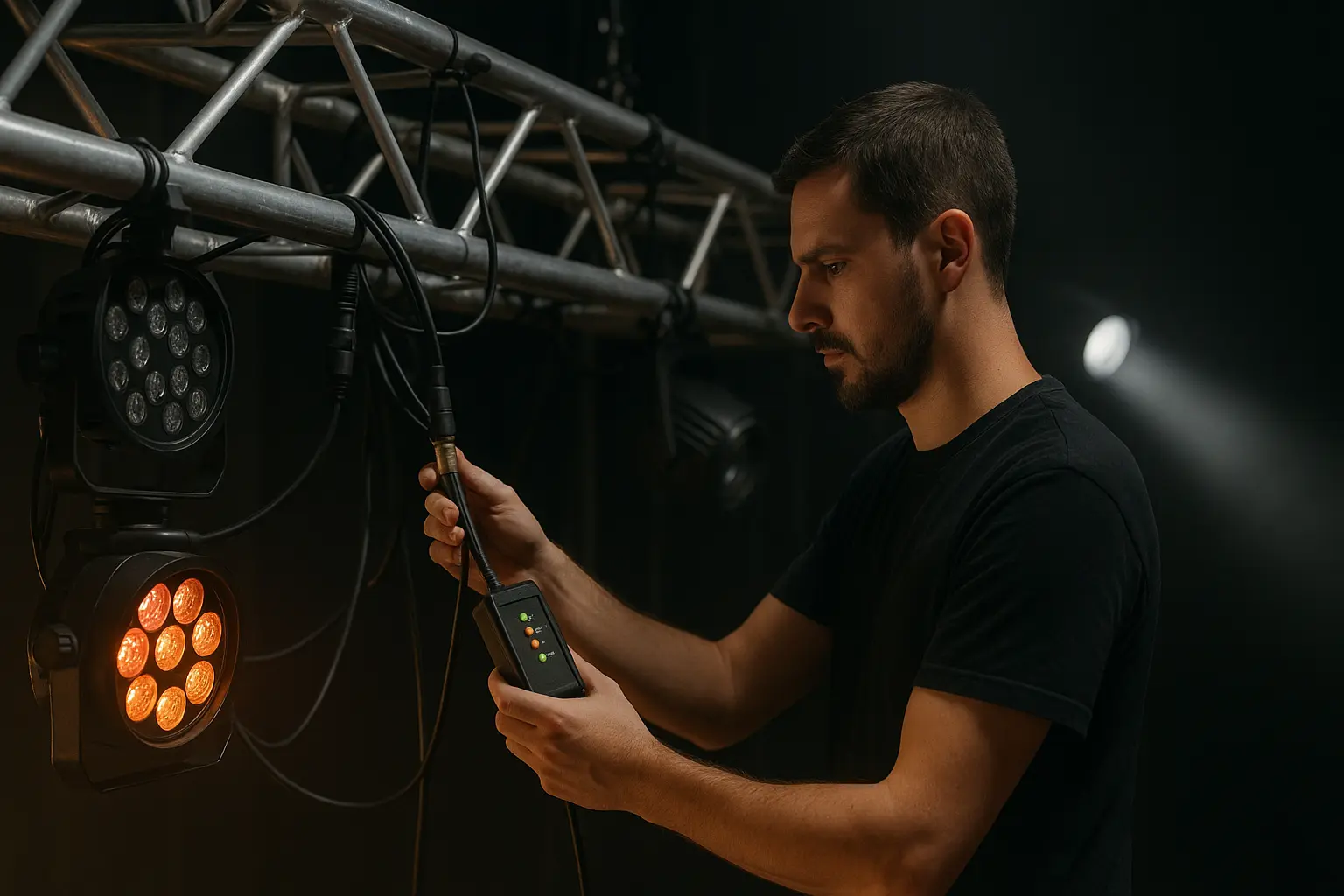
This sequence helps solve 90% of problems seen in U.S. venues.
- Check the cable (make sure it’s 120-ohm DMX cable)
- Check pinout on adapters and homemade cables
- Confirm polarity (Pin 2 = –, Pin 3 = +)
- Check termination
- Test fixtures one by one
- Check RJ45 mapping
- Inspect shielding
- Replace questionable adapters
This also works well for voice search queries.
OEM Manufacturing: Why Good Production Prevents Wiring Failures
This is something most blogs never cover and is where Jingyi Audio adds real value.
How Jingyi Audio Builds DMX Cables

- Automated soldering for consistent pin wiring
- CNC-machined connector shells
- Silver-plated contacts for low resistance
- True 120-ohm PE-insulated cable
- Bending and pull-strength testing
- Full continuity checking
- Custom branding for OEM clients
Why Proper Manufacturing Stops Common Failures
Good production prevents:
- Ground loops from loose shielding
- Random failures from weak strain relief
- Flicker caused by wrong impedance
- Polarity mistakes from hand-soldering
- Short circuits from incorrect RJ45 mapping
Cheap cables often fail because these steps were skipped.
Where DMX Pinouts Are Heading in the Next Few Years
- More fixtures using locking RJ45 (EtherCON)
- More buildings wired with Cat6A for both DMX and network nodes
- Art-Net and sACN everywhere, but DMX still handling the final link
- Higher expectations from U.S. OEM buyers for custom wiring solutions
- More crossover between entertainment and architectural markets
DMX wiring is becoming more predictable in some ways and more mixed in others.
FAQ
- What is the correct 5-pin XLR DMX pinout?
Pin 1 = Shield, Pin 2 = Data –, Pin 3 = Data +, Pin 4 and 5 are spares.
- Can a microphone cable work for DMX?
No. It causes flicker, dropouts, and data errors.
- What is the RJ45 DMX pin layout?
T-568B → Pins 1, 2, 7, 8 carry DMX.
- Why do some fixtures use 3-pin?
Lower cost and common in entry-level lighting.
- Do I need a DMX terminator?
Almost always yes. It stops data reflections.
- What causes flickering?
Wrong cable, wrong pinout, missing termination, or interference.
- What is polarity reversal?
Pins 2 and 3 swapped, often seen in older gear.
- Should DMX shield be connected?
Yes, but correctly—avoid tying it to connector shells.
- How far can DMX run on Cat5e?
Up to about 1,000 feet under good conditions.
- Should OEM buyers request PE insulation?
Yes. It keeps signal sharp over long runs.
- What certifications matter in the U.S.?
UL, RoHS/REACH, and sometimes FCC shielding requirements.
- How do I test DMX pinouts?
DMX testers, cable analyzers, or a known-good fixture.
Closing Thoughts
DMX wiring looks simple from the outside, but the wrong pinout can bring down an entire lighting system. Whether you’re running a theater, installing architectural LEDs, preparing a touring rig, or sourcing cables as an OEM buyer, small wiring mistakes lead to big headaches.
Accurate pinouts, proper 120-ohm cable, careful RJ45 mapping, and solid manufacturing prevent nearly all the problems seen in real installations. Good OEM production—like what Jingyi Audio focuses on—removes uncertainty and keeps systems steady for years.
Citations