










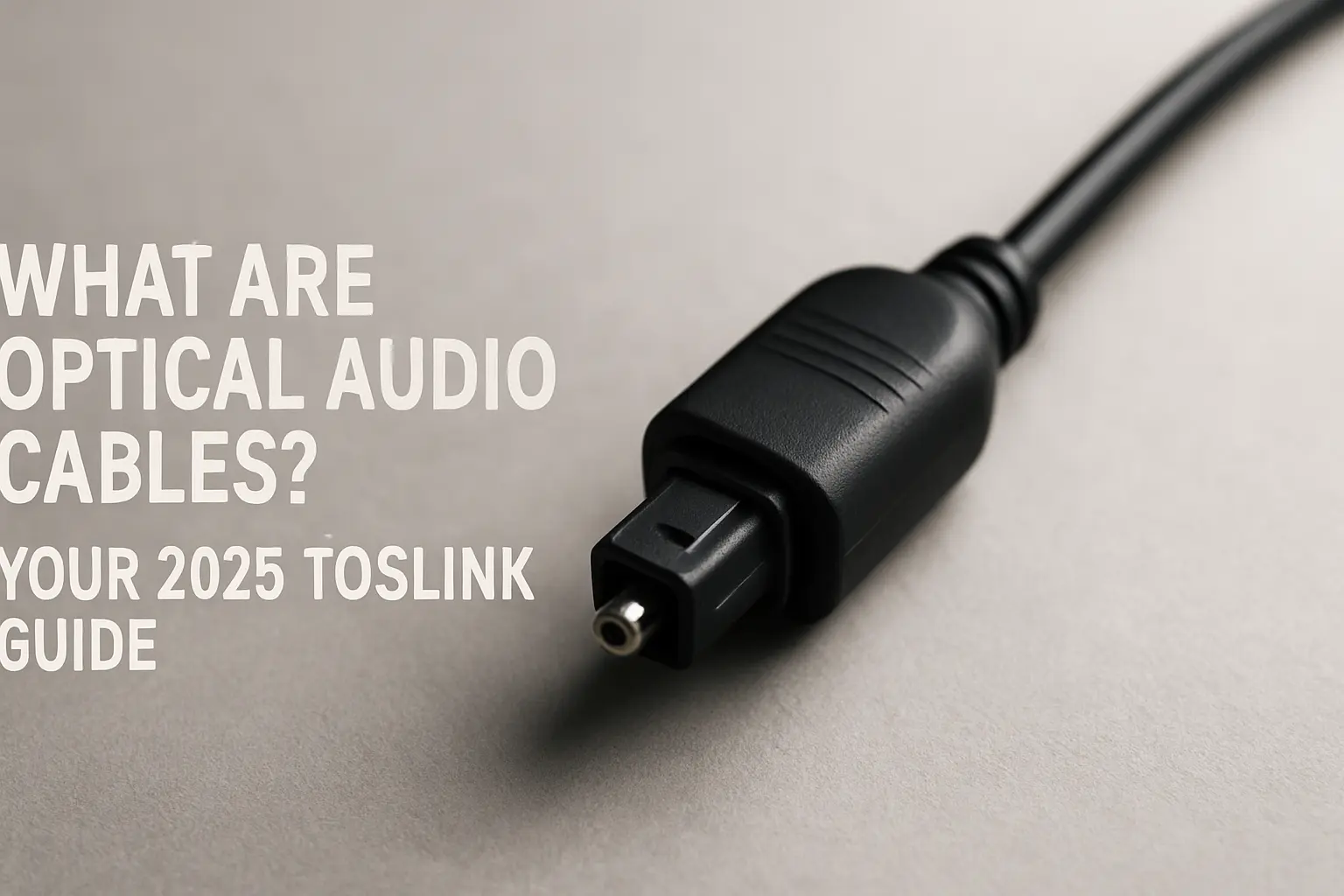
What Are Optical Audio Cables? Friendly Guide to TOSLINK in 2025
Key Takeaways
- Optical (TOSLINK) cables send digital audio with light, so electrical noise can’t sneak in.
- They play PCM stereo plus Dolby Digital and DTS surround formats, but not Dolby TrueHD or DTS-HD.
- Typical home cables work fine up to 10–15 m; premium glass fiber versions stretch to about 30 m.
- Set-up is “plug, click, and play.” Remove the dust caps, push the square plug in, select “Optical” in your gear’s menu, done.
- Great picks for older TVs, game consoles, and any room filled with devices that cause hum on copper lines.
- HDMI ARC/eARC carries fancier audio, yet optical still wins when you just want dependable sound with no fuss or buzz.
- Prices start under $10; pay more only if you need longer runs or tougher jackets.
- The standard appeared in the early 1980s and it still has fans because it simply works.
- A rough bend can snap the fiber; keep curves gentle and cap the ends when you unplug.
- Even with HDMI everywhere, optical’s immunity to interference keeps it useful in studios, live rigs, and busy living rooms.
- Why People Still Use Optical Audio Cables
Home theaters, gaming dens, and music studios share one headache: electrical noise. Cable TV boxes, Wi-Fi routers, and dimmer switches spit out interference that rides on copper lines and shows up as pops or hiss. An optical cable solves that by swapping electrons for light pulses. The signal stays clean from one end to the other.
Imagine you’re running a PlayStation into a soundbar. Your TV has an optical port but no ARC. A five-dollar TOSLINK lead lets game audio fly straight to the bar, zero hum, zero set-up menu gymnastics. That ease keeps the format alive decades after its launch.
- The Nuts and Bolts
2.1 How It Works
A tiny red LED inside the source turns bits into flickers of light. Those flickers travel through a clear plastic or glass core encased in cladding that keeps the light bouncing forward. At the far end, a photodiode converts the light back to bits your receiver or DAC can read. Because the light sits around a 650 nm wavelength, you can see a gentle red glow if you look into the unplugged end (don’t stare too long).
2.2 Connectors
- Standard TOSLINK: square with chamfered corners, the one you’ve seen on TVs for years.
- Mini-TOSLINK: 3.5 mm size, often hidden inside a headphone jack on some laptops and older Mac desktops.
Both share the same optical guts. Adapters can switch between the two.
2.3 Cable Types
|
Core Material |
Typical Max Length |
Notes |
|
Plastic (PMMA) |
~10 m |
Cheap, flexible, perfect for couch-to-TV runs |
|
Glass |
~30 m |
Lower loss, pricey, stiffer, used in studios |
Outer jackets range from plain PVC to braided nylon. Jackets don’t change sound; they just fight pets, vacuum cleaners, or sharp cabinet edges.
- A Short History
Toshiba rolled out the first optical link in 1983 to move digital audio from its early CD players to receivers. Other brands caught on quickly, and the design landed in the JEITA RC-5720 spec. During the DVD boom, TOSLINK became the go-to path for Dolby Digital 5.1 tracks.
Even with HDMI taking center stage for Blu-ray and streaming boxes, makers kept an optical port on almost every TV and soundbar because it’s cheap to add and rarely fails.
- What Formats Travel Through the Fiber?
|
Category |
Examples |
Supported over Optical? |
|
Uncompressed stereo |
PCM 2-channel up to 24-bit/192 kHz |
Yes |
|
Compressed surround |
Dolby Digital 5.1/7.1, DTS 5.1, DTS-ES |
Yes |
|
Lossless surround |
Dolby TrueHD, DTS-HD MA |
No (needs HDMI) |
|
Object-based |
Dolby Atmos, DTS:X |
No (needs HDMI eARC) |
The bottleneck is bandwidth. TOSLINK tops out around 125 Mb/s, but the interface chips run it closer to 6 Mb/s. That’s plenty for clever compression schemes but not enough for raw multi-channel at studio rates.
- Common Set-ups
- TV to Soundbar– Most TV remotes control volume over optical by sending fixed-level PCM. Some soundbars even light up an indicator when they lock onto Dolby Digital.
- Console to AVR– Gamers often route their PlayStation 5 or Xbox Series X audio straight to an AVR while the HDMI goes straight to a low-lag monitor.
- PC to DAC– A desktop’s optical out feeds a hi-fi DAC on the desk, keeping buzzing fans and USB noise out of the mix.
- Studio Clocking– Word clock signals can ride over optical in ADAT Lightpipe format, keeping digital gear in sync without ground loops.
- Step-by-Step Install
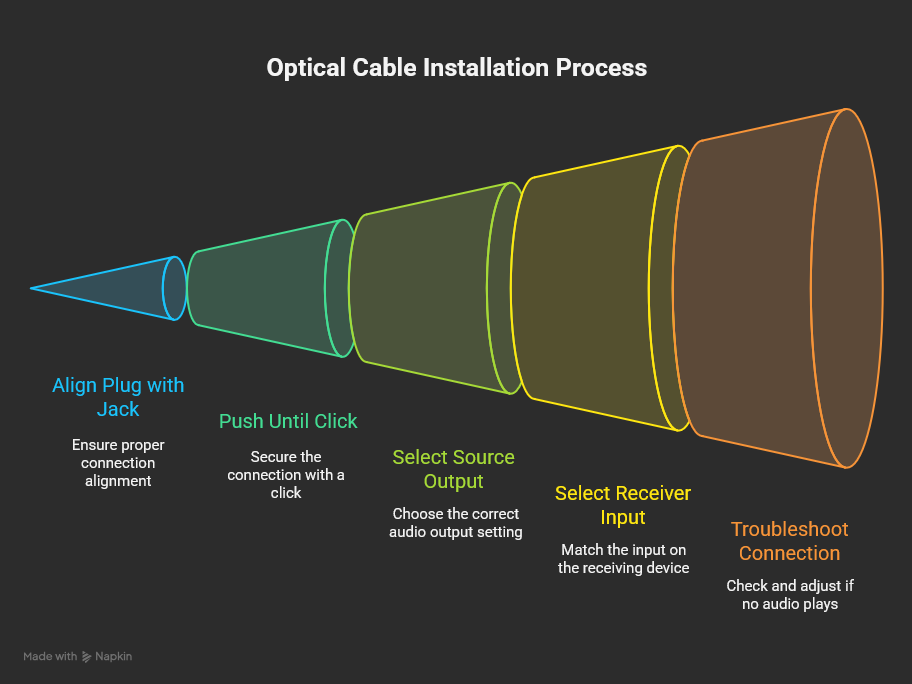
- Pop off and save the clear plastic caps.
- Line up the plug with the shape of the jack—no force needed.
- Push until you hear or feel a soft click.
- On the source, pick “Optical” or “Digital Out.” Choose PCM or Bitstream based on your receiver’s decoding skills.
- Select the optical input on the receiving gear.
- If nothing plays, wiggle the plug a hair or swap to another cable to rule out a break.
Keep bends gentle—picture a soda can; that’s roughly the smallest safe loop.
- Looking After Your Cable
Dust and fingerprints cloud the polished tip. If sound drops or crackles, remove the plug and blow away fluff with canned air. For stubborn grime, a cotton swab dabbed with isopropyl alcohol lightly wiped across the tip works. Let it dry before reconnecting.
If a run needs to snake behind furniture, use cushioned clips instead of tight zip ties. Should you step on the cable and it suddenly goes silent, the fiber likely snapped—time for a new one.
- Optical vs. The Rest
|
Feature |
Optical |
HDMI ARC/eARC |
Coaxial S/PDIF |
Analog RCA |
|
Audio formats |
Up to Dolby Digital/DTS |
Adds Dolby TrueHD, Atmos, DTS-HD |
Same as optical |
Stereo only |
|
EMI immunity |
Excellent |
Good |
Fair |
Poor |
|
Max practical length |
~10 m (plastic) / 30 m (glass) |
~15 m |
~75 m |
~15 m |
|
Carries video? |
No |
Yes |
No |
No |
|
Ease of set-up |
Very easy |
Easy to tricky |
Easy |
Very easy |
|
Port on old gear |
Yes |
Often missing |
Yes |
Yes |
So, if your gear understands HDMI eARC, that’s usually the top choice. But for anyone who just needs steady 5.1 or stereo without ground loops, optical is hard to beat.
- Where the Tech Might Go Next
Engineers are pushing brighter LEDs, smarter modulation, and slimmer glass fibers. These tweaks could open the door to higher data rates or smaller plugs for tablets and VR headsets. Some pro rigs already use multi-mode glass to shoot audio across stages longer than a basketball court.
Still, HDMI will likely remain the highway for new surround formats. Optical’s niche will stay in low-noise, budget-friendly links and situations where you only need audio, not video.
-
Quick Buying Guide
- Length– Measure your run; add a little slack; avoid extra coils.
- Jacket– Plain PVC is fine under a TV. Pick braided nylon if pets chew cables.
- Connector grip– Look for molded strain relief to stop tug damage.
- Price sweet spot– Expect to pay $5–$20 for a solid 1–3 m cable. Spend more only when you need long glass fiber or fancy metal shells.
- Brands with good reputation– KabelDirekt, BlueRigger, UGREEN, AudioQuest (for long glass runs).
Frequently Asked Questions
-
Do optical cables support 24-bit music?
Yes, they handle 24-bit stereo up to 192 kHz without trouble. -
Will an expensive cable sound better?
No; digital either works or it doesn’t. Pay for longer length or tougher build, not “better sound.” -
Can I send mic signals over optical?
Not directly. Optical is for digital data, not phantom-powered mics. -
Why does my receiver show “No Signal” on the optical input?
Check that the source is set to send PCM or Bitstream over “Digital Out (Optical).” Some TVs default to speakers only. -
Is the red glow dangerous?
It’s a low-power LED. Avoid staring straight at it, but a quick glance won’t hurt. -
Can I repair a broken optical cable?
Not easily. Re-polishing the fiber tip needs special tools. Replacement is cheaper. -
Do laptops still ship with Mini-TOSLINK?
Fewer do today; check specs. Some older Mac models hide it in the headphone jack. -
Does optical pass volume control from the TV remote?
Usually yes for PCM stereo, but not always for bitstream surround. -
What’s the bend limit?
Aim for curves no tighter than a coffee mug in diameter. -
I need Dolby Atmos—what cable should I use?
Go with HDMI eARC; optical won’t carry Atmos.
References
- HDMI vs. Optical: Which Digital Audio Connection to Use? – CNET
- TOSLINK Interconnect History & Basics – Audioholics
- HDMI ARC Versus Optical Cables: A Comparison of Sound Quality – CableTime Tech
- How to Connect Optical Audio Cable to TV – Genuine Modules
- TOSLINK – Wikipedia
- TOSLINK Cable – SPDIF Digital Optical Cable – Cable Chick Blog
- Digital Interconnections – Prism Sound
- How to Connect an Optical Cable – Home Cinema Guide
- HDMI ARC vs. Optical – WEPC
-
What to Look for When Buying an Optical Audio Cable – DoItYourself.com