










What Is an Audio Cable? A Simple Guide to Picking the Right Cable for Your Setup
Key Takeaways
- Audio cables carry sound signals between devices and come in two main types: analogand digital.
- Important parts include the wire inside, insulation, shielding, outer cover, and connectors.
- Balanced cables help cut down noise and work well for longer distances or professional gear.
- Choosing the right cable depends on your equipment, how long the cable needs to be, and what connectors you need.
- Different setups like home studios, theaters, or live shows need different cables to sound their best.
What Is an Audio Cable?
An audio cable is a wire that sends sound from one device to another. For example, from your microphone to your speaker, or your phone to your headphones. These cables carry either analog sound signals, which are continuous electrical signals, or digital signals, which are made up of ones and zeros. The quality of the cable affects how clear and true the sound is.
What’s Inside an Audio Cable?
Knowing what makes up an audio cable helps you understand why some work better than others:
- Wire (Conductor): Usually made of copper or silver. Copper gives warm, balanced sound. Silver can make the sound brighter and more detailed.
- Insulation: Keeps the signal safe and stops it from leaking out.
- Shielding: Blocks out unwanted noise from other electronics nearby.
- Outer Cover: Protects the cable from damage.
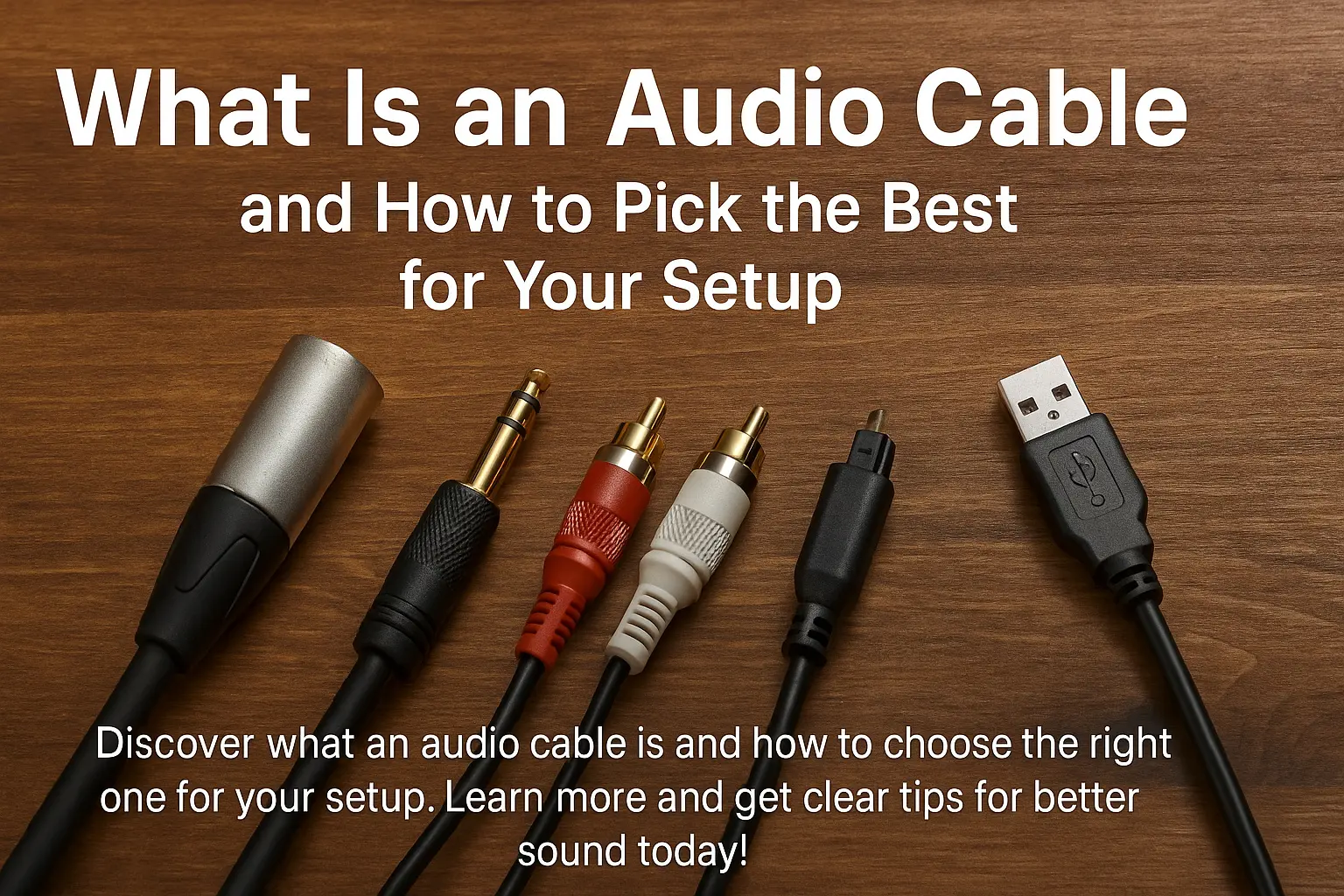
- Connectors: The plugs at the ends that connect to your devices, like XLR, RCA, or TRS.
Types of Audio Cables and When to Use Them
1.Analog Audio Cables
These carry sound as a smooth electrical signal.
- XLR Cables: Balanced cables that reduce noise, great for microphones and professional gear.
- TRS Cables (1/4” or 3.5mm): Can be balanced or unbalanced, often used for instruments and headphones.
- RCA Cables: Unbalanced cables common in home audio gear.
Example: If you’re setting up a small home studio, use XLR cables for microphones to keep noise low, and TRS cables for instruments and headphones.
These send sound as digital data, which is less affected by interference.
- Optical (TOSLINK) Cables: Use light to send sound, so they don’t pick up electrical noise.
- Coaxial Digital Cables: Shielded cables for good digital sound quality.
- USB Cables: Often used to connect computers to audio gear.
Example: For your home theater, use an optical cable to connect your TV to a soundbar to avoid hum or buzz.
These carry power from your amplifier to your speakers. They need to be thicker to handle this power.
Example: When hooking up your living room speakers, pick speaker cables with the right thickness to keep sound clear and distortion-free.
Balanced vs. Unbalanced Cables: What’s the Difference?
- Balanced cables have three wires inside and help cancel out noise. They’re good for long cables and professional gear.
- Unbalanced cables have two wires and are more likely to pick up noise, but they’re fine for short runs and simple setups.
How to Pick the Right Audio Cable
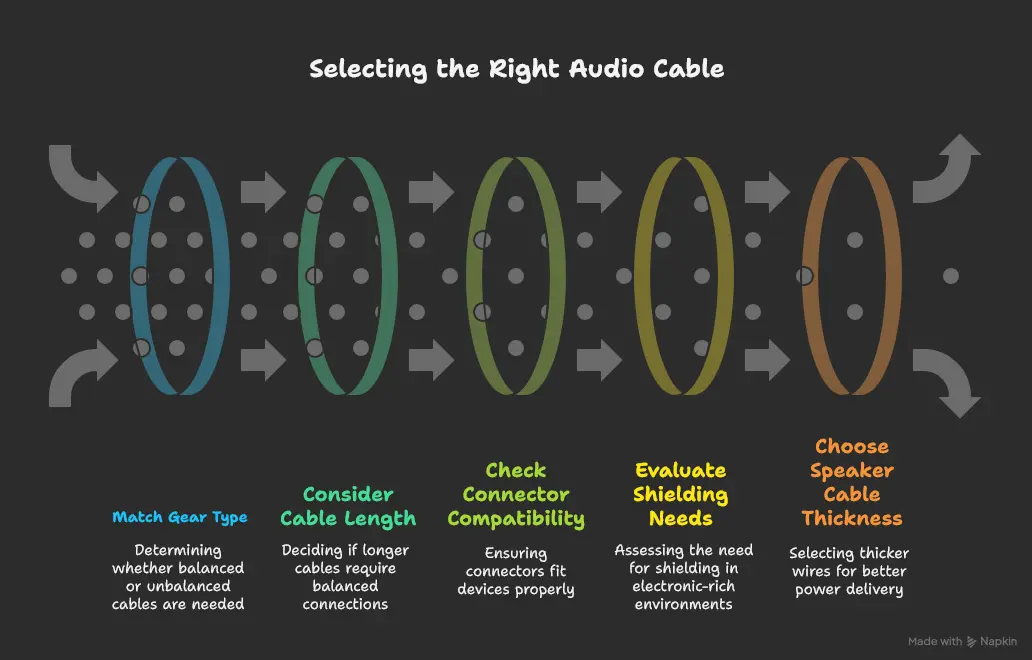
- Match the cable to your gear: pro equipment usually needs balanced cables; home gear often uses unbalanced.
- Keep cable length in mind: longer cables can lose signal quality, so use balanced cables if you need long runs.
- Make sure connectors fit your devices.
- Look for good shielding if you’re in a place with lots of electronics.
- For speaker cables, thicker wires carry power better over long distances.
Simple Solutions for Common Setups
|
Setup |
Cable Type to Use |
Tips |
|
Home Studio |
XLR (mics), TRS (instruments) |
Use balanced cables to keep noise down |
|
Home Theater |
Optical or Coaxial Digital |
Avoid interference, check device compatibility |
|
Live Shows |
XLR and Speaker Cables |
Use tough cables with good connectors and shielding |
|
DJ Setup |
TRS and RCA |
Pick durable cables; balanced cables for mixers |
|
Computer Audio Interface |
USB or TRS |
Use digital or balanced cables for best sound quality |
Why Good Cables Matter
Cheap or poor-quality cables can add noise, lose signal, or cause distortion. Spending a bit more on the right cables means:
- Clearer sound with less noise
- Fewer connection problems
- Cables that last longer
FAQ
Q: Can I use any cable with any device?
A: No, you need to match the cable type and connectors to your gear.
Q: Are digital cables always better?
A: Not always. Digital cables handle interference better, but some people prefer the sound of analog cables.
Q: How long can my cable be?
A: For analog cables, try to keep them under 15 feet or use balanced cables for longer distances. Digital cables can usually run farther without problems.
Wrapping Up
Knowing what an audio cable is and how to pick the right one helps you get the best sound from your setup. Choose cables that fit your gear and needs, and you’ll enjoy clearer, better sound.
Citations
- PCMag Encyclopedia – Audio Cable Definition
-
Cable Matters – Audio Cable Types: A Complete Guide
-
Moon Audio – A Complete Guide to Audio Cables: Types & Uses
-
Helukabel – What Are Audio Cables?
-
Collins Dictionary – Audio Cable Definition
-
RS Components UK – Audio Cable Types
-
Splice – Audio Cable Types Guide
-
Twilight Musical Dialogues – Audio Cable vs Speaker Cable