










What Is an RCA Cable: A Simple Guide to Understanding and Using RCA Connections
Key Takeaways
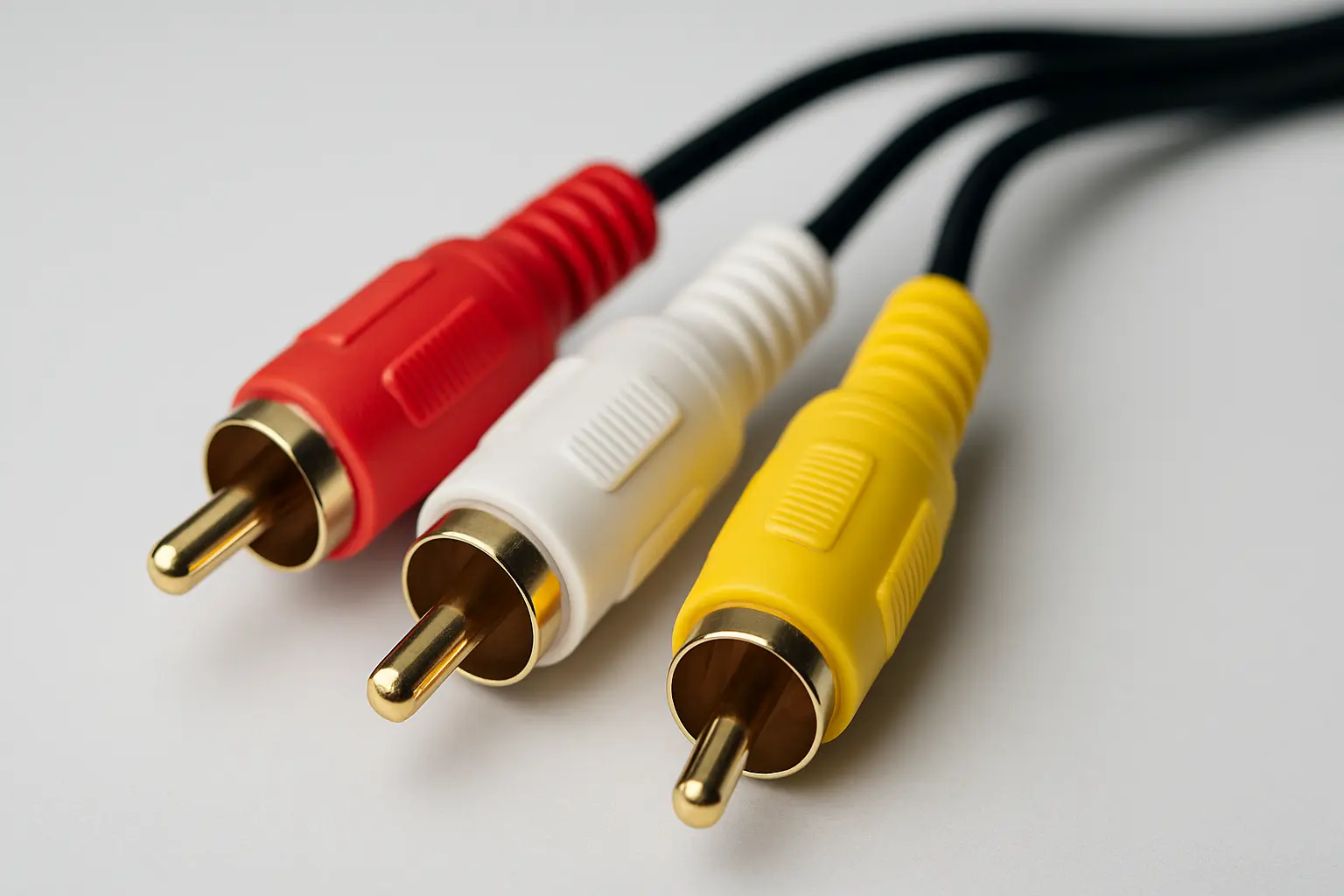
What is an RCA cable? An RCA cable is a type of connector used to carry analog audio and video signals between devices. Named after the Radio Corporation of America, these cables have color-coded plugs (red, white, and yellow) that make it easy to hook up audio and video gear.
Why are RCA cables still used? Even with digital options like HDMI, RCA cables are still handy for connecting older gear, car audio systems, and some professional setups. They’re affordable, easy to use, and work well with many devices.
Main benefits: They work with lots of equipment, cost less, are simple to set up, and send analog signals that many people like for their natural sound.
What Is an RCA Cable and How Does It Work?
What is an RCA cable?
An RCA cable is a connector that carries analog audio and video signals between devices. It was first made by the Radio Corporation of America in the 1930s. The cable has male plugs that fit into female jacks, creating a simple way to connect things like stereos, TVs, and DVD players.
The plug has a center pin surrounded by a metal ring. You just push the plug into the socket. It’s not a locking connection but holds tight enough for everyday use.
How do RCA cables send signals?
RCA cables send analog signals through a center wire, with a shield around it acting as ground. Each cable carries one signal, like left or right audio or video. The signal goes through the center pin, and the outer ring completes the circuit.
When you plug the cable in, it creates a connection that sends audio or video signals directly. Because it’s analog, the signal stays in its original form, which some people prefer for its warm sound.
What do the colors mean?
The colors on RCA cables help you connect them correctly:
- Red:Right audio channel
- White (or black):Left audio channel
- Yellow:Composite video signal
Sometimes, you’ll see other colors for component video cables, like green, blue, and red, which split the video into parts for better quality. The color system has stayed the same for decades, so it’s easy to recognize.
Types and Uses of RCA Cables
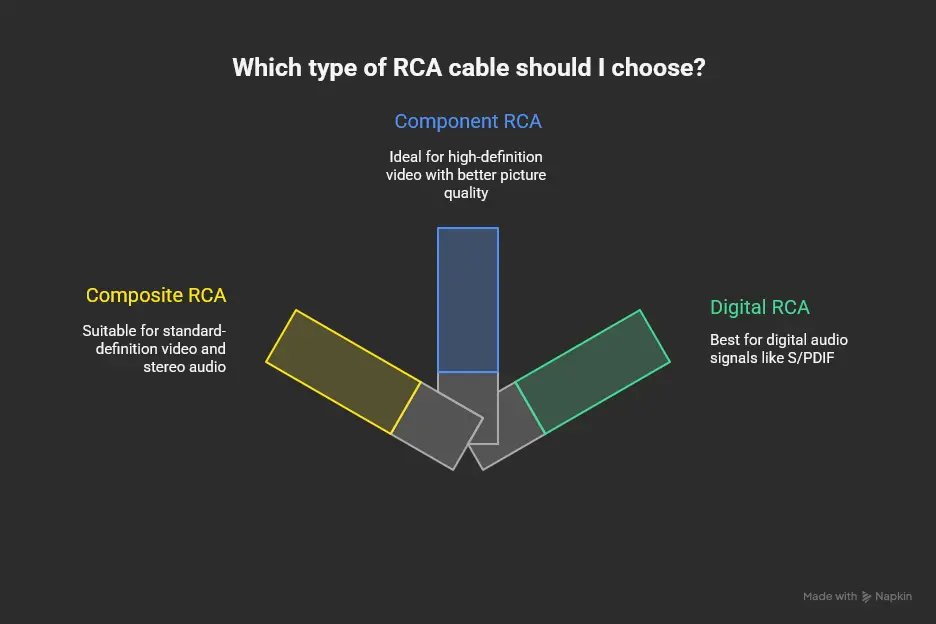
What kinds of RCA cables are there?
Composite RCA cables are the most common. They have three plugs (red, white, yellow) for stereo audio and basic video. The yellow plug carries all video info in one signal, which works for standard-definition video.
Component RCA cables have red, green, and blue plugs for video. They split the video into parts, giving better picture quality, especially for HD.
Digital RCA cables carry digital audio signals like S/PDIF. These need special cables with the right resistance and are made for digital signals, not analog.
How are RCA cables used in home theaters?
In home theaters, RCA cables connect devices like DVD players, Blu-ray players, and gaming consoles to receivers or speakers. For surround sound, multiple RCA cables send different audio channels, like front left and right, center, surrounds, and subwoofer.
People often use RCA cables to connect older gear to newer systems. For example, hooking up a vintage turntable to a modern amp usually needs RCA cables.
What about car audio systems?
Car audio systems use RCA cables to connect the head unit (radio) to amplifiers. The cables carry clean audio signals from the radio to the amps. Since cars have a lot of electrical noise and movement, RCA cables used here need good shielding and careful routing to avoid interference.
Typically, cables run from the dashboard to the trunk, so they’re longer than home audio cables.
How do RCA cables compare to digital options?
RCA vs. HDMI: HDMI carries both audio and video digitally in one cable, while RCA sends analog signals and needs separate cables for each channel. HDMI gives better picture quality for HD content, but RCA works better with older gear.
RCA vs. Optical: Optical cables send digital audio as light, which avoids electrical interference. RCA cables can carry both audio and video and don’t need digital-to-analog conversion at the receiving end.
Which one you use depends on your gear and what you want. Some people like RCA for its analog sound, others prefer digital for clarity.
Picking the Right RCA Cable
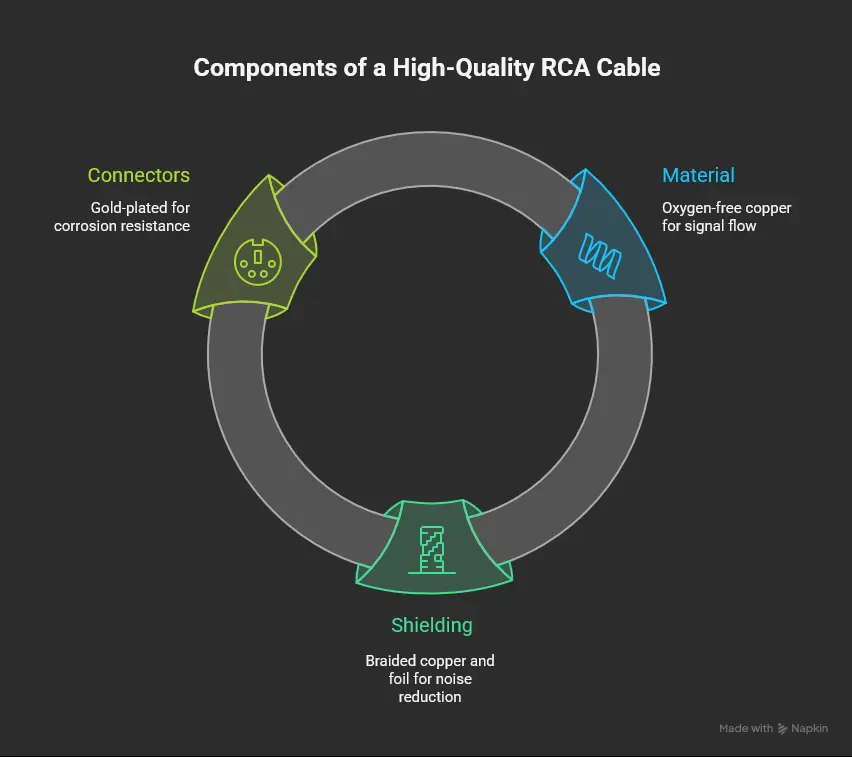
What makes an RCA cable good quality?
Material: Good cables use oxygen-free copper for better signal flow and less loss. Some fancy cables use silver or gold, but these cost more.
Shielding: Good shielding blocks interference from other electronics. Better cables have layers of braided copper and foil to keep noise out.
Connectors: Gold-plated connectors resist corrosion and conduct better. The plug should fit snugly without being too tight.
How long should the cable be?
Shorter cables usually work better because long cables can lose signal and pick up noise. For home use, keep cables under 10-12 feet if you can. If you need longer cables, get ones with better shielding.
Measure the distance between your devices and add some length for routing around furniture or walls. Having a little extra length helps if you move things around later.
What cable thickness should I choose?
Thicker cables (lower gauge number) have less resistance and better signal quality. For most home setups, 18-24 AWG works fine. For longer runs or pro setups, thicker cables might help.
Keep in mind thicker cables are harder to bend and route. For cars, thickness matters more because of tight spaces and temperature changes.
Setting Up and Using RCA Cables
How do I connect RCA cables properly?
Match the colors: red to red, white to white, yellow to yellow. Don’t force plugs in; they should slide in smoothly and feel secure.
If a plug feels loose, you can gently squeeze the metal ring to make it tighter. Loose connections can cause audio dropouts or noise.
After connecting, test by playing something to make sure all channels work. If there’s a problem, try swapping cables to find out if the cable or device is the issue.
What are common mistakes to avoid?
Don’t run RCA cables next to power cords, which can cause noise. Keep them separate.
Don’t use cables that are longer than you need. Longer cables pick up more interference.
Don’t leave cables loose on the floor where they can get stepped on or damaged. Use cable ties or clips to keep them neat and safe.
How can I fix problems with RCA cables?
Check for damage like frayed wires or bent plugs. Replace damaged cables instead of trying to fix them.
Try swapping cables with ones you know work to see if the problem is the cable or the device.
Make sure plugs are fully inserted. Sometimes unplugging and plugging back in fixes issues.
Keep cables away from devices that cause interference, like Wi-Fi routers or fluorescent lights.
Real-Life Examples
How can I connect old gear to new systems?
If you want to connect a turntable to a modern amp, remember that turntables usually output a weaker “phono” signal. You might need a phono preamp between the turntable and amp when using RCA cables.
If you have an old gaming console, you might need an RCA-to-HDMI converter to connect it to a new TV that doesn’t have RCA inputs. This won’t improve picture quality but will let you use the console.
Many people like using RCA cables with vintage gear because they keep the original analog sound.
How do I set up RCA cables in a car?
Plan your cable route from the radio to the amplifier carefully. Usually, you need about 15-16 feet of cable.
Keep RCA cables away from power wires to avoid noise. Use shielded cables made for cars.
Secure cables so they don’t get damaged by vibration or moving parts.
How do I use RCA cables in a recording setup?
Use good quality, well-shielded cables to avoid noise.
Label your cables so you don’t get confused when connecting lots of gear.
Make sure your equipment is properly grounded to avoid hum and interference.
Will RCA Cables Still Be Used?
RCA cables are still needed for older gear and by people who like analog sound. They’re cheap and work well for many setups.
Newer cables use better materials and shielding to improve performance.
Some cables combine analog connectors with digital signal processing.
Wireless and digital connections are growing but RCA cables remain useful for many situations.
Frequently Asked Questions
-
Are expensive RCA cables worth it?
Better cables can improve sound in high-end setups, but for most people, mid-range cables work fine. -
How long can RCA cables be?
Try to keep them under 10-12 feet. Longer cables can lose signal and pick up noise. -
Can RCA cables carry digital audio?
Yes, but you need special cables made for digital signals like S/PDIF. -
Why is my RCA connection cutting out?
Check for loose plugs or damaged cables. Try swapping cables to find the problem. -
Are audio and video RCA cables different?
Video cables need to handle higher frequencies. Using audio cables for video can reduce picture quality. -
How do I stop interference?
Keep RCA cables away from power cords and use shielded cables. -
Can I connect two RCA cables together?
You can, but it’s better to use a longer cable to avoid signal loss. -
What’s the difference between RCA and XLR?
RCA is unbalanced and common in home gear; XLR is balanced and used in professional audio for better noise rejection.
References
- Understanding RCA Cable: A Comprehensive Guide - VRGHT
- RCA Cables: Choosing the Right Option for Your Setup
- HDMI Cable Vs. RCA
- What is an RCA cable and when to buy one? - RadioShack
- What are the applications of RCA cables? - Knowledge
- What is the Difference Between RCA Cable and HDMI Cable: A Comparative Analysis - TechYouLike
- RCA connector - Wikipedia
- RCA cables: what exactly are they used for?
- HDMI vs RCA - Which Cable is Right for Your Setup? - Audiophiles
- A Complete Guide to RCA Connectors - RS Components