










What is RCA Out? Your Guide to Analog Audio and Video Connections
Ever spotted those red, white, and yellow jacks on the back of an old stereo or gaming console? You're looking at a piece of tech history that's been around longer than you might think. While "RCA Out" might sound technical, it's actually pretty straightforward once you know what you're looking at.
The Story Behind Those Colorful Plugs
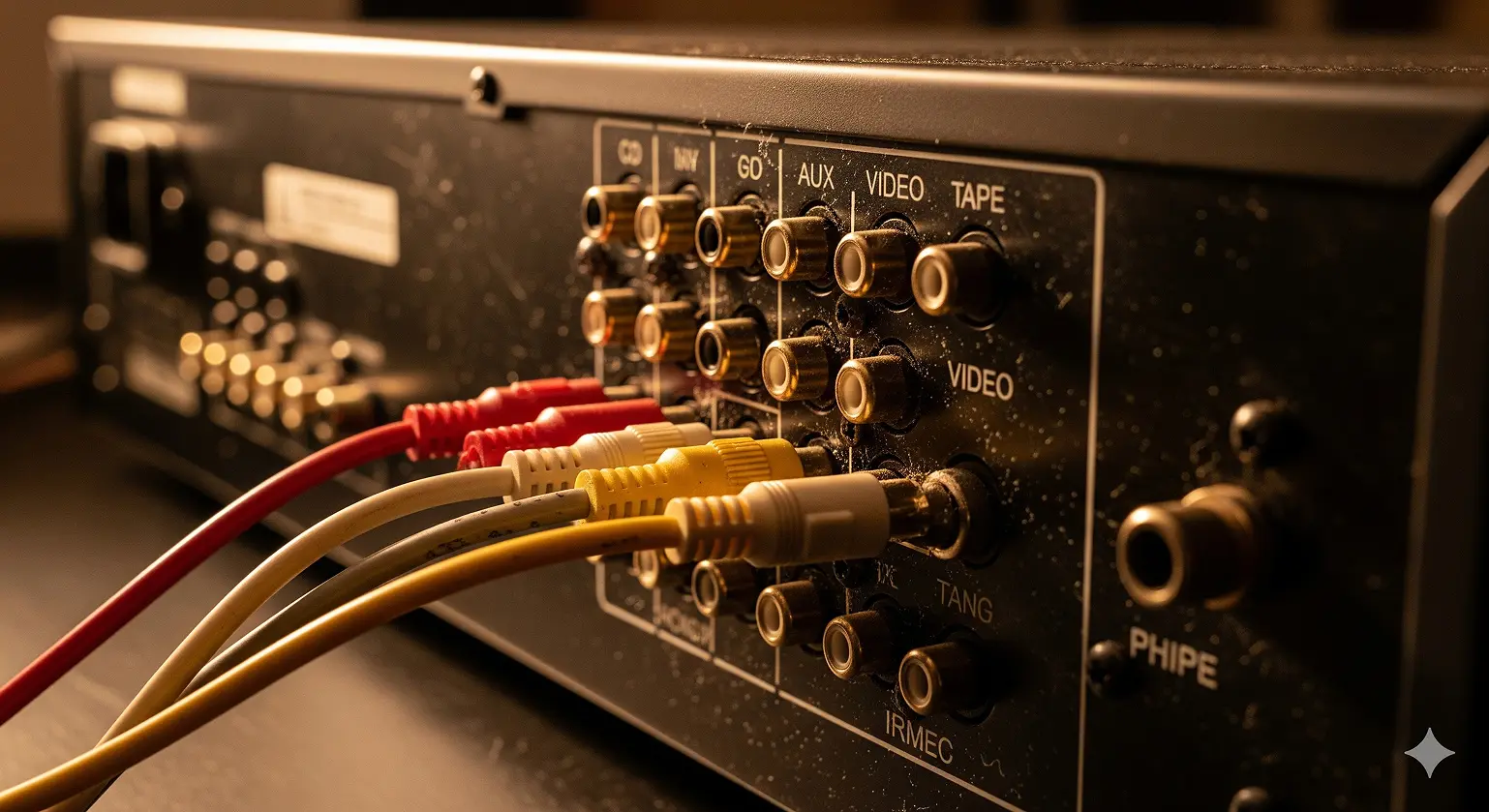
These connectors didn't start with your Nintendo – they go way back to the 1940s radio days. The Radio Corporation of America created them in 1937 as a simple way to connect record players to radio amplifiers. Before this, people had to deal with messy wire terminals that were a pain to use.
What started as a single connector for mono sound grew into the color-coded system we know today. When stereo became popular in the 1950s, they used two connectors for left and right channels. Then came the 1980s VCR boom, and suddenly the same design was carrying video signals too.
RCA Out vs. RCA In: Think of It Like Talking and Listening
Here's the basic idea: "RCA Out" means a device is sending a signal, while "RCA In" means it's receiving one. Picture it like a conversation – the output is the mouth talking, and the input is the ear listening.
Your CD player has RCA outputs to send music to your amplifier's RCA inputs. Your game console outputs video and audio to your TV's inputs. You always need one device sending and another receiving for anything to work.
The plugs themselves have names too: male plugs are on cable ends, female jacks are built into equipment.
Cracking the Color Code
The colors aren't random – they tell you exactly what type of signal each connector handles.
Red and White: Your Basic Stereo Setup
This is the classic audio pair you'll see everywhere. Red handles the right audio channel, white takes the left. Remember "Red is Right" and you'll never mix them up.
You'll find these on CD players, turntables, tape decks, and pretty much any audio device from the last 40 years.
Yellow: The Video Workhorse (With Limits)
That yellow connector carries composite video – basically your entire picture crammed into one signal. While this was the standard for decades, squashing all that video information together means you lose quality. You're stuck with 480i resolution, which looks pretty rough on today's big screens.
Classic gaming consoles like the NES, Nintendo 64, and original PlayStation all used yellow composite video.
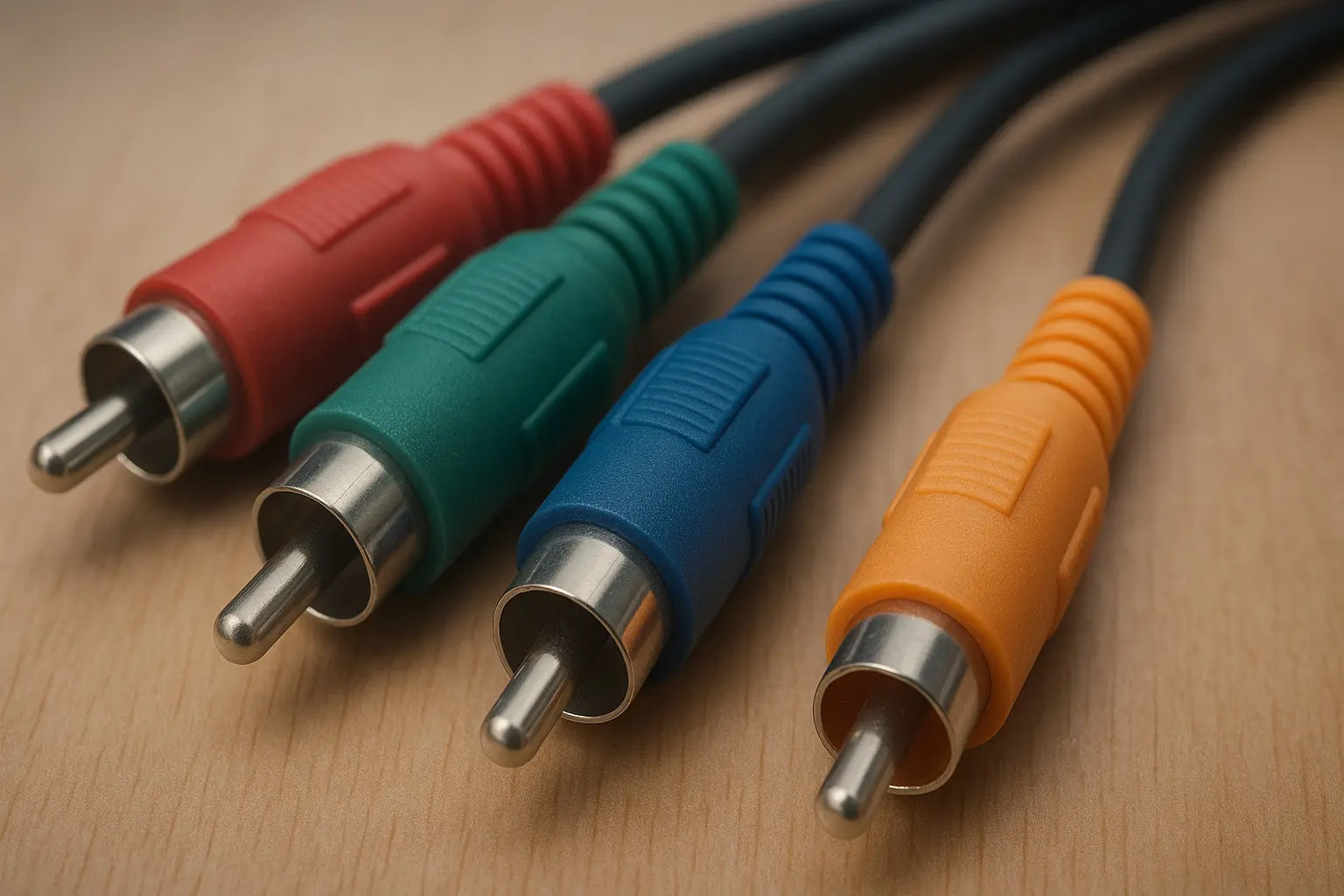
Component Video: Red, Green, and Blue for Better Pictures
When composite video wasn't cutting it anymore, component video stepped in. Instead of cramming everything into one signal, it splits the video into three parts:
- Green (Y): Handles brightness and sync information
- Blue (Pb): Blue color difference signal
- Red (Pr): Red color difference signal
This separation prevents the quality loss you get with composite video and can even handle HD signals up to 1080p. You'd find these connections on better DVD players and game consoles like the PlayStation 2 and Xbox 360.
Orange: The Digital Oddball
Here's where things get interesting – that orange RCA connector isn't analog at all. It carries digital audio using S/PDIF format. One orange cable can send stereo audio or even surround sound formats like Dolby Digital to your home theater receiver.
Why HDMI Took Over
RCA had a good run, but it couldn't keep up with modern demands. The biggest problem? Analog signals pick up interference like crazy. Those cables act like antennas for electrical noise from power cords and appliances, which creates annoying hums and buzzes.
Plus, there's only so much information an analog signal can carry. Composite video tops out at standard definition, and even component video can't handle today's 4K content. Meanwhile, HDMI 2.1 pushes 48 Gbps of data – enough for 8K video and high-quality surround sound, all in one cable.
The convenience factor sealed the deal. Instead of juggling five separate cables for HD video and audio, HDMI does it all with one connection. No more cable spaghetti behind your TV.
The 2009 Turning Point
RCA's decline in new TVs wasn't gradual – it was pretty sudden. When the FCC killed analog TV broadcasts on June 12, 2009, manufacturers saw their chance. Why include bulky analog ports when everything was going digital?
New TVs started dropping RCA inputs to make room for more HDMI ports and achieve those sleek, thin profiles everyone wanted.
Why RCA Still Matters Today
For Retro Gaming Fans
Classic consoles were built for the TVs of their time. Plug an old NES into a modern 4K TV, and you'll probably hate what you see. The TV's upscaling tries to work with that low-resolution signal but usually makes things look blurry and delayed.
Many retro gaming enthusiasts swear by original connections for the authentic experience these consoles were designed to deliver.
For Vinyl Lovers
Turntables still use RCA outputs as standard. Here's why: your record player produces a super-weak "PHONO" signal that needs special treatment. It has to go through a phono preamp to boost the signal and apply the right equalization curve before your amplifier can use it.
The signal path looks like this: Turntable → Phono Preamp → Amplifier. Many turntables also include a ground wire to prevent electrical hum.
Connecting Old Gear to New TVs
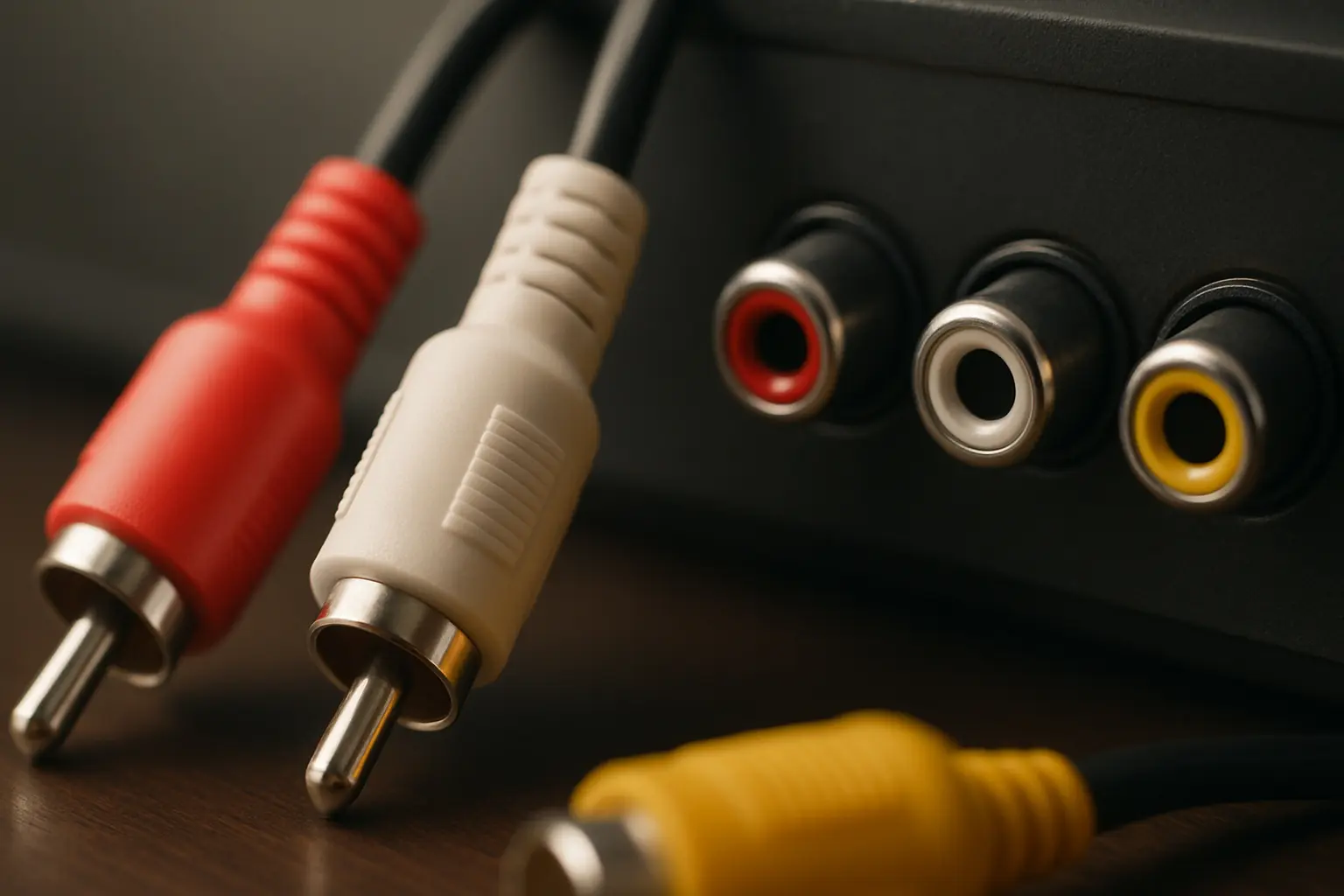
Just because your new TV doesn't have RCA inputs doesn't mean your old stuff is useless. RCA to HDMI converters can bridge that gap, but you need the right approach:
- Connect your source: Plug those red, white, and yellow cables from your device into the converter
- Run HDMI to your TV: Standard HDMI cable from converter to TV
- Don't forget power: Most people miss this step – these converters need power to work, usually via USB
- Select the right input: Switch your TV to the correct HDMI input
When Things Go Wrong
That Annoying Hum
Audio hum is usually a ground loop issue. Try these fixes:
- Start simple: unplug everything from your amplifier. If the hum stops, add components back one by one to find the culprit
- Use the same power outlet for all your audio gear
- Check your cable TV connection – that coaxial line is often the troublemaker
- Consider an RCA ground loop isolator for stubborn cases
Video Problems
Blurry or black-and-white composite video usually means a bad cable or poor connection. The color information gets lost first when signals degrade. Try a new cable designed specifically for video – not all RCA cables are created equal.
Audio Cutting Out
Crackling, weak, or intermittent audio points to cable problems:
- Check for physical damage near the connector ends
- Look for corrosion on the metal contacts
- Make sure connections are tight and secure
- Swap left and right cables to see if the problem follows the cable
Quick Answers to Common Questions
What's the difference between RCA out and in? Out sends signals, in receives them. Simple as that.
Can I use any color cable in any port? The cables might fit, but don't do it. Each port expects a specific type of signal. Put video into an audio port and you'll just get noise.
Is RCA worse than HDMI for audio? Technically, yes. HDMI carries perfect digital audio without interference, while RCA can pick up noise. For basic stereo listening, you might not notice much difference, but HDMI wins for home theater setups.
Are expensive gold-plated cables worth it? Gold doesn't make things sound better, but it prevents corrosion. If you live somewhere humid or plan to keep the same cables for years, the extra durability might be worth it.
How do I connect my phone to RCA inputs? Get a 3.5mm to dual RCA cable. The small end goes in your phone's headphone jack, the red and white ends go to your stereo.
Where to Find RCA Cables Today
You can still buy RCA cables pretty much anywhere:
- Big box storeslike Best Buy and Target have basic cables and adapters
- Online retailerslike Monoprice offer better selection and prices
- Music storescarry professional-grade cables if you need something heavy-duty
The Bottom Line
RCA connections might be old tech, but they're not dead tech. Whether you're spinning vinyl, playing retro games, or just trying to connect something vintage to your modern setup, understanding these simple color-coded connections will save you frustration and help you get the most out of your gear.
Sure, HDMI and digital connections are technically superior, but there's something satisfying about the simplicity of those red, white, and yellow cables. Sometimes the old ways still work just fine.