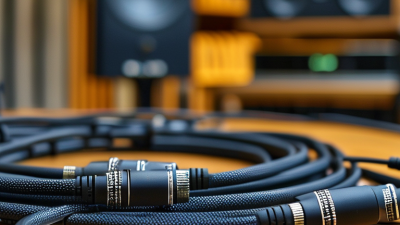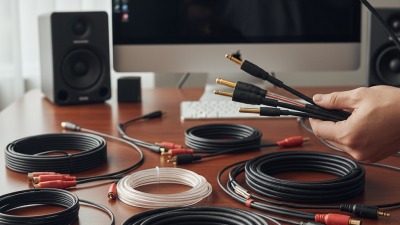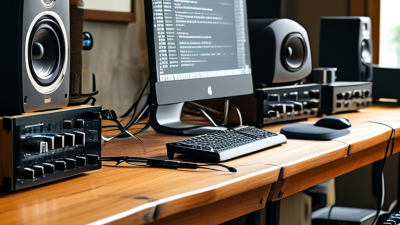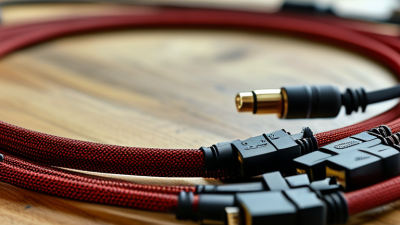
Choosing the right Pro Audio Cables is less about chasing expensive labels and more about matching each cable to its working environment. A studio microphone may need a balanced XLR cable with strong shielding. A powered speaker may require a dependable speaker cable, not an instrument lead. These differences matter. Using the wrong design can create noise, weak signal transfer, or equipment damage.
George Cardas, founder of Cardas Audio, has said, “The best cable is the one that gets out of the way.” That idea remains useful when comparing Pro Audio Cables. A good cable should preserve the source signal, resist interference, and survive repeated coiling. Look for secure connectors, flexible jackets, strain relief, and suitable conductor construction. Gold-plated contacts can resist corrosion, but they do not automatically improve every system. Marketing often makes this point unclear.
Real-world testing is still valuable. Move the cable near power supplies, dimmer packs, and wireless transmitters. Listen for hum. Check whether the connector feels loose after several insertions. A cable that sounds perfect for five minutes may fail during a crowded live performance. That is easy to overlook.
There is no universal “best” cable. A short patch cable, a touring microphone cable, and a studio monitor cable face different demands. Price matters, but reliability matters more. I would compare verified specifications, warranty support, and user feedback before buying. Even then, the decision may not feel perfect. That uncertainty is normal. The best choice is usually the cable that performs quietly, consistently, and long enough to justify its cost.
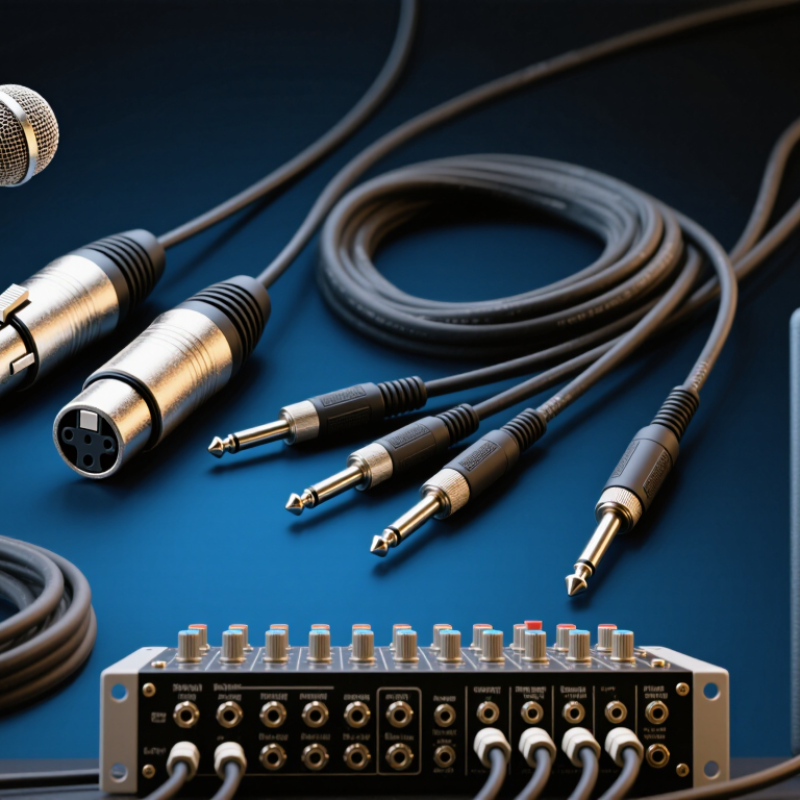
Choosing the best pro audio cable starts with matching the connector to the signal, not chasing the highest price. XLR cables usually carry balanced microphone or line-level signals, helping reduce hum over long runs. TRS cables can carry balanced audio, stereo signals, or insert connections. Check the equipment manual before assuming the wiring.
TS cables are commonly used for unbalanced instruments and short patch connections. They can pick up noise across longer distances. Speakon cables are designed for loudspeaker connections and handle high-power output safely when properly matched. Never substitute an ordinary instrument cable for a speaker cable. BNC cables carry clock or digital signals, while AES3 cables transmit professional digital audio through balanced connections. Their impedance and termination matter.
Tips: Keep power and audio cables separated where possible. Measure the required length before buying. Leave a small service loop, but avoid large coils near power supplies. Test every cable with a simple continuity tester. I have learned that a cable can look perfect and still fail under movement. That detail is easy to miss. Check connector strain relief, shielding, conductor quality, and labeled specifications. For fixed installations, stronger jackets may justify a higher cost. For touring work, flexible construction and secure connectors often matter more. I still double-check AES3 and BNC requirements, because a familiar connector does not guarantee compatible performance.
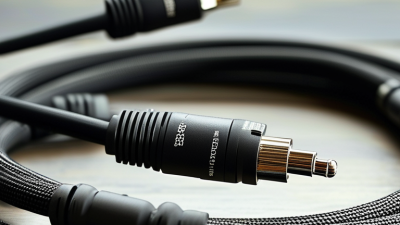
Choosing the best pro audio cable starts with matching its electrical standard to the equipment. AES3 uses a 110 Ω balanced digital connection, commonly carried through twisted-pair cable with suitable shielding. It is designed for professional digital audio and can remain stable across longer studio runs when properly terminated.
S/PDIF follows a 75 Ω unbalanced standard. Its coaxial construction is important because impedance changes can create reflections, jitter, or intermittent clicks. A regular analog guitar cable may fit the connector, but physical compatibility does not guarantee reliable digital performance. Keep these cables away from strong power sources and avoid unnecessary adapters.
Analog audio needs a different approach. Balanced cables use two signal conductors and a shield, helping reject hum in mixers, interfaces, and powered monitors. Unbalanced cables are simpler and often work well for short connections. I have seen a quiet system become noisy after one poorly shielded cable was added. The fault was not obvious.
Cable length matters. Connector quality matters too. More expensive is not always better. I sometimes overestimated cable upgrades when the real problem was grounding or gain structure. Test one variable at a time, listen for clicks or hum, and check the equipment manual before buying. A correctly matched cable usually solves more problems than a fashionable one.
| Comparison Dimension | 110 Ω AES3 | 75 Ω S/PDIF | Balanced Analog Audio | Unbalanced Analog Audio |
|---|---|---|---|---|
| Primary use | Professional digital audio links between mixers, converters, interfaces, and digital processors | Short consumer or semi-professional digital connections between compatible devices | Microphones, line-level equipment, monitor feeds, and professional studio interconnections | Short connections from instruments, media players, mixers, and consumer equipment |
| Signal type | Serial digital audio | Serial digital audio | Continuous analog audio | Continuous analog audio |
| Nominal impedance | 110 Ω differential | 75 Ω coaxial | No single universal characteristic impedance; low-capacitance construction is generally preferred | No single universal characteristic impedance; cable capacitance becomes more important as length increases |
| Typical cable construction | Shielded, impedance-controlled twisted pair | Shielded, impedance-controlled coaxial cable | Shielded twisted pair, usually with two signal conductors and a shield | Shielded coaxial cable, usually with one signal conductor and a shield |
| Common connector formats | 3-pin XLR; some installations use other professional digital connectors | RCA coaxial or BNC coaxial, depending on the equipment | 3-pin XLR and 1/4-inch TRS | RCA, TS, and instrument-style connectors |
| Channel capacity | Normally carries two channels of digital audio per link | Normally carries two channels of digital audio per link | One analog channel per balanced cable; multichannel systems require multiple cables or a dedicated format | One analog channel per cable |
| Balanced or unbalanced | Balanced differential digital transmission | Usually unbalanced coaxial transmission | Balanced; rejects much of the noise induced equally on both conductors | Unbalanced; more susceptible to interference and ground-loop noise |
| Typical audio resolution and rate support | Commonly supports PCM up to 24-bit/192 kHz when the equipment and link length permit it | Often supports PCM up to 24-bit/96 kHz; actual limits depend on the source, receiver, and implementation | Not limited by a digital sample rate; frequency response depends on the equipment and cable design | Not limited by a digital sample rate; performance depends strongly on source impedance, cable capacitance, and length |
| Noise and interference resistance | High when the correct 110 Ω cable and properly terminated equipment are used | Moderate; coaxial shielding helps, but the unbalanced connection can expose ground-related noise | High, especially with twisted-pair construction and correct grounding | Lower than balanced wiring, particularly over long runs or between separately powered devices |
| Cable-selection priority | Verified 110 Ω impedance, correct connectors, shielding, and controlled termination | Verified 75 Ω impedance, true coaxial construction, suitable shielding, and compatible connectors | Low capacitance, effective shielding, flexible construction, durable connectors, and appropriate conductor size | Low capacitance for instruments and long runs, adequate shielding, and secure connectors |
| Interchangeability warning | Do not substitute ordinary analog microphone cable when reliable long-distance digital operation is required | Do not assume an analog RCA cable has the required 75 Ω characteristics for dependable digital transmission | A digital cable does not automatically provide better analog performance; use cable construction suited to analog audio | A balanced cable cannot create a balanced signal if the source and destination are unbalanced |
| Best choice when | You need a professional, robust digital connection over XLR-style infrastructure | Both devices provide S/PDIF coaxial ports and the cable run is short or moderate | You need reliable, low-noise connections for microphones, line outputs, or long studio runs | The equipment has unbalanced outputs and the run is short, simple, and free from significant interference |
What Are the Best Pro Audio Cables to Buy?
When choosing a professional audio cable, look beyond connector quality and outer appearance. Capacitance, measured in pF/m, becomes important on long runs. A cable with lower capacitance places less load on the source output. This helps preserve high-frequency detail, especially with passive instruments, high-impedance equipment, and extended cable lengths. The effect depends on the source impedance, so a low pF/m rating is useful, not magical.
Shielding matters just as much in difficult environments. A dense braided shield can reject interference from power supplies, lighting systems, and nearby digital equipment. Foil shielding may provide excellent coverage, while a braid often offers better flexibility and durability. Balanced wiring also helps cancel induced noise. It cannot fix every ground-loop problem.
I have tested cables beside dimmer packs and computer power adapters. Small construction differences were audible in quiet passages. My first assumption was that thicker cables always performed better. It was wrong. Some thick jackets hid average shielding and higher capacitance. Check the manufacturer’s capacitance and shielding specifications, then test the cable in your own system. An inexpensive LCR meter can reveal unexpected readings. Keep runs tidy, avoid unnecessary length, and separate audio cables from mains wiring where possible. No cable is perfect. Even careful choices may need reconsideration after a real installation.
Evaluate shielding and capacitance: lower capacitance helps preserve high-frequency detail and reduces signal loss on long runs, while higher shielding coverage improves resistance to electromagnetic and radio-frequency interference.
The values shown are representative engineering figures for common professional audio cable constructions. For long balanced microphone or line-level runs, a cable around 45–60 pF/m with at least 90% shielding coverage is generally a strong choice. Actual performance also depends on cable length, source impedance, connectors, grounding, and installation conditions.
The best cable depends on the equipment, distance, and signal type. Balanced XLR cables suit microphones, mixers, and powered speakers. They reject much of the electrical noise found near lighting systems and power supplies. For instruments, use TS cables with suitable shielding and flexible jackets. TRS cables can carry balanced signals or stereo connections, but the socket determines their role. Never assume two similar plugs perform the same job.
Cable length also matters. A three-meter cable may work perfectly on stage, while a fifteen-meter cable can add noise or signal loss. Longer unbalanced runs are especially vulnerable. I once used a long instrument cable beside a power cable and heard a faint hum. Moving the route solved most of it, but better planning would have helped. Impedance must match the application, too. Microphones, headphones, and line outputs do not share identical requirements. Check the equipment specifications before purchasing.
Tips: Measure the real distance, then add modest slack. Choose locking connectors for fixed installations. Keep audio and power cables separated. Test every cable before a session. In my experience, expensive construction cannot rescue the wrong connector or impedance. That mistake is easy to repeat. Inspect solder joints, strain relief, and contact fit. A cable should feel secure without forcing the socket. When unsure, verify the signal path with a technician or the equipment manual.
Choosing the best pro audio cable starts with the working environment, not the lowest shelf price. A cable crossing a busy stage needs a strong jacket, secure connectors, and strain relief that survives repeated coiling. I have seen cheap cables fail near the plug after only a few shows. Durability matters most where movement is constant.
EMI rejection becomes critical near power supplies, lighting controllers, computers, and wireless equipment. Balanced cables with effective shielding usually reduce hum and interference. Still, shielding is not magic. Poor routing can defeat a well-built cable. Keep audio lines away from power cables, and avoid tight parallel runs when possible. Flexibility also affects daily reliability. A supple cable coils smoothly and puts less stress on connectors, while an overly stiff cable fights the technician during setup.
Tips: Test cables before every session. Bend the connector gently, listen for crackle, and label damaged lines immediately. Do not trust appearance alone.
Total cost includes replacements, troubleshooting time, and interrupted performances. A moderately priced cable may offer better value when its conductors, shielding, and connectors withstand regular use. However, more expensive does not always mean better. Check the construction details and warranty terms. My own mistake was buying a heavy cable for a cramped rack; it worked electrically but made setup awkward. Choose based on real conditions, because durability, EMI rejection, flexibility, and cost often compete with one another.