Leave Your Message

How to Choose the Right RCA Connectors?

Choosing Rca Connectors is less about finding the most expensive plug and more about matching it to the signal, equipment, and installation. An RCA plug may carry stereo audio, composite video, or coaxial digital audio, but these uses do not make every cable interchangeable. Check the device labels and manual before buying. A red-and-white pair, for example, usually handles right and left audio; yellow often marks composite video. Color helps, but it is not a guarantee.

Look closely at the connection itself. A snug outer shell, clean center pin, and solid strain relief can make repeated plugging less troublesome. For a crowded receiver cabinet, a slim or angled plug may fit better than a bulky metal housing. Fit first. Looks second. Cable length matters too: extra slack is useful, yet a long, poorly shielded run can pick up noise near power supplies or routers. In practice, connector plating alone rarely tells you how well a cable will perform. Build quality, shielding, fit, and source equipment all matter. Small details matter. This guide explains how to compare connector styles, materials, cable construction, and compatibility without paying for features your system cannot use. One caveat is easy to miss: even a well-made connector cannot repair a weak source or damaged jack. Check the whole signal path, not just the plug.
How to Choose the Right RCA Connectors?

What RCA Connectors Are and How They Transmit Audio or Video

How to Choose the Right RCA Connectors?
What RCA Connectors Are and How They Transmit Audio or Video

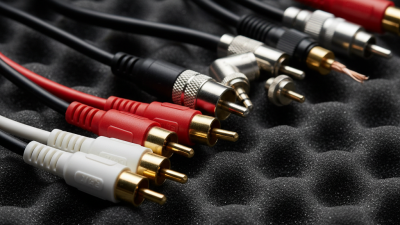
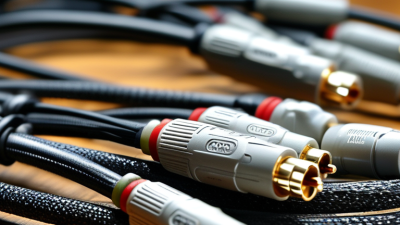
RCA connectors are familiar round plugs with a center pin and an outer metal shield. The pin carries the signal; the shield provides a return path and helps reduce electrical interference. For stereo audio, separate plugs usually carry the left and right channels. Composite video typically uses one plug, often yellow, to carry brightness, color, and synchronization information together. The connector is only the interface. It does not determine the signal format or improve a weak source.

Cable details matter. A loose center pin can cause dropouts, while poor shielding may invite visible interference, such as moving bands on a screen. Cable length and impedance also affect performance, especially for video. I still find this easy to overlook: matching plug colors does not guarantee compatible signals. Composite video and component video may both use RCA-style plugs, but component video splits information across multiple cables.

For context, ITU-R Recommendation BT.601-7 specifies 13.5 MHz luminance sampling and 6.75 MHz chrominance sampling for digital component television. Those figures are not RCA connector specifications; they describe a digital video system. That distinction matters. When choosing a connection, check the equipment’s input and output labels, confirm the signal type, and inspect the cable’s fit and shielding. A clean, snug connection helps. It cannot fix an incompatible format.
Which RCA Connector Types and Configurations Are Available

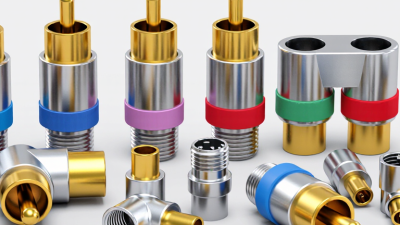
RCA connectors come in several useful forms, and the right choice depends on the signal and installation. A standard plug has a center pin and outer sleeve; the matching jack has a center contact and surrounding ground. Most audio connections use one connector per channel, often in red and white pairs. Composite video commonly uses one yellow connector, while component video uses three connectors for separate signals. Color codes help, but they are not proof. Check the equipment labels before connecting anything.

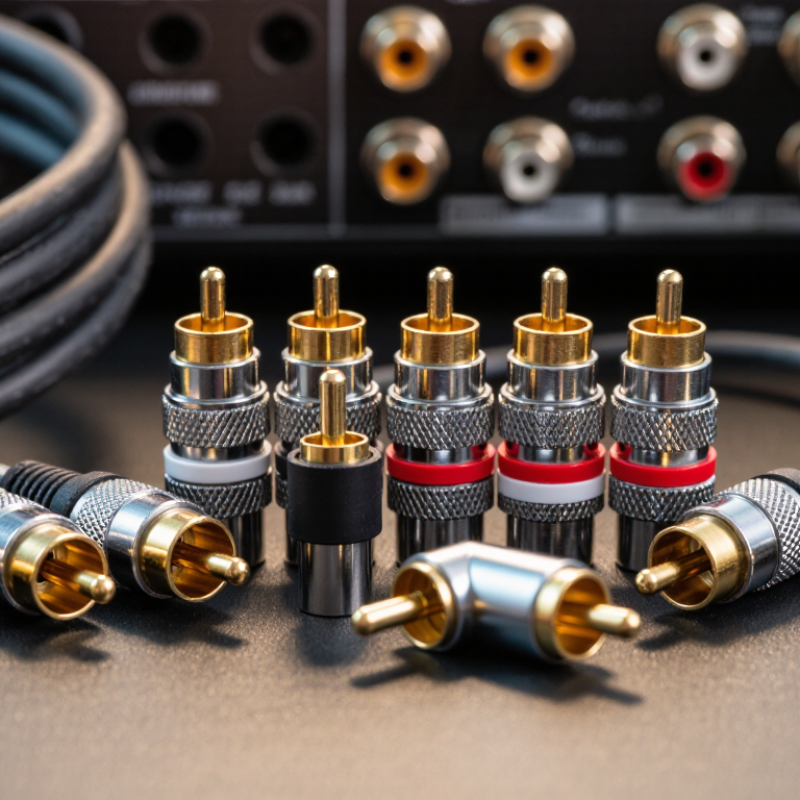
Shape and mounting also matter. Straight plugs suit open spaces, while right-angle plugs can reduce bending behind a cabinet. Panel-mount jacks secure connections to equipment housings; PCB-mount versions attach directly to circuit boards. For field wiring, solder, crimp, and compression terminations each need compatible tools and cable sizes. A tight fit is important. Loose contacts can cause intermittent sound or picture, even when the cable looks fine. For video, check that the cable and connector support the required 75-ohm impedance. Audio setups may use different cable constructions, so matching the connector alone is not enough. It is easy to over-focus on gold plating; fit, strain relief, and correct termination often matter more in everyday use.

How to Match RCA Connectors to Your Equipment

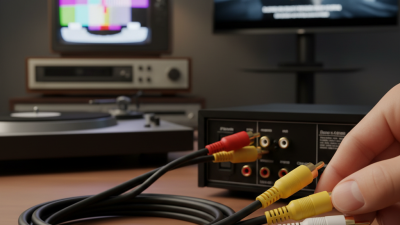
Matching an RCA connector starts with identifying the signal and the sockets on your equipment. Check whether the connection carries analog audio, composite video, or another signal. The plugs may look alike, but the cable requirements can differ. For standard stereo audio, red and white plugs commonly carry the right and left channels. Match them to the same colors on the receiver or amplifier. Fit matters.

For composite video, the yellow RCA connection usually carries the picture signal. Use a cable designed for video, often specified at 75 ohms, rather than assuming any audio lead will perform equally well. For audio, check the equipment manual for the intended input or output; an RCA connector does not mean a speaker-level signal is safe to connect to a line-level input. That is easy to miss.

Also check the connector’s gender, the available space behind the equipment, and whether the cable will be tugged or bent. A snug plug should seat fully without force. If an adapter is needed, make sure it matches both the connector shape and the signal path. Extra joints can loosen over time. Gold plating is not a substitute for correct fit or cable specification. I would check the manual before buying, even when the colors seem obvious.

How to Evaluate Connector Materials, Shielding, and Build Quality

How to Choose the Right RCA Connectors?

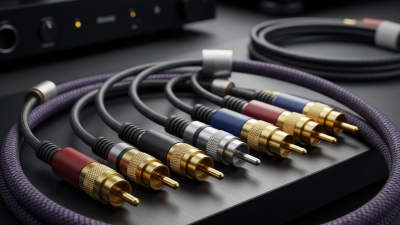
Evaluate the contact material and plating, not just the connector’s shiny finish. Copper-alloy contacts offer useful conductivity and spring strength; nickel plating is durable, while gold plating can resist oxidation in low-voltage signal connections. Check the base metal and plating thickness on the specification sheet. A polished shell proves little.

Shielding matters when RCA cables run beside power supplies, displays, or other noisy equipment. Look for a braided or foil shield and a secure, continuous connection between the cable shield and connector shell. AES48 guidance addresses shield connections in audio equipment, while IEC 60512 test methods cover connector performance. Ask suppliers for test reports with measured contact resistance, insulation resistance, and mechanical-cycle results. Compare the actual figures under matching test conditions; a pass/fail label alone leaves gaps.

Tips: Inspect the solder joint and cable clamp. Gently flex the cable near the plug; movement or crackling deserves attention. Keep the receipt and test data. Even careful checks cannot predict every installation’s noise, and that uncertainty is worth remembering.

How to Select RCA Connectors for Your Setup and Use Conditions

How to Choose the Right RCA Connectors?

How to Select RCA Connectors for Your Setup and Use Conditions

Start with the equipment, not the connector’s appearance. Check whether the RCA sockets carry line-level audio, video, or a subwoofer signal, then confirm the required cable length and plug clearance. Common audio references are −10 dBV for consumer line level and +4 dBu for professional equipment: about 0.316 and 1.228 volts RMS. They are not interchangeable assumptions. Leave room for signal differences, especially when connecting older equipment. For a long run, use well-shielded cable and keep it away from power cords where possible. Small details matter.

Fit and shielding matter in daily use. A plug should seat firmly without forcing the socket; a loose fit can cause crackling when the cable moves. IEC 60268-11 addresses connector applications in sound-system interconnections, while AES48-2005 covers grounding and shielding practices for audio equipment. These references support checking both connector compatibility and shield termination, not just metal finish. For a crowded receiver, right-angle plugs may reduce strain, but they can obstruct neighboring sockets. There is no perfect plug. I still double-check the actual panel layout, because product drawings can miss tight clearances. A short, sturdy cable is often more practical than an elaborate connector.

How to Choose the Right RCA Connectors? — How to Select RCA Connectors for Your Setup and Use Conditions
Selection Factor Setup or Use Condition Suitable Connector Type What to Check Practical Note
Signal type Analog stereo audio between a source and an amplifier Standard RCA plug and matching RCA jack Confirm the number of channels and match the left/right color coding on the equipment. RCA connections are unbalanced; use one signal conductor and a shield/return for each channel.
Video signal Composite video or another RCA-based video connection RCA connectors specified for 75-ohm video use Check the connector and cable impedance specifications, and use 75-ohm coaxial cable where required. Impedance-matched components help reduce reflections and preserve video signal quality.
Cable diameter Replacing a plug or assembling a cable from existing coax Plug with a compatible cable-entry and strain-relief range Measure the cable’s outer diameter and compare it with the connector’s stated cable range. A poor fit can weaken the cable grip or make it difficult to close the connector securely.
Installation method Custom cable assembly with soldering tools available Solder-type RCA plug Check that the center contact and shield terminals suit the cable construction and conductor size. Use suitable soldering technique and avoid overheating the insulator or loosening the center contact.
Installation method Field assembly where soldering is inconvenient Screw, clamp, or compression-style RCA plug Follow the connector’s cable-preparation dimensions and confirm it is designed for the cable type. Assembly methods vary; a connector intended for one cable construction may not secure another reliably.
Available clearance Equipment is close to a wall or neighboring cables Right-angle RCA plug, if its orientation fits the layout Check plug direction, cable exit angle, and the space needed for insertion and removal. A right-angle connector can reduce cable bending, but may not fit every jack arrangement.
Frequent connection and removal Portable systems, test setups, or regularly rearranged equipment Rugged plug with a secure shell and adequate strain relief Inspect the plug’s mechanical construction and confirm that it mates firmly with the equipment jack. Do not pull a cable by the wire; grip the connector body to reduce strain on the termination.
Panel installation Adding an RCA connection to an enclosure or equipment panel Panel-mount RCA jack or feed-through connector Verify the mounting-hole size, panel thickness range, insulation requirements, and rear clearance. Check whether the jack’s shell is electrically isolated from the panel when isolation is needed.
Outdoor or damp environment Use where the connector may encounter moisture, dust, or temperature changes Connector and enclosure system specifically rated for the environment Look for an applicable ingress-protection rating and confirm that the cable entry is sealed as required. A standard RCA plug is not inherently waterproof; use suitable protection for the complete connection.
Signal interference Longer cable runs or routes near electrical equipment Well-shielded coaxial cable with compatible RCA terminations Review cable shielding construction, cable length, and routing relative to power cables and interference sources. Keep unbalanced RCA runs as short as practical when noise pickup is a concern.
Connector material and finish General indoor use or repeated handling Connector with a durable metal shell and corrosion-resistant contact finish Check contact and shell materials, finish, and compatibility with the mating jack. Contact plating alone does not determine overall performance; fit, construction, and condition also matter.