Leave Your Message
Pro Audio Cables matter because they carry delicate signals through a real, often noisy environment. A microphone cable may run beside power leads, sit beneath a stage, or bend repeatedly near a connector. In those conditions, shielding, balanced wiring, sound construction, and secure connections can help preserve a clean signal. The cable cannot improve a poor microphone or repair a bad mix. It can, however, prevent avoidable noise and interruptions.
Audio engineer Bill Whitlock’s work on balanced connections supports a useful principle: “A good cable connection helps reject unwanted noise; it cannot create better sound than the source provides.” This is a summary of that principle, not a verified verbatim quotation. Balanced XLR cables are commonly used for microphones because their design helps reduce interference picked up along the cable run. Cable quality matters most when the setup is demanding: long runs, busy electrical environments, or frequent handling. Sometimes the difference is obvious. Sometimes it is not.
A practical choice starts with the job, not a premium label. Check the connector fit, cable length, shielding, and strain relief. Listen for hum, crackle, or intermittent signal while gently moving the cable. Small details count. Still, cable discussions can become too confident; price alone is not proof of audible improvement. Even experienced users can overlook a worn connector or a poorly routed cable. This guide explores where Pro Audio Cables genuinely affect sound quality, what specifications are useful, and when a simpler cable is entirely adequate.
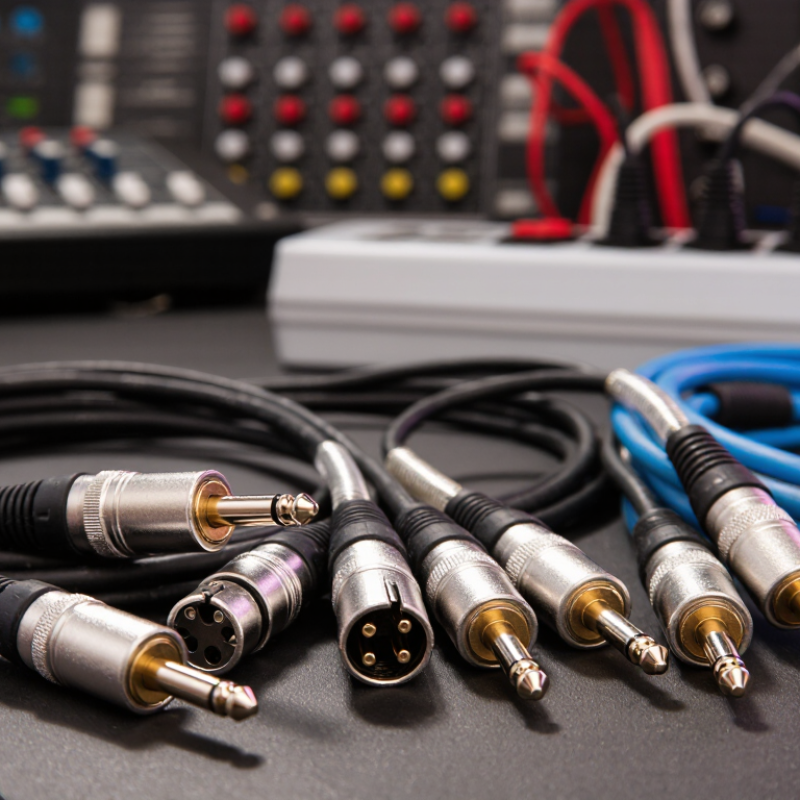
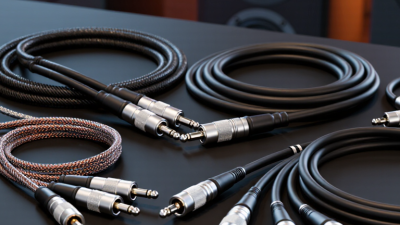
Pro audio cables carry electrical signals between microphones, instruments, mixers, speakers, and other equipment. Inside, one or more metal conductors guide the signal, while insulating material keeps them separated. A protective shield surrounds many audio cables and helps reduce interference from nearby power supplies, lights, or radio equipment. The cable does not create better sound by itself. It helps the signal arrive with less unwanted noise or loss.
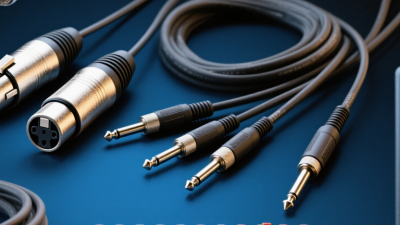
Cable design depends on the connection. A balanced cable, often fitted with XLR or TRS connectors, carries the signal along two conductors with opposite polarity. The receiving device can reject noise picked up along the way. An unbalanced instrument cable uses a signal conductor and a shield, making it more vulnerable to interference over long runs. Keep those runs sensible. Cable capacitance can also affect high-frequency detail, especially with some instrument pickups and longer cables. Not magic.
A practical check is to inspect the connectors and gently flex the cable near each end. Crackling may point to a damaged connection, though the device itself could be at fault. It is tempting to blame every noisy recording on the cable; that is not always fair. Matching the cable type to the equipment and connection usually matters more than choosing an expensive one.
| Cable Type | How It Works | Typical Uses | How It Can Affect Sound | Practical Selection Notes |
|---|---|---|---|---|
| Balanced analog cable | Uses two signal conductors carrying opposite-polarity versions of the signal, plus a shield. A balanced input compares the two signals and rejects noise picked up similarly by both conductors. | Microphones, professional line-level connections, and long runs between audio equipment. | Can reduce hum and interference, especially over longer runs. It does not inherently make a clean signal sound better than a suitable unbalanced connection. | XLR and TRS connectors are commonly used for balanced connections, but the connector alone does not guarantee that a connection is balanced. Check the equipment specifications. |
| Unbalanced instrument cable | Typically uses one signal conductor and a shield that also serves as the signal return. | Electric guitars, basses, and other high-impedance instrument outputs. | More susceptible to hum and interference than a balanced connection. Cable capacitance can reduce high-frequency response, particularly with passive pickups and longer cable runs. | Use a sound, well-shielded cable and avoid unnecessarily long runs. A direct box can convert an unbalanced instrument signal to a balanced signal for a longer connection. |
| Speaker cable | Uses conductors sized to carry the relatively high current delivered by a power amplifier to a passive speaker. It is generally not shielded like a microphone cable. | Connections between power amplifiers and passive loudspeakers. | Undersized or excessively long cable adds resistance, which can cause power loss and alter the electrical damping of the speaker. | Choose conductor size according to cable length and speaker load. Do not substitute a thin, shielded instrument cable for speaker cable. |
| Digital audio cable | Carries encoded digital data. Certain formats specify cable characteristics, such as nominal impedance, to help preserve signal transmission. | Digital connections between compatible audio devices, including AES3 or S/PDIF systems. | When the connection is operating within its limits, the transmitted data is typically recovered accurately. A poor or unsuitable cable can cause errors, dropouts, or loss of lock rather than gradual tonal changes. | Use a cable appropriate for the digital format and run length. AES3 commonly uses 110-ohm balanced cabling; coaxial S/PDIF commonly uses 75-ohm cable. |
| Shielding and cable construction | A conductive shield helps intercept electromagnetic or radio-frequency interference. Twisted conductors can help reduce noise pickup in balanced analog cables. | All types of audio setups, especially live stages, studios, and electrically noisy environments. | Good construction can help prevent audible hum, buzz, crackle, or intermittent signal. Shielding cannot correct noise created by faulty equipment, grounding problems, or poor system layout. | Match the cable construction to the application, handle connectors carefully, and replace cables with damaged insulation, loose plugs, or intermittent connections. |
| Connectors and cable condition | Connectors provide the electrical contact between a cable and equipment. Strain relief helps protect the cable-to-connector joint from repeated pulling and bending. | Every wired audio connection. | Loose, corroded, or damaged contacts can cause crackling, channel loss, or complete signal failure. | Use connectors that match the equipment, secure connections without forcing them, and test cables periodically—particularly before live performances. |
| Overall sound-quality principle | A cable transfers an electrical signal; its suitability depends on signal type, connection design, electrical properties, length, and operating environment. | Microphone, instrument, line-level, speaker, and digital audio systems. | A correctly specified, intact cable usually preserves the signal within the requirements of the connection. The main audible benefits of choosing appropriately are avoiding interference, loss, distortion, and connection faults. | Prioritize compatibility, suitable length and construction, reliable connectors, and proper routing over claims that a cable alone will improve the sound of a functioning system. |